
CRM Data Quality: Metrics, Audits and Fixes for B2B Teams

In 2025, 37% of organizations reported losing revenue directly because of poor CRM data quality, according to Validity’s State of CRM Data Management report. That makes unreliable customer records a revenue problem, not just an administrative inconvenience. The useful question isn’t whether your database looks tidy. It’s whether your sales and marketing teams can safely use it for the decision in front of them.
What CRM Data Quality Means and What It Costs
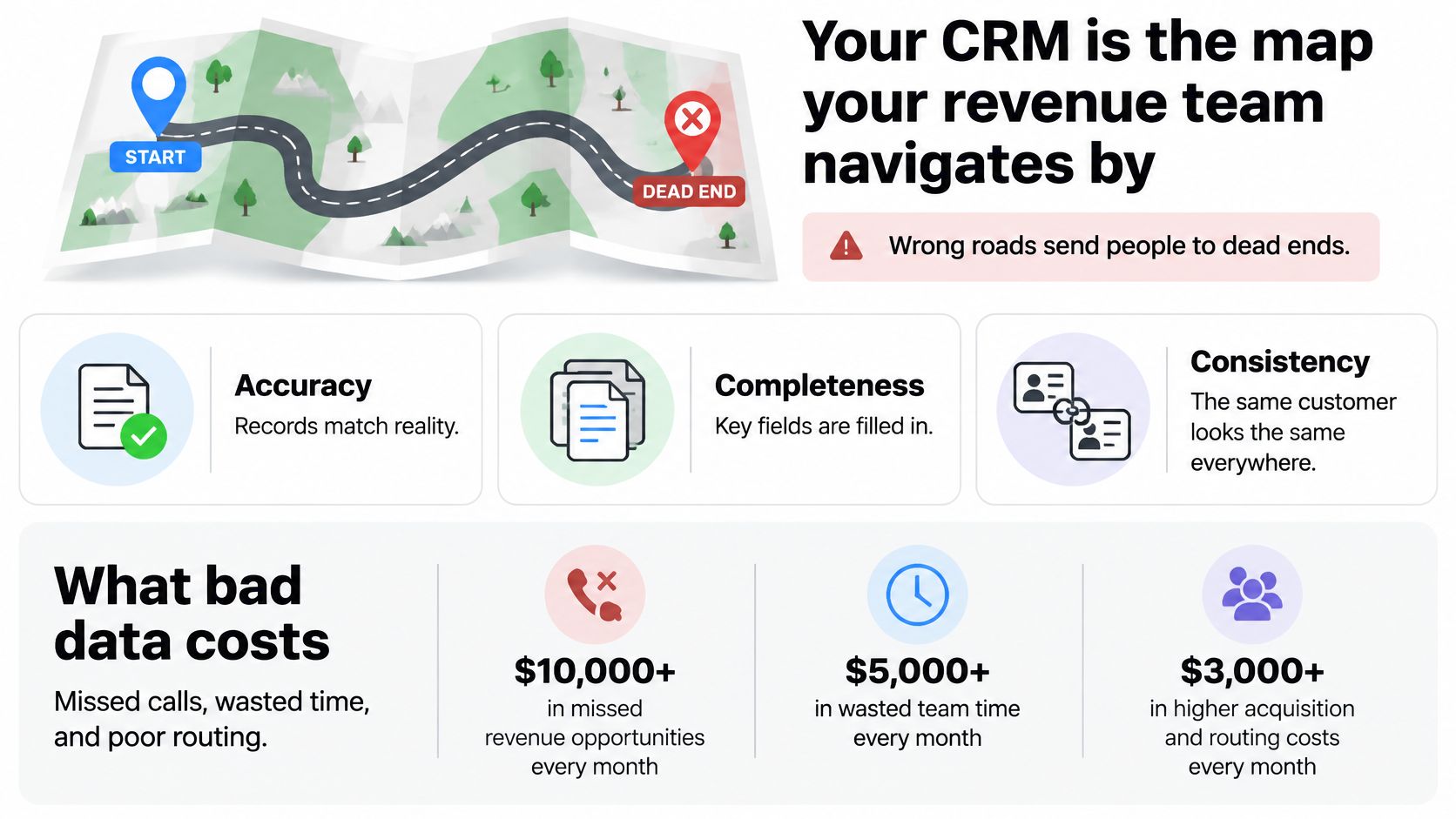
Your CRM is the map your revenue team relies on. Wrong roads send people to dead ends: a rep calls someone who has left the company, marketing excludes a promising account, or a manager forecasts a deal whose buying champion is no longer involved.
CRM data quality means records are accurate, complete, consistent, current, unique, and valid enough for a specific task, such as prospecting, routing, or forecasting.
The final part matters most. A contact record can contain a properly formatted email, a job title, and a company name, yet still be unsuitable for outreach because nobody has confirmed the person still works there. Filled fields aren’t proof of usable data.
The commercial consequences extend beyond wasted calls. In a 2022 study of 1,241 CRM users and stakeholders across the United States, United Kingdom, and Australia, 44% estimated that their companies lose more than 10% of annual revenue because of low-quality CRM data, while 69% said their organizations don’t pursue or complete potentially valuable initiatives because they lack confidence in that data, according to the State of CRM Data Management report.
The map analogy makes the operational requirements easier to recognize.
Judge the work, not the appearance
A polished dashboard won’t compensate for unreliable inputs. Sound sales pipeline management practices require deal stages, owners, and opportunity details that reflect what buyers are doing.
Automation needs the same discipline. NotFair’s resource on AI-powered CRM workflows for marketing teams is useful context when connecting records to automated actions. Before enabling any workflow, identify which inputs it uses and what should happen when they’re missing or uncertain.
Start with a practical self-check:
- Buyer access: Can reps reach the intended person using the information available?
- Pipeline reality: Do opportunity records match the conversations and commitments happening outside the CRM?
- Reporting trust: Can leaders use the report without asking someone to rebuild it in a spreadsheet?
If the answer changes by team or task, don’t average the disagreement away. You’ve identified where workflow-level measurement should begin.
Six Dimensions of CRM Data Quality and How to Measure Each
Quality dimensions, checks and metrics
| Dimension | What It Checks | Metric to Track | Typical Failure |
|---|---|---|---|
| Accuracy | Values match the real person or company | Share of sampled records verified correct against a trusted source | A pre-promotion job title is still listed |
| Completeness | Required fields are filled | Share of records with all required fields populated, defined per object | Account has no industry or country |
| Consistency | The same value is written uniformly | Share of records using standard picklist values and formats | United States, USA, and US appear as separate markets |
| Timeliness | Data was verified within the agreed window | Share of contacts verified within the workflow’s freshness window | Contact still appears at a former employer |
| Uniqueness | Each real entity has a canonical record | Duplicate rate with matching rule, denominator, and entity level disclosed | Same contact appears under different email addresses |
| Validity | Values follow allowed formats and rules | Share passing applicable email syntax, domain, and phone-format checks | Phone number lacks a country code |
These dimensions answer different questions. Don’t combine them into an unexplained health score and assume the result tells a sales lead whether a campaign is ready.
Separate correctness from completeness
Accuracy requires verification against an appropriate source. A company website may establish a legal name, while direct confirmation may be needed for a person’s current responsibilities. Record what was checked rather than marking an entire contact accurate after checking only the email address.
Completeness starts with a required-field definition for each CRM object and workflow. A contact might need an account association and current role for prospecting, while an opportunity needs an amount, stage, and close date for forecasting. Placeholder values such as unknown shouldn’t count as usable completion.
Consistency requires a canonical vocabulary. Use CRM picklists and mapping rules to convert accepted variations into standard values. Be careful with categories: software and information technology aren’t automatically interchangeable just because they’re related.
Distinguish freshness from formatting
For timeliness, use a verification timestamp, not the last-modified date. An integration updating a campaign tag hasn’t verified the person’s employer. Freshness should reflect the field the workflow depends on.
Uniqueness is especially easy to mis-measure. Counting flagged pairs isn’t the same as counting surplus records, and a contact-level result can’t describe account duplication. Write the calculation before publishing the metric.
Validity is narrower than deliverability or reachability. An email can pass syntax and domain checks without belonging to the intended buyer. Phone validation needs its own numbering rules, not an email-domain test.
Before reporting any result, document:
- Population: Which records are included and excluded?
- Pass condition: What exact evidence makes a record pass?
- Calculation: What goes into the numerator and denominator?
- Verification context: Who checked the value, against what source, and when?
That documentation lets teams compare results without arguing over what the score means.
Auditing Fitness for Each Workflow
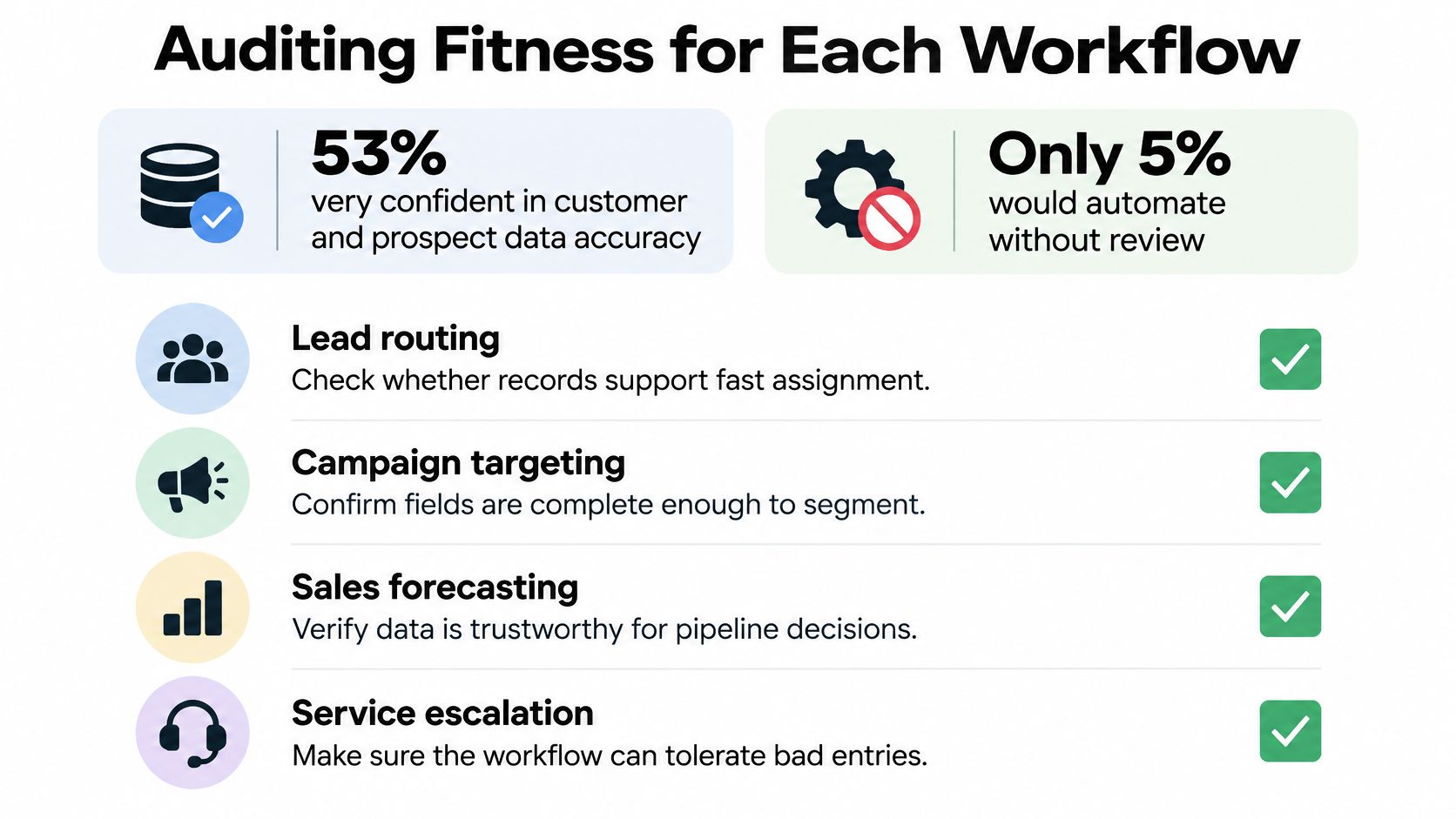
Confidence and control are different measures. In Melissa’s customer data quality survey, 53% of respondents described themselves as very confident in customer and prospect data accuracy, while only 5% selected deduplication as the first process they would automate.
That contrast does not prove those respondents had inaccurate records. It shows why a confidence question cannot replace an operational test. A team can feel good about overall accuracy and still fail territory assignment, prospecting, or forecasting because the specific fields each workflow needs are missing, stale, or mapped incorrectly. Your audit must establish whether a particular workflow has dependable inputs and acceptable outcomes.
Run the audit in focused passes
-
Choose the workflows that matter commercially. Start with account segmentation, territory assignment, outbound prospecting, or forecasting. Name the business action each workflow enables so the audit does not become an inventory of every field in the database.
-
Write down required inputs and freshness rules. Territory assignment might require country, account hierarchy, and ownership exceptions. Prospecting might require current employer, role, contactability, and suppression status. The workflows should not inherit identical requirements by default.
-
Draw a random sample from each relevant object. Check records against trusted sources, and log unverified results separately from confirmed errors. Include imported and manually created records so you are not inspecting only the cleanest source.
-
Test downstream outcomes. Review bounced outreach, leads assigned to the wrong territory, and meetings rejected for poor fit. Trace each failure back to its input or rule, rather than assuming every problem came from a bad contact record.
-
Assign a pass or fail and a named owner. Give each failure a repair action, accountable person, and retest condition. An issue marked for the operations team is not owned until someone can decide what happens next.
Inspect the handoffs
A record may pass inside the CRM and fail after synchronization. Use a clear understanding of CRM integration to inspect field mappings, update direction, and conflict rules between your CRM, forms, and sequencer.
Sales leaders sometimes spot these handoff problems faster in a familiar setting. PurpleCow Digital Marketing’s guide to lead tracking for blinds businesses offers a concrete lead-management context for thinking through inquiry capture and follow-up. Apply that same reasoning to your own path from inquiry to sales ownership. Where did the status change, who changed it, and did the downstream system receive the update intact?
For an additional learning resource, the following video can accompany your team’s workflow review.
A passing audit has a measured result, an agreed threshold, and an owner for every workflow. It also records exceptions, so a clean-looking average cannot hide a failed territory or target segment.
Governing Data by How Much a Decision Depends on It
Must every CRM record be perfect before you introduce AI-assisted prioritization or forecasting? No. Establish enforceable controls around the decisions with the highest consequences first.
In Broadcom’s enterprise AI survey findings, 98% of surveyed organizations were pursuing AI initiatives, while 45% cited governance as an obstacle. The practical response is to govern how systems obtain, interpret, and update important fields, not just buy another enrichment feed.
A risk-based approach gives your team a way to allocate attention without treating every blank field as an emergency.
Governance tiers by decision impact
| Tier | Example Fields | Control | Review Cycle |
|---|---|---|---|
| Identity and consent | Email, legal entity name, opt-in status, country | Strict validation at entry; block promotion to usable status on failure | Scheduled reverification and immediately after a relevant change |
| Segmentation | Industry, employee band, region, lifecycle stage | Completeness thresholds for targeted segments; standard picklists | Scheduled review or after trigger events |
| Descriptive | Notes, secondary phone, company social links | Flag gaps rather than block; accept partial values | When used in a workflow |
Don’t force users to invent a consent value just to save a record. Preserve an explicit unknown status and prevent prohibited downstream actions until the necessary evidence exists.
Make controls enforceable
Assign a named owner to each tier. Configure entry validation, scheduled freshness checks, and alerts when a protected workflow falls below its agreed requirements.
Routine checks should run automatically. Uncertain identity matches and conflicting evidence should enter a review queue rather than trigger an irreversible overwrite.
The people making those decisions need shared context, not disconnected spreadsheets.

AI-generated values should face the same controls as human updates. A predicted industry label isn’t confirmed merely because the model supplied a confident answer.
For forecasting inputs, distinguish buyer-confirmed commitments from seller estimates and machine-generated predictions. That separation supports meaningful forecast accuracy measurement without pretending every input has equal evidential weight.
Review the rules whenever the protected decision changes. A field that once supported a dashboard may later determine routing or customer eligibility and need stronger controls.
Audit-trail rule: Preserve each enriched value’s source, timestamp, confidence information, and correction history. Log automated merges and overwrites so an authorized owner can investigate and reverse them.
How to Clean, Deduplicate and Enrich Records in Order
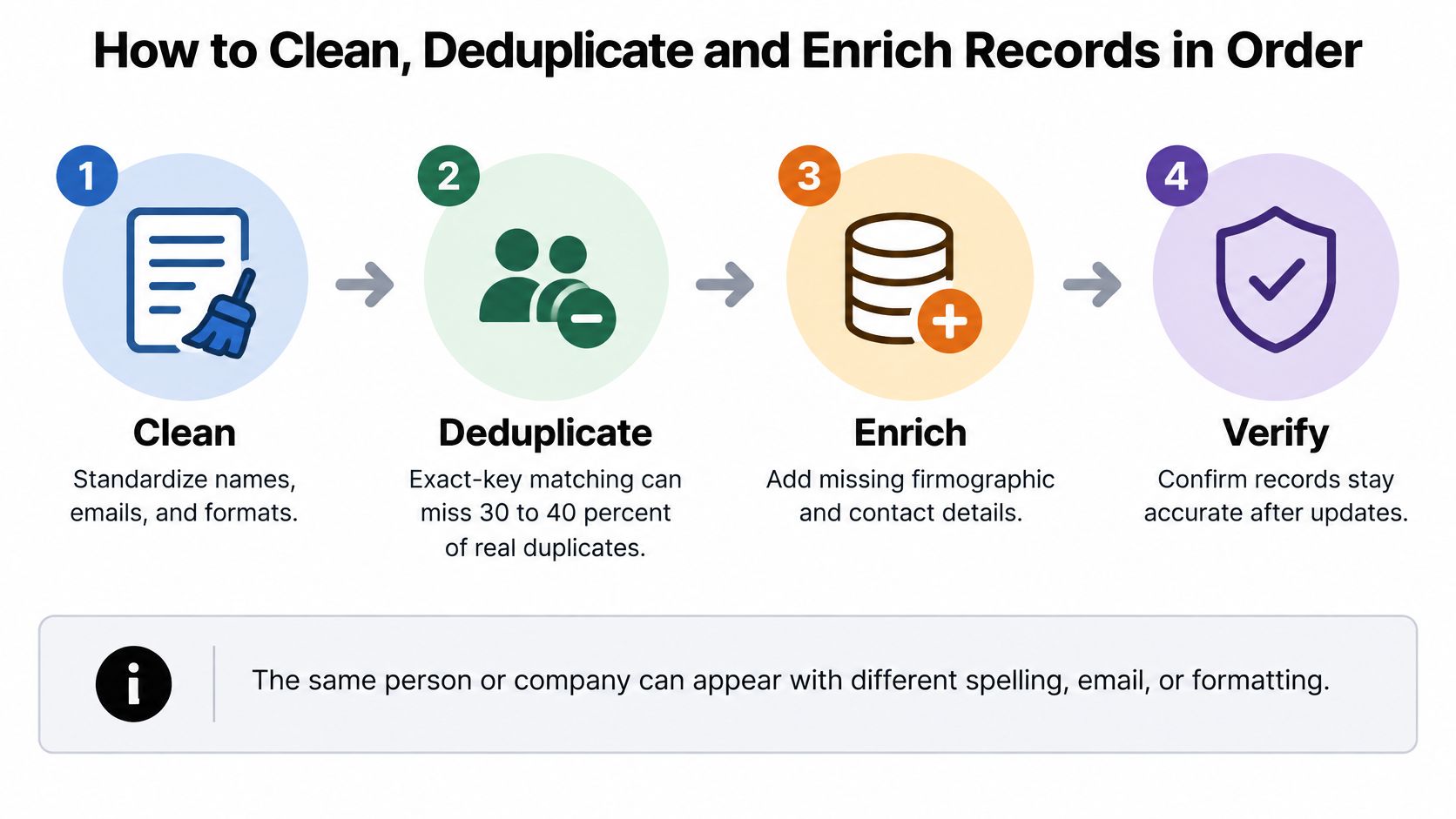
Simple duplicate checks fail when they treat identical text as the only evidence of identical identity. Exact-key matching can miss approximately 30–40% of real duplicates when people or companies appear with variations in spelling, email domain, phone formatting, job title, or legal entity name, according to the duplicate-resolution paper.
The answer isn’t to merge everything that looks similar. A mistaken merge can combine different buyers, mix activity histories, and apply the wrong suppression status.
Use a controlled sequence that separates preparation, matching, review, and enrichment.
Repair records without losing evidence
-
Export and back up before changing anything. Preserve object IDs, relationships, field values, and activity references. Confirm how your CRM restores merges, because a flat contact export alone may not reconstruct linked opportunities or deleted associations.
-
Normalize the fields used for matching. Standardize whitespace, capitalization, phone formats, address components, and domain representation. Keep original values available for review, and don’t rewrite actual email addresses or legal names merely to make them match.
-
Apply deterministic rules to strong identifiers. An exact verified email can identify high-confidence candidates, provided shared mailboxes and recycled addresses are handled as exceptions. Process these matches before using weaker evidence.
-
Use fuzzy or probabilistic matching for remaining candidates. Compare combinations such as name, company domain, location, and role. Similar company names alone aren’t enough to merge parent companies, subsidiaries, and unrelated businesses.
-
Review proposed matches before enabling automated merges. Inspect examples from different confidence bands and import sources. Pay particular attention to false positives, then adjust the rules before allowing the system to act broadly.
-
Merge with explicit survivorship rules. Choose the canonical record and retain the most recent verified field values, not everything from the newest record. Preserve activity history, ownership context, and restrictive suppression information.
-
Enrich only the fields the workflow needs. Store provenance for each added value, and prevent weak external evidence from overwriting stronger confirmed information. When preparing outbound data, distinguish record repair from the contactability checks performed by email list cleaning services.
-
Monitor what enters after cleanup. Track existing duplicate records separately from newly created duplicates after imports and integration runs. If new duplicates keep appearing, fix the form, mapping, or creation rule responsible instead of scheduling another mass merge.
Know why cleanup projects fail
Teams often declare success after the merge count falls. But if a form still creates new contacts without searching existing records, the original problem remains.
Enrichment can also make a database appear healthier while introducing conflicting values. Judge the repair by the workflow retest, not by how many fields a vendor populated.
A duplicate-rate report must state its matching rule, denominator, and entity level. Publish the calculation and review method before treating the result as a meaningful benchmark.
Protecting Cold Email Results With Clean CRM Data
Say a campaign produces repeated hard bounces, different reps contact the same buyer, and the team can’t connect booked meetings to the right campaign. Rewriting the subject line won’t resolve those failures. The contact records and campaign handoffs need attention first.
Nearly 25% of CRM administrators said less than half of the data in their systems was accurate and complete in the 2024 study covering the United States, United Kingdom, and Australia, according to Validity’s State of CRM Data Management report.
For outbound teams, the consequence is practical: unreliable inputs can affect who receives a message, which rep follows up, and how the team evaluates results.
Pre-send checks for outbound campaigns
| Check | Why It Matters | Action if It Fails |
|---|---|---|
| Bounce history | Repeated hard bounces put sender reputation at risk | Remove the contact from the send list |
| Opt-out and suppression status | Ignoring opt-outs can violate applicable consent and communication rules | Block the send and log the request |
| Account owner | Different reps contacting the same buyer creates conflicting outreach | Assign a coordinating owner before sending |
| Segment match at send time | Changed titles or company status can make the lead unsuitable | Pull the contact and reverify the record |
Check eligibility at the moment of use
A contact’s presence in an approved list doesn’t guarantee ongoing eligibility. Apply suppressions when the sequencer prepares the send, and make sure an opt-out received elsewhere reaches that system.
Account ownership needs coordination, not just a populated owner field. Check active sequences and open sales conversations before enrolling someone from the same account.
For targeting, treat email list segmentation as an executable set of criteria. A buying-role segment needs a current role match, not merely a familiar title from an old import.
Don’t solve uncertainty by sending and watching what happens. Hold questionable records out of the campaign while the owner resolves them.
Keep a traceable path from send to outcome
Attach replies and meetings to the canonical contact and account records. Preserve campaign and sequence identifiers so the team can distinguish list quality, messaging performance, and qualification results.
Avoid using a single mutable lead-source field as the entire attribution system. Keep original acquisition context separate from subsequent campaign participation and meeting outcomes.
For performance-based outreach, qualification also needs evidence beyond a booking event. A calendar invitation confirms that someone scheduled time, not that the conversation met the commercial agreement.
Qualified-meeting standard: At Fypion Marketing, a meeting counts as qualified only when the prospect matches the client’s defined ICP criteria and the client’s team explicitly confirms after the call that it was a good-fit lead. An ICP match alone doesn’t count.
Confirm Your CRM Data Before Your Next Campaign
Score the data for your priority workflows, repair high-impact identity and consent issues first, and release outreach only when the relevant checks pass. A workflow scorecard turns that principle into a decision your sales and marketing leads can make together.
The scorecard doesn’t need an elaborate dashboard. It needs enough detail for someone other than its author to understand why a workflow is approved or blocked.
Make the release decision explicit
-
Record the results against the agreed requirements. Include the relevant quality metrics, the population tested, the evidence used, and the pass condition. Do not reduce a requirement just because a launch date is near.
-
Resolve identity and consent failures first. Keep affected records out of outreach until their status is established. Then address the remaining issues according to their effect on the intended campaign.
-
Confirm accountability. Each governance tier should have a named owner and a recorded review date. Unresolved exceptions need a decision-maker, not an open-ended comment.
-
Approve only the workflows that pass. If one segment is ready and another isn’t, document that boundary. Approval for a campaign isn’t permission to use every record in the CRM.
Outsourcing execution shouldn’t separate your team from its records or results. Our lists are delivered export-ready for the sequencer or CRM you already use, and we provide weekly reporting on reply rates, sequence performance, and meeting quality.
Keep the qualification agreement and scorecard alongside those reports. Together, they let both teams explain what was approved, what happened, and which failures require a correction before the next send.
Run the scorecard on your highest-value workflow this week. Choose its owner, test its inputs, and record a clear release decision before adding another campaign to the queue.
Fypion Marketing provides targeted B2B cold email outreach with verified prospect lists, campaign management, and reply qualification. Visit Fypion Marketing to discuss your target audience and the data checks and qualified-meeting criteria your next campaign needs.