
Email Deliverability Audit: The Complete Guide for B2B Teams

An email deliverability audit must now verify more than whether messages are accepted by a receiving server. Gmail requires bulk senders sending 5,000 or more messages in 24 hours to personal Gmail accounts to authenticate properly, provide easy unsubscribe options, and keep user-reported spam complaints below 0.3%.
That changes the commercial risk. A campaign can have polished copy, accurate targeting, and a strong offer, yet produce almost no pipeline if mailbox providers route it to spam or stop applying delivery mitigations. Technical setup remains essential, but it’s only the entry ticket. The audit asks whether each recipient environment trusts your sending identity enough to place your message where buyers will see it.
Why Deliverability Is Now a Revenue and Compliance Issue
Deliverability used to sit largely with technical teams. Marketing could launch a campaign, review the delivery report, and assume that an accepted message had reached its destination. That assumption is unsafe. SMTP acceptance is not the same as inbox placement, and neither tells you whether a prospect saw, trusted, or acted on the message.
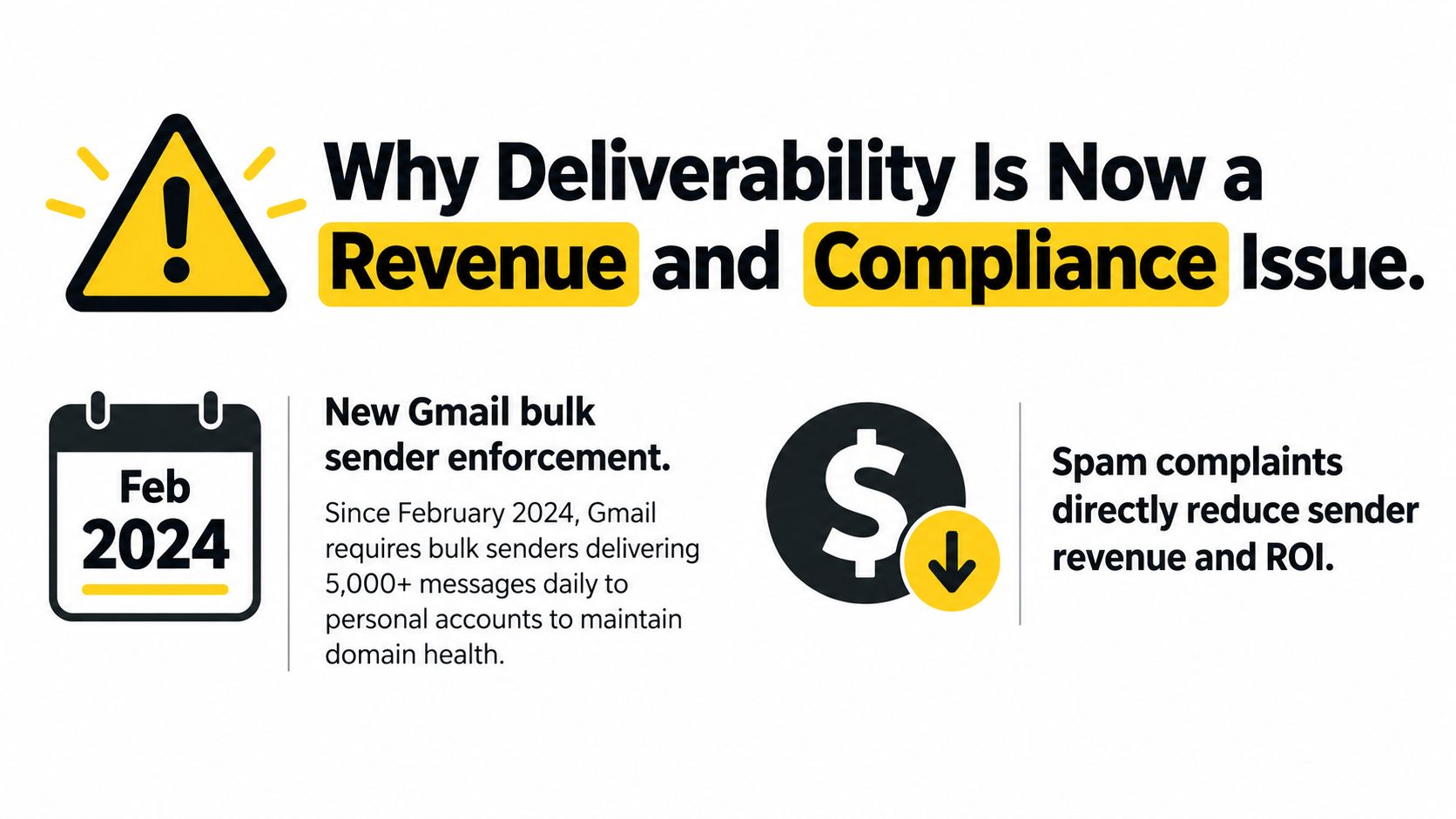
Since February 2024, Google has required bulk senders delivering approximately 5,000 or more messages in a 24-hour period to personal Gmail accounts to authenticate outgoing mail, avoid unwanted or unsolicited messages, and offer an easy unsubscribe mechanism. The authentication framework requires SPF and DKIM, while DMARC must be published for the sending domain. The visible From domain also needs to align with either the SPF or DKIM domain. Google’s bulk sender requirements turn these controls into operating requirements rather than optional best practices.
The commercial consequence of complaints
Google also introduced a measurable complaint threshold. Beginning in June 2024, bulk senders with a user-reported spam rate above 0.3% became ineligible for certain delivery mitigations. In practical terms, more than 3 complaints per 1,000 delivered messages can create material delivery consequences. Eligibility returns only after the rate remains below that level for seven consecutive days, so a short campaign mistake can affect later sends.
That makes complaint prevention a revenue control. Poor targeting, unclear consent expectations, aggressive follow-up, or a hidden unsubscribe path can reduce visibility across future campaigns. A low bounce rate doesn’t protect a sender if recipients consistently mark messages as unwanted.
Practical rule: Treat every complaint as evidence about targeting, expectations, or message frequency, not merely as a reporting metric.
A compliance review should also sit alongside your broader CAN-SPAM compliance process. For B2B teams, the audit should identify every domain, subdomain, ESP, campaign stream, and vendor that can affect sender reputation. Separate sending identities can create separate risks, but they can also obscure the source of a problem if nobody owns the inventory.
The position is straightforward. If outbound email contributes to pipeline, deliverability belongs in revenue operations. A technical failure can suppress impressions, replies, and booked meetings before sales sees an obvious bounce spike. Auditing only after performance collapses is reactive, expensive, and often harder to reverse than maintaining the controls continuously.
Setting Up SPF, DKIM, and DMARC Correctly
Authentication has three parts, but the records don’t perform the same job. SPF identifies authorized sending sources. DKIM attaches a verifiable signature to the message. DMARC evaluates whether authenticated identifiers align with the domain visible to the recipient and tells receiving systems how to handle failures.
The practical mistake is treating any “pass” result as proof that the message is authenticated for DMARC purposes. SPF can pass for a technical envelope domain while the visible From domain belongs somewhere else. DKIM can also pass with a signing domain that doesn’t align with the From domain. The message may look authenticated in isolation while failing the alignment test that matters for policy evaluation.
Start with a complete sending inventory
Before changing DNS, list every system that sends mail for the organization:
- Primary From domains: Include the domains recipients see in the From field.
- Subdomains and streams: Separate marketing, transactional, product, and outbound traffic where appropriate.
- Email service providers: Include agencies, CRM platforms, sales engagement tools, support systems, and other third-party senders.
- Infrastructure: Record dedicated or shared IP arrangements and the vendors responsible for each stream.
SPF should authorize legitimate sources without exceeding its 10-DNS-lookup limit. Nested includes, redundant providers, and old vendors often push a record beyond that limit. Removing an obsolete sender is usually safer than adding another include to an already complex record.
DKIM needs more than a published public key. Confirm that each active selector is still valid, that the provider signs outgoing messages consistently, and that the signature remains useful when a message passes through forwarding or intermediary systems. An overlooked vendor can create authentication failures even when the main ESP works correctly.
Make DMARC an operating control
Publish DMARC for every relevant sending domain, then review aggregate reports to discover legitimate sources and unauthorized activity. Begin with monitoring while you identify all valid senders. Move toward enforcement only after legitimate traffic has been verified, because an aggressive policy can affect real business mail if the inventory is incomplete.
The audit should check both record existence and operational alignment. Confirm that SPF or DKIM aligns with the visible From domain, that reports arrive at a monitored destination, and that policy decisions reflect what the team can safely enforce. A useful technical reference is this DMARC guide for GTM teams, especially for teams coordinating sales tools with marketing infrastructure.
Authentication also needs message-level testing. Inspect headers from representative sends rather than relying only on a DNS checker. Test each stream independently, because a successful marketing test says nothing about a support platform or a newly connected outreach vendor. For a broader explanation of email authentication protocols, use a resource that connects the records to practical sending workflows.
SPF, DKIM, and DMARC are necessary foundations. They don’t guarantee the inbox. They establish that the sender can be identified and evaluated, after which provider reputation, complaints, engagement, and placement determine what happens next.
Monitoring Domain and IP Reputation Separately
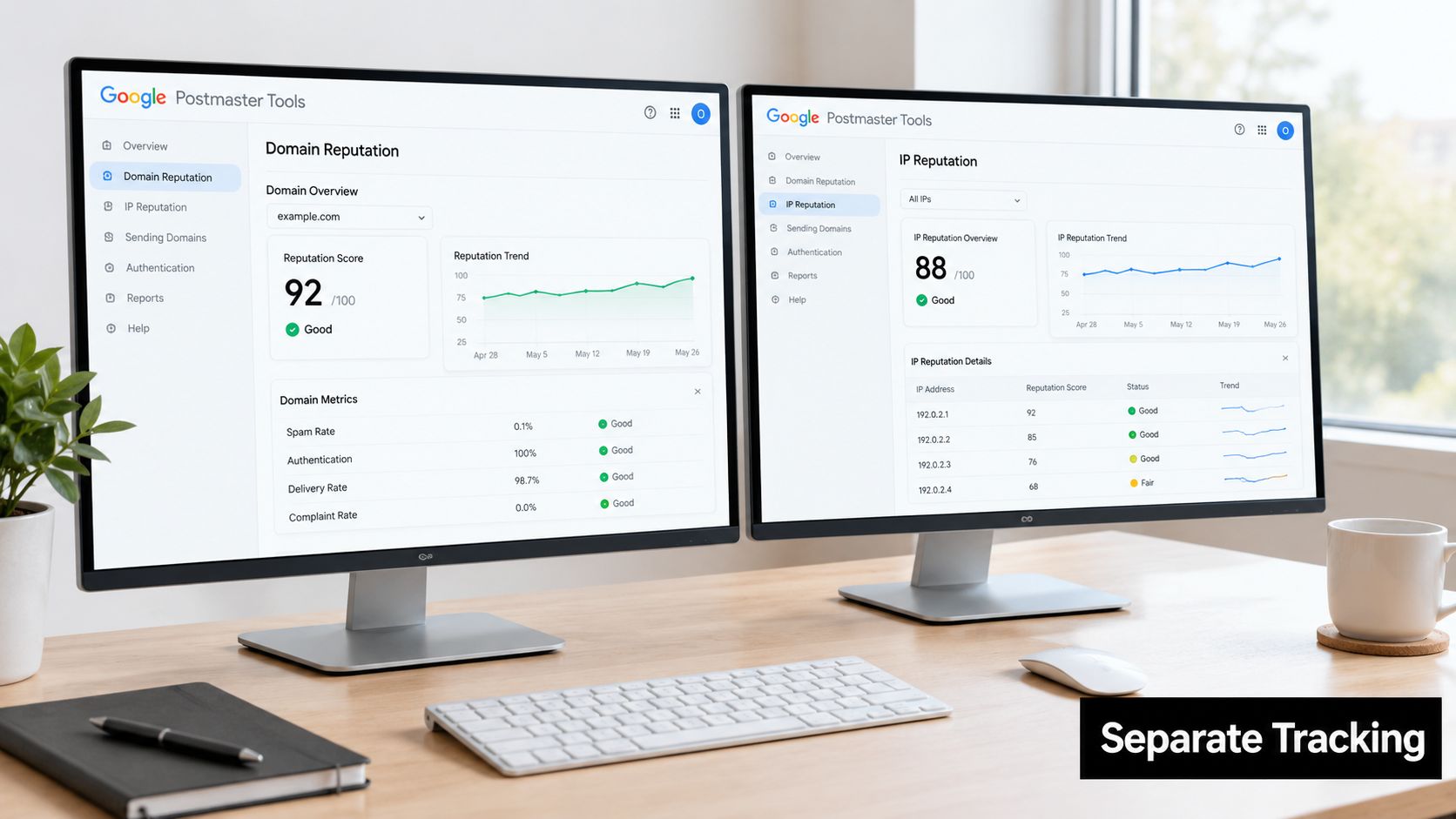
A single deliverability score hides too much. A domain can have a stable history while one IP or traffic stream develops problems, and a clean IP can’t rescue a domain that recipients repeatedly distrust. The audit needs separate views for domain reputation, IP reputation, and campaign stream.
Google Postmaster Tools is useful because it lets teams examine Gmail traffic by domain and stream rather than averaging unrelated campaigns. A blended score can make a toxic outbound stream look healthy when transactional traffic is carrying the average. It can also make a shared infrastructure problem appear to be a domain problem.
Read reputation in context
Start by grouping traffic by the identity recipients experience. Compare the following rather than combining them into one number:
| Audit view | What it can reveal |
|---|---|
| Domain | Whether a sender’s accumulated history is affecting multiple systems |
| IP or infrastructure | Whether a specific sending path is creating placement problems |
| Traffic stream | Whether marketing, outbound, or transactional mail behaves differently |
| Campaign | Whether one audience, offer, or sequence drives complaints |
The same domain may support a low-volume product notification stream and a high-volume prospecting stream. Their audiences, expectations, and engagement patterns differ, so their reputational impact shouldn’t be assumed to be identical.
Change one variable at a time
DNS changes, vendor migrations, and volume increases often happen together during a recovery attempt. That makes diagnosis nearly impossible. If placement improves, you won’t know whether the cause was corrected alignment, a new IP, reduced volume, or a different audience. If it worsens, the team has several possible causes and no clean comparison.
Use a change log for authentication updates, stream changes, list suppressions, and volume decisions. Keep campaigns stable while testing one intervention. Review provider data alongside reply, bounce, complaint, and unsubscribe signals, then record the decision and its observed effect.
Teams that need outside support can compare the scope of email deliverability services, but the operating principle stays the same. Monitoring should identify which sending identity is failing, not merely announce that the overall account looks weaker.
Reputation monitoring also needs a cadence. Check critical streams before launch, during the first meaningful delivery window, and after material changes. The precise schedule depends on volume and risk, but waiting for a sales team to report that replies disappeared is too late.
Fixing List Hygiene and Engagement Problems
Authentication proves who sent the message. List quality determines how recipients respond to it. A technically compliant sender can still damage its reputation by contacting obsolete addresses, irrelevant roles, or people who never expected the outreach.
Start with suppression, not expansion. Remove hard bounces, invalid addresses, obvious role accounts when they aren’t appropriate for the campaign, and contacts who have clearly opted out. Review the source and age of each segment. A contact list assembled from several systems often contains duplicates, conflicting consent signals, and stale job information that a basic email validation pass won’t reveal.
Diagnose the audience before changing the domain
Separate contacts by engagement and relationship:
- Recent positive responders: Keep these contacts in the active segment because their behavior provides the strongest evidence that the message is wanted.
- Unengaged recipients: Reduce or pause outreach to contacts who repeatedly ignore messages, especially when they belong to a broad or weakly qualified segment.
- Hard failures: Suppress permanent bounces immediately and prevent the system from re-adding them.
- Unsubscribed or complaining contacts: Keep them out of every future stream, not just the campaign that generated the request.
A low bounce rate can create false confidence. If a list contains valid but poorly targeted addresses, messages may be accepted while recipients delete them, ignore them, or report them as spam. The audit therefore needs complaint and engagement data beside bounce data.
Rebuild trust with controlled sending
When a segment performs poorly, don’t compensate by adding more volume. Pause the weak audience, inspect the acquisition source, tighten the persona and trigger, and resume with contacts most likely to recognize the sender. Keep the message expectation clear. A prospect who requested a product update shouldn’t suddenly receive an unrelated sales sequence without context.
Track whether replies, meaningful clicks, unsubscribes, complaints, and bounces improve after each list change. Don’t use one positive response from a small segment as proof that the entire database is healthy. Segment-level behavior matters more than an account-wide average.
A clean list isn’t a list with few bounces. It’s a list made up of people who understand why they’re receiving the message and can act on it.
For teams that need a structured cleanup process, email list cleaning services can help identify hygiene issues across multiple data sources. The internal owner still needs to define suppression rules, approval requirements, and re-entry controls. A vendor can find bad records, but only the business can decide whether a contact remains relevant.
Recovery also requires patience. Fixing the list can stop further damage quickly, but reputation reflects accumulated behavior. Maintain consistent, relevant sending after the cleanup instead of declaring the problem solved as soon as the next campaign avoids a bounce spike.
Testing Inbox Placement Across Major Providers
The most important distinction in a modern email deliverability audit is the difference between accepted, delivered, and visible in the inbox. A receiving server can accept a message that later appears in spam, quarantine, a secondary tab, or nowhere useful to the recipient. That gap explains why a campaign can report strong delivery while sales receives almost no replies.
Validity’s 2025 benchmark reported global inbox placement of 84.8%, with 6.1% of messages placed in spam and 9.1% missing. Microsoft was the most difficult major provider in that benchmark, with inbox placement of 75.6%. These figures come from the 2025 Validity benchmark report, and they show why provider-level testing matters. A global average can conceal a serious Microsoft-specific visibility problem.
Build a recipient-environment test
Use seed accounts across Gmail, Microsoft, Yahoo, and relevant regional or business domains. Send the same controlled message through the same stream, then record:
- Whether the provider accepted the message.
- Whether it reached the inbox, spam folder, quarantine, or another location.
- Whether Gmail placed it in Primary, Promotions, or another tab.
- Whether the result differs by sending domain, campaign, or infrastructure.
- Whether the observed placement matches campaign replies and bounce behavior.
The test should reflect the actual audience. If most prospects use Microsoft 365, a Gmail-only seed test is a misleading comfort check. If a campaign targets several environments, define remediation thresholds separately for each provider instead of using one universal score.
A useful diagnostic chain looks like this:
High acceptance, weak inbox placement: Investigate reputation, engagement, provider-specific filtering, and content context.
Strong inbox placement, weak replies: Investigate targeting, offer relevance, personalization, and the gap between visibility and buyer intent.
Weak placement in one provider only: Compare the provider’s response with domain, IP, authentication, and audience data before changing the whole infrastructure.
Poor placement across providers: Review sending identity, complaints, list quality, and recent volume changes together.
Trust also starts with the message itself. Teams reviewing newsletter trust principles should apply the same discipline to outbound mail: make the sender recognizable, set expectations, give recipients control, and avoid language that disguises the commercial purpose.
Run tests after material changes, not just once at setup. A new vendor, altered From identity, different follow-up pattern, or newly sourced list can change placement even when the DNS records remain untouched.
Tracking Metrics That Predict Long-Term Health
A useful dashboard separates technical acceptance, visibility, and commercial response. Those layers answer different questions, so combining them into a single deliverability rate makes diagnosis harder.
Acceptance tells you that a receiving system took the message. Placement tells you where the message went. Replies, qualified responses, and downstream meetings tell you whether the recipient found the message relevant enough to act. A campaign can perform well at one layer and fail at another.
Compare the signals instead of ranking them blindly
| Signal | What it helps answer | Common mistake |
|---|---|---|
| Complaint rate | Are recipients reporting the mail as unwanted? | Looking only at complaints after a campaign ends |
| Reply rate | Are recipients engaging directly with the message? | Treating every reply, including negative replies, as equal |
| Bounce rate | Are addresses technically reachable? | Assuming low bounces prove good targeting |
| Inbox placement | Where did the message appear? | Calling server acceptance “inbox delivery” |
| Unsubscribe activity | Are expectations or frequency misaligned? | Hiding the signal by making unsubscribing difficult |
| Open data | Did the system register an open event? | Treating it as a complete measure of attention |
Complaint rate deserves priority because mailbox providers use it to evaluate sender behavior. Google recommends keeping the user-reported spam rate below 0.1% and avoiding 0.3% or higher, according to the requirements cited earlier. Use those figures as operational guardrails, not as permission to approach the upper limit.
Microsoft also requires separate attention because the Validity benchmark identifies it as the most difficult major provider for inbox placement. A campaign report that averages Gmail and Microsoft results can make a serious Outlook visibility problem look ordinary. Compare provider placement with provider-specific replies rather than using one blended response rate.
Open and click reporting still has a role, but it shouldn’t outrank complaints, replies, and placement. For a clearer explanation of how to interpret click-through and open rate, keep the measurement question explicit. Are you evaluating visibility, interest, or pipeline movement?
Set triggers before the next campaign. A sudden rise in complaints, a provider-specific placement decline, repeated authentication failures, or an unexplained reply drop should pause scale and start investigation. Waiting until the monthly report turns red gives the team less room to isolate the cause.
Putting It All Together with a Diagnostic Framework
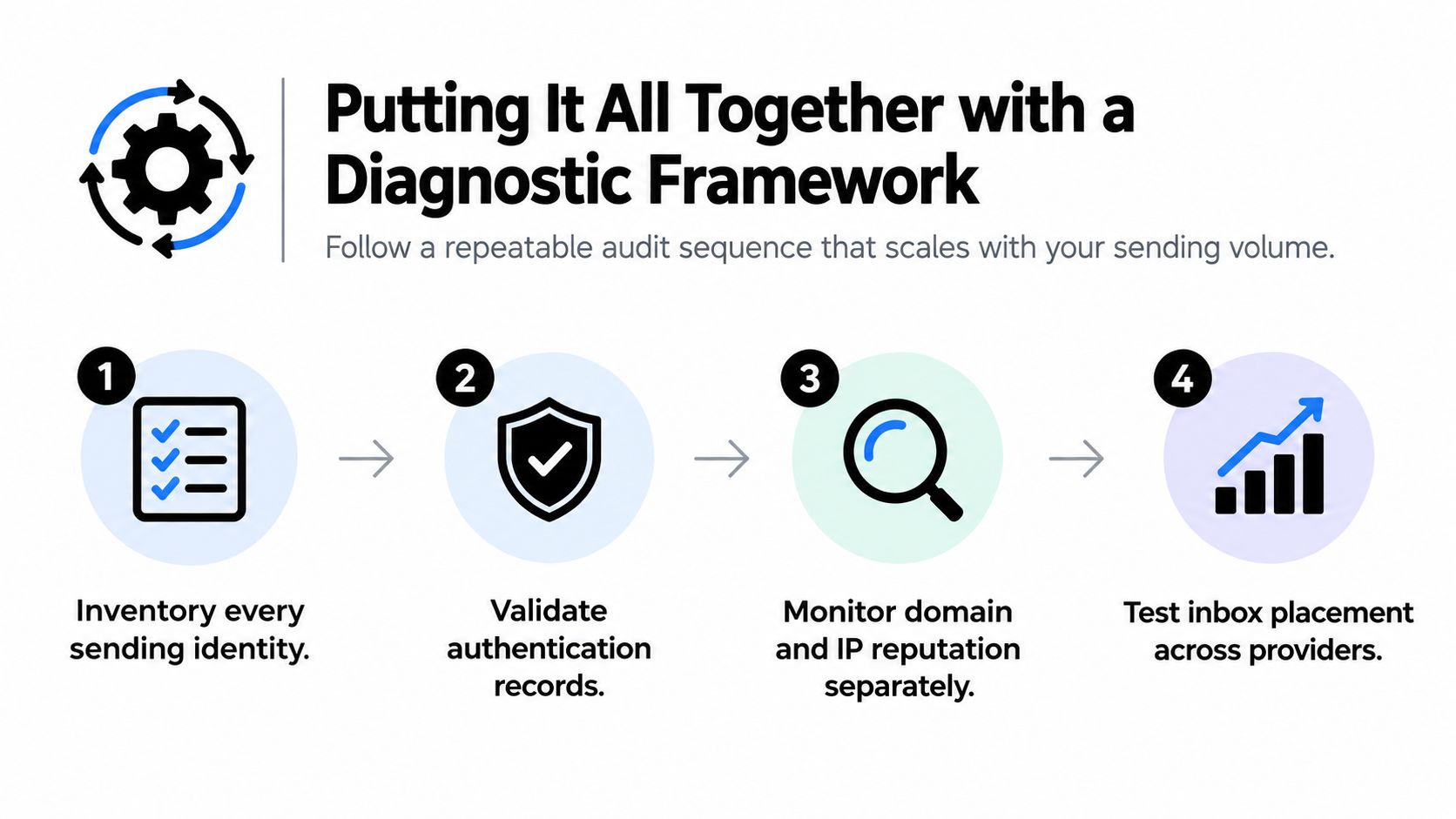
The audit works best as a repeatable operating process that the team runs on a schedule, like a revenue review. It connects technical controls to provider placement, complaint signals, and pipeline impact. Each pass should reduce uncertainty before anyone changes infrastructure, increases volume, or blames the copy.
Use four controlled stages
1. Establish scope and ownership. Start with the sending inventory from the earlier audit work, then assign an owner to every domain, subdomain, ESP, vendor, IP arrangement, and traffic stream. Include low-volume systems. Support, CRM, recruiting, and transactional tools can affect the same identity as outbound campaigns.
2. Confirm the control state. Use the authentication findings already collected, then verify that each active stream has working SPF, DKIM, and DMARC alignment in real message headers. Record selectors, reporting destinations, exceptions, and the date of the last change. A published record is only useful when the relevant stream passes and aligns.
3. Isolate the failure. Compare domain reputation, IP or infrastructure signals, provider placement, complaint activity, bounces, and replies by stream. Gmail, Microsoft, Yahoo, and business domains can behave differently, so preserve provider-level results instead of relying on an average. Hold the audience, infrastructure, and message variables steady while testing a suspected cause.
4. Choose one controlled action. Use the evidence to decide whether to pause a stream, reduce volume, remove a segment, repair authentication, or escalate a provider-specific issue. Record the expected outcome before making the change. Changing DNS, infrastructure, targeting, and creative together may produce a short-term lift while making the original cause impossible to identify.
Continuous reporting makes the framework usable. Keep a baseline for placement, complaints, replies, bounces, authentication results, and sending volume. Set clear triggers for investigation, such as a provider-specific placement drop, repeated authentication failure, rising complaints, or an unexplained reply decline. A shared operating document works for a small team. Larger teams can connect ESP logs, CRM outcomes, provider data, and DMARC reports in one dashboard.
Sender identity also includes the details recipients use to judge legitimacy. Keep names, domains, signatures, and contact information consistent across the team. A centralized email signature template system for teams can support that consistency, although it cannot repair poor targeting or weak reputation.
The audit should leave five answers on record:
- Which identities send mail, and who owns each one?
- Do authentication and alignment hold across every stream?
- Which domain, IP, provider, or campaign shows weakness?
- Where do messages land for priority recipients?
- Which single action has the best evidence behind it?
That record turns deliverability from a technical checklist into revenue protection. Run it before scaling, after infrastructure changes, and whenever provider results diverge from the sending platform’s report.