
Call Follow Up: Timing, Scripts and Sequences That Work

You’ve just finished a promising call. The prospect asked for information, your next meeting is starting, and your notes say little more than send deck. By the time you reopen the record, you can’t remember which problem mattered most or whether you agreed on another conversation.
Good call follow up starts with the outcome of that call, not a generic reminder to try again. A booked next step, an unanswered dial, and a polite request for information need different actions. Build those branches into your CRM so reps don’t have to reinvent the decision between calls.
Call Follow Up Timing by Call Outcome
Next action and deadline by call outcome
| Call outcome | Next action | Deadline | Stop rule |
|---|---|---|---|
| Prospect agreed to a next step | Send recap with the agreed date | Within 1 hour | Stop once the meeting is booked |
| Connected, no decision | Send recap with one specific next step | Same day | Stop after two unanswered touches |
| Voicemail left | Send a short email that mentions the voicemail | Same day | Call again the next business day, unless they opt out |
| No answer, no voicemail | Retry at a different time of day | Within 1 business day | Continue under the outbound sequence, subject to engagement and stop rules |
| Gatekeeper, no named contact | Ask for the owner’s name and email | Before ending the call | Re-ask on the next attempt, then stop if no relevant contact emerges |
| Asked to send information | Send it with a call date already booked | Within 1 hour | Stop if the date isn’t confirmed in 3 days |
| Not interested | Thank them, confirm opt-out, log the reason | Same day | Stop all outreach |
These deadlines are recommended operating rules, not experimentally proven intervals for outbound sales. Use them as defaults, then let a prospect’s explicit instructions override the schedule.
The 2021 InsideSales lead-response study, covering more than 55 million sales activities involving approximately 5.7 million inbound leads, found conversion rates approximately eight times higher when the first response occurred within five minutes than after six minutes; it also reported that 57.1% of first call attempts happened more than a week after lead creation.
That study measured inbound leads, not cold outbound prospects. It supports prompt handling of declared interest, not repeatedly calling someone who hasn’t asked to hear from you.
Interpret the outcome before scheduling the task
A prospect agreeing to review pricing isn’t the same as agreeing to a meeting. Record the actual commitment, including who owns it. If they’ll circulate the proposal internally, your next action might be delivering a forwardable summary rather than asking them to repeat discovery.
Likewise, send information can mean genuine interest or a polite exit. Before hanging up, ask which information would help and when they expect to review it. If they won’t identify either, don’t mark the opportunity as advancing.
Practical rule: Schedule the action the buyer agreed to, not the action you wish they’d agreed to.
Once a meeting is booked, stop prospecting messages, not useful preparation or agreed reminders. For an unanswered call, change the hour in the prospect’s local time rather than redialing during the same unavailable window.
Find the outcome, complete its action by the deadline, and log the result in your CRM that day. Give every open record a named owner and a next-action date so it doesn’t sit in an unassigned queue.
Write the Recap Email Within the Hour
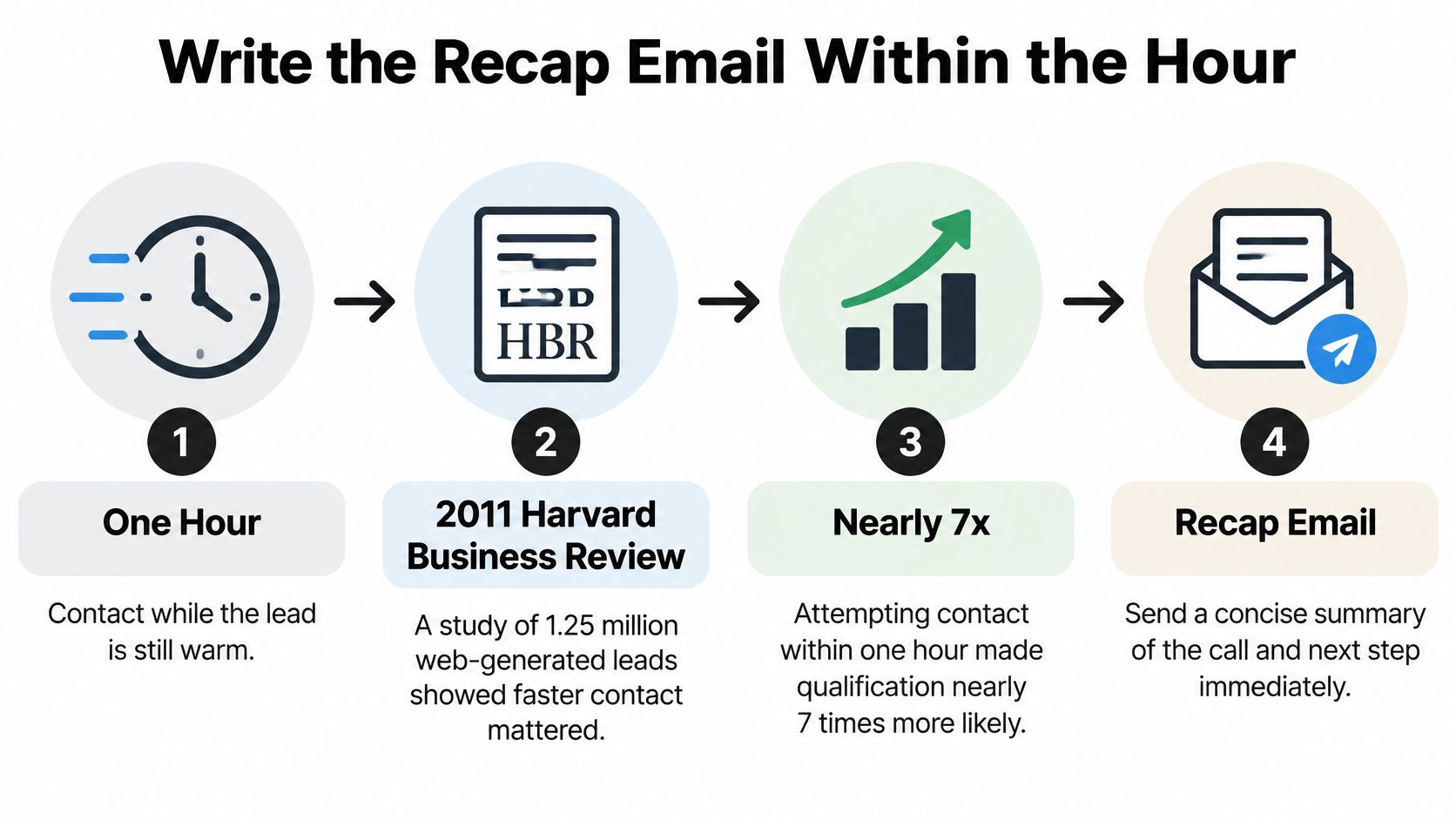
A 2011 Harvard Business Review analysis, described by Venture Harbour, examined 1.25 million web-generated leads and found that companies attempting contact within an hour were nearly seven times more likely to qualify a lead than those waiting even one additional hour. Those were web leads, so treat the finding as support for responsive handling, not proof that an outbound recap email produces the same lift.
Use the hour as a practical writing deadline while the conversation is fresh.
Turn notes into a clear commitment
-
Draft before switching accounts. Open the contact record and write the recap while you still remember the distinction between a firm commitment and a tentative suggestion. The common slip is postponing it until the end of the day, then sending a generic summary.
-
Describe the problem in the prospect’s words. Keep this to a couple of lines, using language such as approval requests are getting lost between finance and operations. Don’t replace their problem with a list of your product features.
-
State the agreed date and time. Include the time zone and the purpose of the next conversation. A vague suggestion to reconnect soon leaves both parties without an actionable commitment.
-
Include the asset you promised. Explain why the case study, pricing page, or technical document matters to their question. An unexplained attachment gives the recipient work without a reason to do it.
-
Send from your personal business address. Keep replies in the thread with the rep who owns the relationship. A no-reply sender makes a simple clarification unnecessarily difficult.
-
Create the CRM task before closing the window. Assign the owner, due date, and expected outcome. Sending an email isn’t a substitute for scheduling the work you promised.
If your notes mix decisions, questions, and commitments, the guide to action planning with iScribe Live Transcribe offers a useful way to separate action items from general discussion. Review any extracted commitments against what the prospect agreed to before sending them.
A recap the buyer can answer
Subject: Next steps from our Tuesday call
Hi Dana, you mentioned that month-end approvals are getting stuck between finance and department leads.
I’ve included the approval-workflow case study we discussed because it shows how another team assigned ownership at each stage.
We agreed to review your current process on Thursday at 10 a.m. Eastern, with your finance operations lead joining.
Does the calendar invitation reflect the right attendees?
That example contains a problem, a reason to open the asset, a commitment, and a question. It doesn’t attempt to sell the entire product again.
Use the follow-up email guidance to refine wording once those essentials are present. Better phrasing can’t rescue a recap that misstates the buyer’s priorities.
Before sending, check that the message fits on a screen and ends with one answerable question. If the prospect must approve pricing, choose a date, introduce a colleague, and review an attachment at once, decide which action matters next and remove the competing requests.
Build a Two-Week Multi-Channel Sequence
Calling figures compiled by Bebop suggest three attempts capture 93% of conversations and five capture 98.6%. Those figures describe conversation capture, not qualified meetings or closed business, so use them to plan a limited calling sequence rather than justify endless retries.
The following is an outbound planning template, not an inbound response schedule. A demo request deserves immediate ownership; a cold prospect needs space, relevance, and an easy exit.
Two-week multi-channel follow-up sequence
| Day | Channel | Touch | Goal |
|---|---|---|---|
| Day 0 | Phone | First call | Connect and qualify |
| Day 0 | Recap with the agreed next step | Anchor the agreement | |
| Day 1 | Phone | Voicemail plus a short email | Create a second touchpoint |
| Day 3 | Connection note that mentions the call | Warm up a second channel | |
| Day 5 | One relevant asset, such as a case study | Add value | |
| Day 7 | Phone | Call at a different time of day | Reach by another route |
| Day 10 | Direct message with one question | Invite a reply | |
| Day 14 | Short break-up message | Close the loop politely |
The schedule contains alternative branches, not permission to send every touch regardless of response. Only send a recap or mention a conversation if one happened. If the first call went unanswered, identify the reason for calling instead of implying familiarity.
Give every touch a different job
The early phone and email combination makes the purpose of the call easy to recognize. LinkedIn offers another place to respond, but it shouldn’t become a duplicate inbox filled with the same pitch. Send a direct message only when the platform allows it and the contact context makes it appropriate.
The asset email should help the buyer evaluate something specific: implementation effort, commercial fit, or a workflow problem. If you can’t explain why the asset answers their question, don’t send it.
A useful comparison is how service businesses turn med spa inquiries into consultations: the transferable principle is connecting expressed interest to a clear next action. Don’t import an inquiry-response cadence into cold B2B outreach without adjusting for intent.
Adapt the touches that usually go wrong
LinkedIn connection note after an actual conversation
Hi Dana, enjoyed our call Tuesday about the month-end close. Happy to keep the conversation going here.
Asset email
Subject: The benchmark I mentioned
Hi Dana, this benchmark addresses the approval delays you described and may help your finance lead compare the current process with an alternative.
Place the relevant asset link immediately after that sentence. Don’t add a resource library or an unrelated product brochure.
Break-up email
Hi Dana, I haven’t heard back, so I’ll stop reaching out. If the month-end close becomes a priority, reply and I’ll pick it up.
Personalize these with verified notes, not decorative details. The outbound sales techniques guide can help sharpen the offer behind the touch; changing channels won’t fix an irrelevant reason to talk.
Use the full schedule only while engagement or buyer permission supports it. Silence, objections, and contact changes should trigger a decision, not another automatic send.
Voicemail and Callback Scripts That Get Replies
A useful script names the prospect’s problem, establishes the context, and asks for a small next action. Say Dana has described a month-end approval backlog: your follow-up should stay with that problem rather than restart the company introduction.
Keep the notes visible while you speak so you can respond to the person, not just recite the script.

Voicemail after a conversation
Hi Dana, it’s Sam from Northbridge. On Tuesday, you mentioned month-end approval delays. I have an idea for assigning the backlog and I’m emailing it now. You can reply there or call my number in the signature.
Replace the workflow detail with something from your notes. Don’t claim you can halve the workload unless you have evidence relevant to that prospect.
The email gives Dana a quieter way to respond. If you need to leave a callback number, use your real business number and remove another sentence rather than rushing through it.
Callback opener and gatekeeper line
When Dana returns the call, start with the reason she called back:
Thanks for calling back. Have you got a moment to revisit the approval backlog? You mentioned that was holding up the close, and I want to check whether it’s still the main issue.
Ask permission before continuing. If the priority has changed, investigate the change rather than forcing the prepared pitch. Use objection-handling techniques to distinguish a genuine constraint from a question you can answer.
For a gatekeeper, remove any implication that you already know the owner:
I’m trying to reach whoever owns vendor onboarding. Is that you, or who should I speak with?
Once they identify someone, ask for the preferred contact route. Don’t manufacture urgency or claim the person is expecting you.
Use the video alongside your rehearsal, then compare your delivery with the actual context in your notes.
Check personalization before dialing
- Call notes: Use a named tool, bottleneck, stakeholder, or deadline the prospect supplied.
- Public company news: Verify the announcement and its relevance before bringing it into the conversation.
- Stated timeline: Refer to the buyer’s evaluation window, not an arbitrary deadline from your campaign.
Read the voicemail aloud and time it. Aim for a brief message delivered at a normal pace, then cut anything that doesn’t help the recipient recognize the issue or respond.
Never open with just following up. If a detail is uncertain, replace it with a straightforward question instead of guessing.
Qualification Checkpoints and Metrics to Track
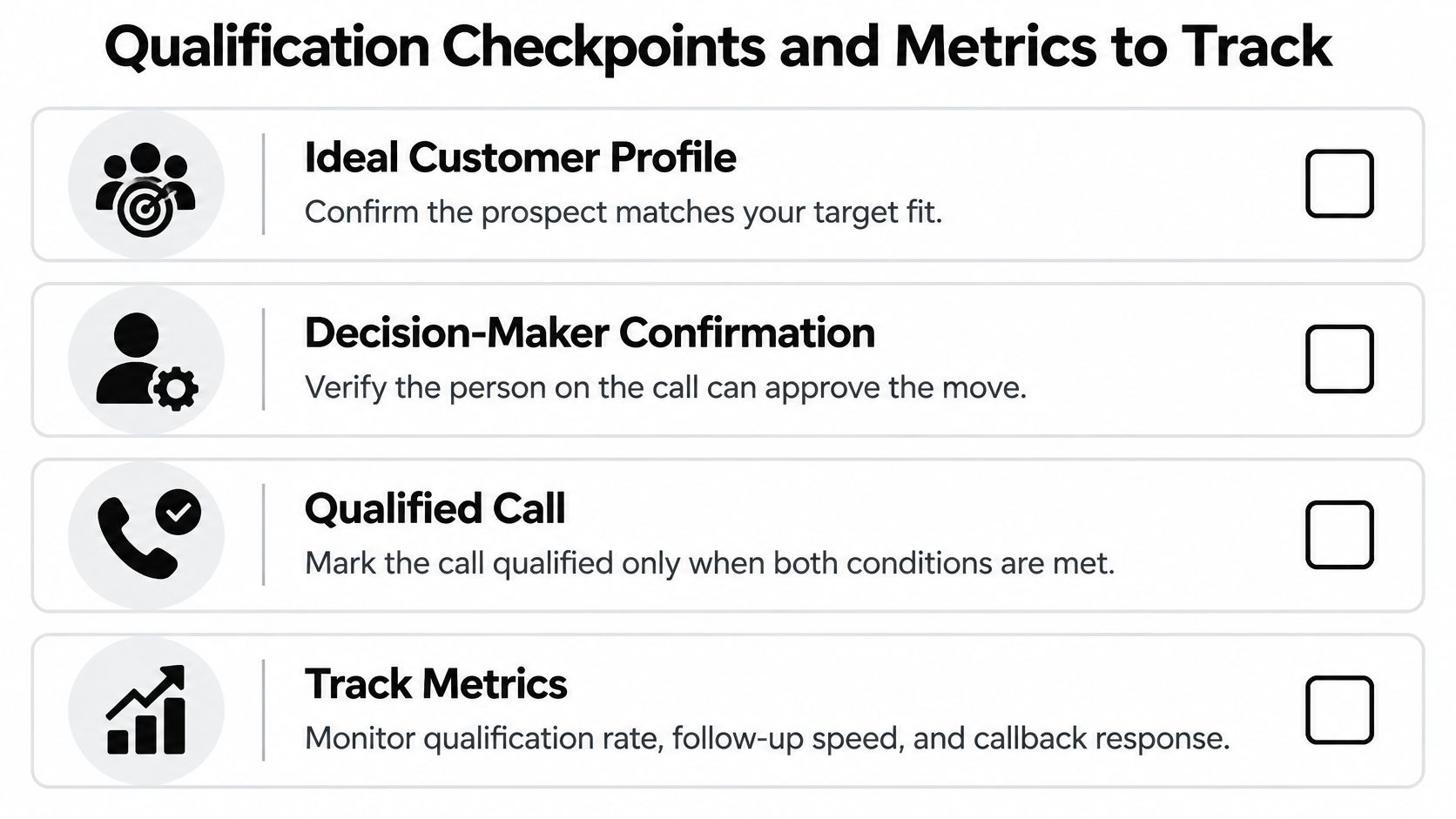
An ICP match alone doesn’t make a meeting qualified. At Fypion, the prospect must match the client’s defined ICP, and the client’s team must explicitly confirm after the call that the lead was a good fit.
Use these discovery checkpoints to support that decision:
- Decision-maker: Record their name and role.
- Pain: Capture the problem in the prospect’s words.
- Budget: Discuss the range or identify the budget owner.
- Timeline: Document the buyer’s stated timing.
- Next step: Record a booked date and owner.
Missing information should remain visible, not get filled with optimistic assumptions. Our guide to qualifying sales leads helps distinguish fit from readiness.
Measure reliability as well as outcomes
Review contact rate, qualified-conversation rate, meeting rate, and response time weekly by lead source. Report median and 90th-percentile response time, plus compliance with your response deadline.
The inbound lead-response analysis summarized by InsideSales found companies averaged roughly 44 hours to respond and only 4.7% met the five-minute standard. Keep that inbound benchmark separate from outbound retry performance.
For teams also handling inbound queues, SnapDial explains how to track first-contact resolution and abandonment; those service measures complement, rather than replace, sales qualification.
Require these CRM fields: last touch date, next action date, channel used, and outcome. Without them, managers can’t distinguish deliberate pauses from neglected records.
When to Stop, Switch Channels or Hand Off
Persistence isn’t automatically helpful. Buyer-preference figures summarized by Kondo indicate that 33% of buyers and 44% of millennials prefer a seller-free experience.
That doesn’t mean avoiding contact with interested prospects. It means asking a better question than how many times should I call: would another conversation help this buyer, or would a resource help more?
Choose the appropriate switch
- Offer a self-serve asset when questions remain. If the prospect asked about implementation but hasn’t returned your call, send a recorded demo or technical explanation that addresses implementation. Let them evaluate it without requiring another meeting.
- Change channels after repeated unanswered attempts. As an operating default, switch away from the phone after a couple of calls and an email receive no response. Don’t use the new channel to repeat the same demand.
- Hand off when ownership changes. If the prospect names another stakeholder, ask whether an introduction is appropriate. Transfer the context internally or to the named contact instead of making the buyer repeat everything.
A handoff isn’t permission to expand outreach across an entire department. Record who recommended the new contact, why that person owns the issue, and what information you’re authorized to share.
A buyer choosing asynchronous evaluation isn’t necessarily rejecting the offer. They may be rejecting the meeting requirement.
Apply stop rules before the next send
Stop outreach after an explicit no or unsubscribe. Also stop when the objection can’t be resolved by another touch, the contact no longer owns the problem, or the initial cross-channel attempts produce no engagement.
For a practical default, pause after three unanswered touches across channels. That is a recommended control, not a universal conversion threshold; continue a longer sequence only when a prospect’s engagement or permission gives you a reason.
Email opens alone aren’t a strong reason to keep calling. A reply requesting a document, a proposed calendar change, or a stated future date gives you a clearer basis for action.
For professional services firms, we stay in the pipeline with relevant, non-pushy follow-ups rather than rushing the close. That means accounting messages tied to compliance deadlines, legal messages sensitive to case load, and consulting follow-ups aligned with engagement cycles.
Respect the distinction between a requested pause and an opt-out. Schedule the former for the agreed date; suppress the latter from outreach.
Cutting calls to low-intent prospects can improve meeting quality by freeing reps to prepare for buyers who want help. Judge the change by accepted, good-fit meetings, not by whether the dial count stayed high.
Set Up Your Call Follow Up Sequence Today
Use your next batch of calls to test whether the workflow is usable under pressure. A sequence that depends on reps remembering exceptions won’t stay consistent when calendars fill up.
Build the minimum workable system
-
Create outcome-based CRM tasks. Add the deadlines from the outcome table and make opt-outs cancel pending outreach. Automate the day-zero recap draft, but require review before sending anything that claims an agreement.
-
Prepare reusable assets. Write a recap template with blanks for the problem and date, a voicemail script, and a LinkedIn note. Keep the factual details editable rather than burying them inside a rigid template.
-
Standardize qualification. Give every rep the same checklist and a place to record the client’s post-call fit confirmation. Don’t let a booked calendar slot automatically become a qualified result.
-
Run a controlled review. Test the workflow over a fortnight, compare contact rate and response time by lead source, and change a single variable before testing again.
Use sales process automation for routing, reminders, and suppression rather than automating judgment. Assign someone to inspect overdue tasks and failed handoffs so errors get corrected instead of recurring.
Start by updating the next open call record: choose its outcome, assign its owner, and schedule the action that should happen next.
Fypion Marketing helps B2B teams build targeted outbound campaigns, manage follow-up and qualification, and book good-fit meetings. Visit Fypion Marketing to book a free 15-minute call about your ICP and current outbound setup, review a relevant case study, and discuss the engagement structure if there’s a fit.