
Hard Bounce vs Soft Bounce: Codes, Causes and Fixes
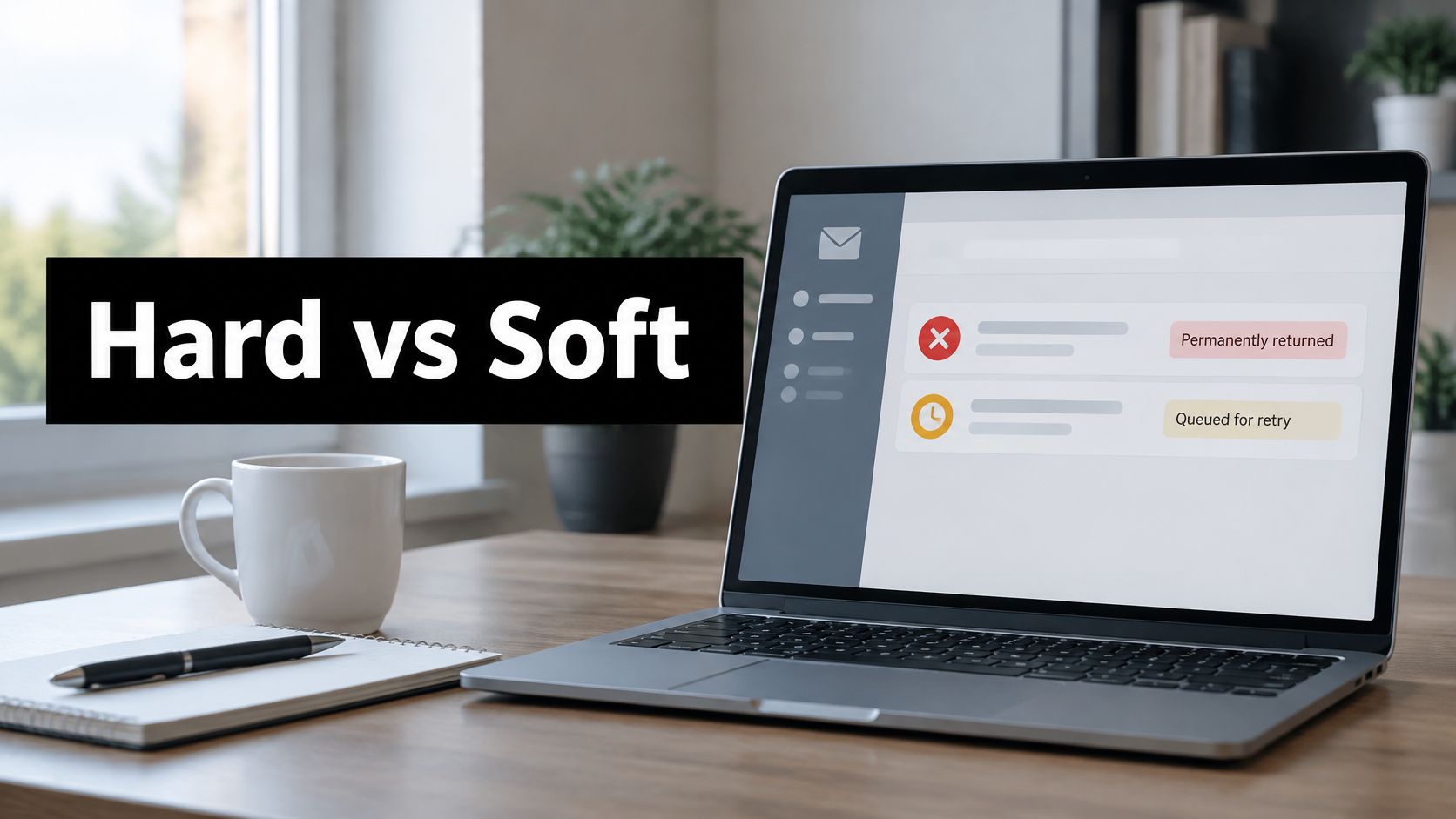
A 550 response does not automatically mean the address is dead. Mailbox providers reject mail for authentication failures, content rules, and blocklists using the same permanent class they use for a mailbox that never existed. The label hard bounce vs soft bounce only tells you whether the failure looks permanent or temporary. The SMTP code, the diagnostic text, and what that address did on earlier sends decide whether you delete the contact, slow the campaign, or fix your own domain.
Hard Bounce vs Soft Bounce at a Glance
A hard bounce is a permanent delivery failure. The address does not exist, the domain is invalid, or the receiving server has permanently rejected the message. A soft bounce is temporary. A full mailbox, server downtime, a connection timeout, a message-size limit, or throttling can all produce one. That split decides what you do with the list, not how dramatic the dashboard label looks.
| Criterion | Hard bounce | Soft bounce |
|---|---|---|
| Meaning | Permanent delivery failure | Temporary delivery failure |
| SMTP class | Permanent 5xx response | Transient 4xx response |
| Typical cause | Mailbox does not exist, invalid domain, permanent rejection | Full mailbox, server downtime, timeout, message size limit, throttling |
| Example code | 550 5.1.1 | 450 4.0.0 |
| Retry behavior | Not retried (limited DNS-failure exceptions) | Retried with controlled backoff until delivered or the window ends |
| Required action | Suppress the address immediately | Diagnose, retry within a window, suppress if it keeps failing |
| Counts toward Amazon SES bounce rate | Yes | No |
Say a sales rep left six months ago and the company closed alex@acme.com. The next cold email comes back as a hard bounce. Retrying that address next Tuesday will not recreate the mailbox, and every extra attempt spends volume on a contact who cannot reply.
A soft bounce looks different. The same company’s finance lead has a full inbox during quarter close. The server refuses the message today and accepts it next week once the mailbox has room. Treating that address as dead throws away a reachable buyer. Treating the closed mailbox as “try again” trains providers to see you mailing junk data.
Amazon SES does not retry hard bounces, except in limited DNS-failure cases, and it retries soft bounces several times before it stops. Only hard bounces count toward its bounce-rate metric. The same campaign can therefore show a different bounce rate on another platform that folds soft failures into the same number. Before you compare tools, confirm how each one classifies the event.
Sort every row in the bounce log into one of those two buckets before you delete contacts or change daily volume. Permanent failures come off the list now. Temporary failures get a diagnosis and a defined retry window, then suppression only if they keep failing.
SMTP Codes That Tell You Which Bounce You Have
The word “bounce” in a CSV is not the decision. Match the code first.
| Code | Class | Typical meaning | Action |
|---|---|---|---|
| 550 5.1.1 | Hard | Mailbox does not exist | Suppress immediately |
| 550 5.2.1 | Hard | Inactive or disabled account | Suppress immediately |
| 550 5.7.1 | Hard (policy) | Policy or security rejection | Check SPF, DKIM, DMARC and reputation; do not delete on the 5xx alone |
| 450 4.0.0 | Soft | Temporary mailbox unavailability | Retry with backoff |
| 451 | Soft | Processing failure on the receiving server | Retry later |
| 4.7.28 | Soft | Provider rate limiting | Reduce pace and increase volume gradually |
A hard bounce normally maps to a permanent 5xx response. Amazon SES maps “Mailbox Does Not Exist” to SMTP 550 with enhanced status 5.1.1, and “Temporary Failure” to 450 / 4.0.0. RFC 5321 describes 450 as temporary mailbox unavailability and 550 as permanent mailbox unavailability, including policy rejection. A 451 is a processing failure on the receiving side, so the right move is a later retry, not a list purge. A 452 4.2.2 usually means the mailbox is over quota. The person is real. The storage is not.
Two codes that get teams in trouble
550 5.7.1 is the expensive mistake. The first digit says permanent, so a blunt suppression rule deletes the recipient. The enhanced code says the rejection is policy or security, which can be your SPF, DKIM, or DMARC alignment, your reputation, or the content, not the contact. A clean list still fails this way when authentication is wrong. Route those events into an authentication check, using a practical guide to email authentication protocols, before anyone touches the prospect record.
452 4.2.2 is the opposite error. Teams see “rejected” and suppress a director whose inbox is full after a conference week. One full-mailbox response is a retry. The same storage failure across a defined window is when the mailbox starts to look abandoned.
Practical rule: Read the enhanced status and the diagnostic sentence. The first digit only sets permanence. It does not tell you whether the recipient is invalid.
Parsers should store the SMTP code, the enhanced status, and a slice of the diagnostic text, not a single hard or soft flag. A 5xx can be a bad address or a block on your sending domain. Deleting every recipient after any 5xx removes good leads and hides a sender-side problem that will hit the next list the same way.
Apply this to today’s log in three steps. Match the code. Confirm the class from the enhanced status, not from the vendor’s one-word label. Then choose the action: suppress confirmed nonexistent and inactive mailboxes, retry transient 4xx failures with backoff, and hold policy rejections for authentication and reputation work.
Bounce Rate Benchmarks by Market and Campaign Type
A bounce benchmark is useful only when the market and sending model match. Published rates vary by year and by whether the mail is permission-based or prospecting.
| Benchmark | Hard bounce rate | Soft bounce rate | Context |
|---|---|---|---|
| DDMA network average, 2025 | 0.92% | Not reported as one average | Participating organizations across three continents |
| DDMA, Belgium and Netherlands, 2025 | 0.26% | ~0.84% | Soft-bounce figure shared with Latin America |
| DDMA, Latin America, 2025 | 1.24% | ~0.84% | Brazil soft bounce reached 2.11% |
| GDMA International Email Benchmark, 2024 | 0.44% | 0.33% | Published by Flexmail |
| Validity permission-based email, 2025 | Included in the ~1.5% combined rate | Not reported separately | Global bounce rate of roughly 1.5% |
| Mailgun professional services, 2025 | 0.22% combined | Not reported separately | Most major industries below 0.5% |
| Mailgun retail, 2025 | 0.18% combined | Not reported separately | Combined bounce rate, not a hard-only figure |
The 2025 DDMA network report recorded a 0.92% average hard-bounce rate across participating organizations on three continents. Belgium and the Netherlands averaged 0.26%, while Latin America averaged 1.24%. Soft-bounce rates were about 0.84% in both regions, and Brazil reached 2.11%. These differences make a single global ceiling a poor benchmark for either market.
The GDMA International Email Benchmark, published by Flexmail, reported a 0.44% hard-bounce rate and a 0.33% soft-bounce rate for 2024. Its population and reporting year differ from DDMA’s, so label the source and audience when comparing rates rather than presenting either figure as a universal industry standard.
Permission mail is not cold outreach
The Validity 2025 benchmark report puts global bounce rates for permission-based marketing email at roughly 1.5%. Mailgun’s 2025 dataset covered more than 400 billion messages and reported rates below 0.5% for most major industries, including 0.22% for professional services and 0.18% for retail. These are combined bounce figures, not hard-bounce rates to copy into a cold-email dashboard. (Mailgun email benchmarks)
Use a benchmark that matches both your market and your sending model. A B2B prospecting program and a consumer newsletter do not share the same list source or campaign context. Report hard and soft rates separately; soft failures can reflect mailbox capacity, outages, or sending conditions, as well as address problems.
If Latin America is in your target market, the Low Countries’ 0.26% hard-bounce rate is not a like-for-like target. For opted-in product users, the roughly 1.5% combined rate is a closer reference than a cold-outreach benchmark. When rates shift, compare results by list source and provider, then review common email deliverability issues before changing your target.
Reputation Signals and Monitoring Thresholds
Repeated hard bounces tell Gmail, Microsoft, and Yahoo that you mail addresses you never checked. Each invalid send spends a slot you could have used on a real buyer, and mailbox providers treat that pattern as a data-quality problem. Soft bounces are often a symptom of how you send, not of who you send to. A rising 4xx trend on one provider can be throttling or a reputation slide while the contacts themselves are fine.

Google’s sender guidance requires gradual volume increases and documents temporary rate limiting with 4.7.28. Valid recipients fail that way when the pace is too fast. Google also identifies nonexistent accounts with 550 5.1.1 and inactive accounts with 550 5.2.1, which is why those enhanced codes belong in automated suppression and the rest of the 5xx class does not.
A low bounce rate still does not mean the mail reached the inbox. A message can be accepted and then filtered. Complaint rate has to sit next to bounce rate, or a “clean” campaign hides a reputation problem that shows up as fewer replies.
What to track and when to act
| Metric | Track by | Review trigger |
|---|---|---|
| Hard-bounce rate | Campaign, market, list source | Rise above the benchmark for your market |
| Soft-bounce rate | Mailbox provider, sending identity | Sudden 4xx increase on one provider |
| Retry recovery rate | Campaign, provider | Sharp fall in soft bounces that deliver after retry |
| Complaint rate | Sending identity, domain | Rise alongside soft bounces |
Hard-bounce rate is a list and source metric. Break it by campaign, market, and where the contact came from. If a new data vendor jumps above the benchmark row for that market while older sources stay flat, stop that source and re-verify the segment. Confirmed 5.1.1 recipients come off immediately. Do not treat every 5xx as the same list-quality failure, because some are policy or security blocks.
Soft-bounce rate should be cut by mailbox provider and sending identity. A sudden 4xx increase on Google, with Microsoft unchanged, is a pacing, reputation, or authentication signal on that provider. Cutting volume everywhere wastes pipeline. Cutting it on the provider that returned 4.7.28 is the cheaper test.
Retry recovery rate answers whether the soft bounce was real friction or a dead end. A soft bounce that delivers after retry is a reachable lead and should not be counted as unreachable. A sharp fall in recoveries, especially repeated storage, throttling, or mailbox-unavailable responses, means those addresses move to suppression or a manual review queue.
Complaint rate by sending identity and domain is the reputation companion. When complaints rise in the same week as soft bounces, the list is not the only suspect. Check email domain reputation for that identity, and check if your domain is blacklisted before you add more mailboxes to the rotation. A blocklist hit explains policy-style failures that look like bad data.
Treating every bounce as permanent discards people who would have accepted the next attempt. Treating every bounce as temporary piles retries onto invalid addresses and makes the reputation problem worse.
Set these four triggers before the next send, not after a bad week. Confirm the platform stores the SMTP code, splits results by domain, and tell the team which failures each tool counts as “bounce rate.” Two dashboards can disagree while the mailbox behavior is identical.
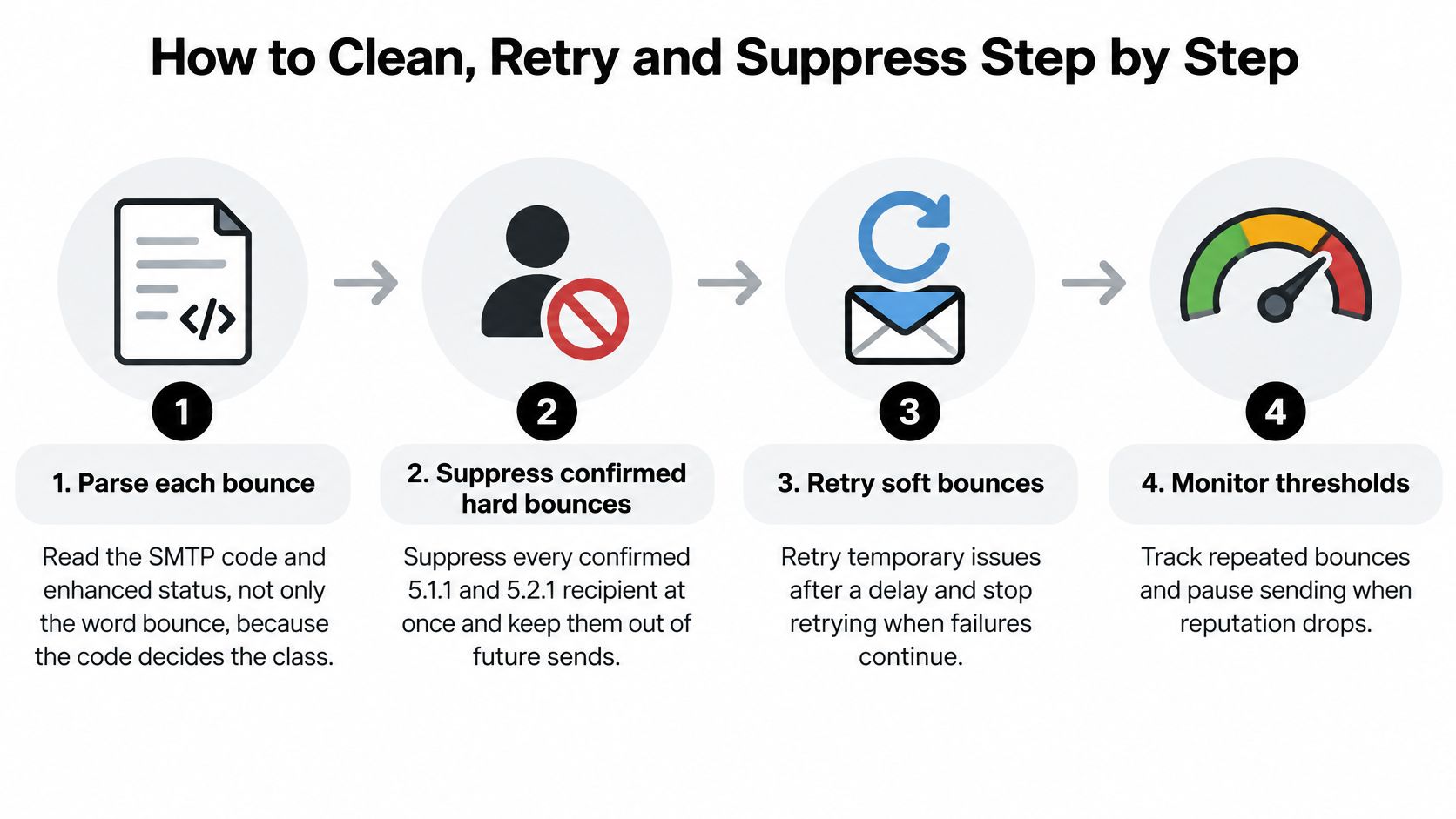
How to Clean, Retry and Suppress Step by Step
Work the log in order. Skipping ahead is how good contacts disappear and bad ones stay.
-
Parse the code, not the label. Pull the SMTP reply, the enhanced status, and the diagnostic text for each failure. The code sets the class. The slip is trusting an ESP column that says “hard” for every 5xx, including policy blocks on valid buyers.
-
Suppress confirmed 5.1.1 and 5.2.1 recipients now. Nonexistent and inactive mailboxes do not heal because you waited. Keep them off future sequences and off any list you upload later. Retrying them wastes daily volume and is one of the fastest ways to look careless to a mailbox provider.
-
Queue soft bounces on a widening gap. Retry after about one hour, then one day, then three days, and stop when the window ends. Backoff beats hammering a full mailbox or a busy server every fifteen minutes. The slip is an infinite retry that turns a temporary 4xx into a reputation drip.
-
Suppress soft failures that last the whole window. Repeated storage or mailbox-unavailable responses mean the address is not usable for this program, even though the first event was temporary. Leaving those contacts in the active segment recreates the same failure next campaign.
-
Hold 5.7.1 and other policy rejections for a sender check. Confirm SPF, DKIM, and DMARC alignment and the domain’s recent complaint and blocklist picture before you delete anyone. The slip is “cleaning” a list that was fine while the signing domain was misaligned. If you don’t run list hygiene in-house, compare email list cleaning services on whether they preserve policy failures for review instead of auto-deleting them.
-
Cut pace when you see 4.7.28 or a rising 4xx trend. Lower daily volume on the affected provider and raise it gradually. The slip is adding more inboxes to “push through” a throttle, which usually spreads the same reputation problem.
-
Re-verify the touched segment after 48 hours. Compare the new hard and soft rates by recipient domain against the pre-clean send. The slip is declaring victory from a single blended bounce percentage that hides a provider still rejecting you.
This short walkthrough shows how those classes show up in a real sending log, which is worth watching before you rewrite suppression rules:
I would start with the cheapest fix that matches the code. Suppression is cheap when the mailbox does not exist. It is expensive when the failure is your authentication or your pace, because you will pay for new data and hit the same wall.
Choose Your Bounce Playbook for B2B Outreach
Match this week’s log to one playbook. Don’t run all four at once.
Clean list, rising hard bounces. Audit the source, re-verify the segment, and suppress confirmed invalid addresses. A fresh scrape or a job-change file usually explains a hard-bounce jump when authentication has not changed.
Soft bounces spiking on one provider. Slow that provider and check throttling before you buy a new list. Valid people fail when you send too fast. Spreading the same daily total across more domains does not fix a single provider’s 4xx wall.
Policy rejections across several recipient domains. Repair SPF, DKIM, and DMARC, then review content, and only then resume. Repeated authentication failures can indict the sending domain while every address in the file is real. A permanent-looking failure can also be a routing or configuration problem rather than a bad contact.
Stable reputation, occasional soft bounces. Keep the retry window and the four monitoring triggers. Don’t build a suppression project for noise.
Should a soft bounce always be retried, and should a hard bounce always be suppressed immediately? No. A temporary 4xx from rate limiting may recover. Repeated policy failures may not, even though the address is valid. Mailgun’s email benchmarks chapter notes that Postmastery reported Google’s measured bounce rate improved from 0.74% to 0.62% alongside broader SPF, DKIM, and DMARC adoption, while remaining errors were tied to failed or missing authentication and domain misalignment. That is a sender fix, not a list delete.
Pick the playbook that matches the dominant code in the log, set the review triggers before the next send, and ask any outbound platform for bounce reports split by type, market, and campaign.
Cold outreach still needs a human opening once the mail can land. Teams that have the technical path sorted often still lose the reply, and a set of cold email openers that start conversations is more useful than another generic subject-line list. Landing in the inbox is the other half of that job, which is why how to avoid the spam folder belongs in the same week as the suppression pass, not a quarter later.
The label is the starting point. The code and the sending history are the decision.
Fypion Marketing builds and verifies B2B prospect lists, configures SPF, DKIM, and DMARC, and runs cold email outreach on a pay-per-meeting model so bounce handling is part of the campaign rather than an afterthought. If you want the list, the authentication, and the sending pace managed against qualified meetings, visit Fypion Marketing and book the free consultation.