
How to Personalize Email at Scale: Signals, Steps and Limits

The most repeated advice on how to personalize email is still to drop a first name into the subject line and mention the company. That is mail merge. It doesn’t tell a buyer why you wrote today, and it trains them to treat the note as a template with their name swapped in.
Relevance in B2B cold email comes from one fact you can defend, tied to the job the person does. Verification effort and trust risk decide whether that fact reads as useful or as surveillance. A public hiring post you can point to is different from a browsing trail you cannot explain if they ask.
I would rather send a short note built on role plus one public initiative than a longer note stuffed with tokens. Narrow, verified relevance is the goal. More data in every message is not.
Choosing Signals That Feel Relevant Within Privacy Limits
Cold-email personalization usually fails at the signal, not the sentence. Pick a detail you cannot verify, or one the recipient cannot trace, and the rest of the copy cannot save it.
| Signal | Example | Effort to verify | Trust risk |
|---|---|---|---|
| Role or job title | Head of Sales Operations | Low, from CRM or public profile | Low |
| Public company initiative | Announced a move to a new data warehouse | Low, from press release or filing | Low |
| Recent hiring | Posted three sales development roles this month | Low to medium, from job boards | Low to medium |
| Technology change | Switched CRM platforms this quarter | Medium, from job posts or public tech stack | Medium |
| Website or content action | Read a guide on pricing models | Medium, needs tracking data you can disclose | High if referenced too specifically |
| Inferred intent or browsing behavior | Visited competitor comparison pages | High, needs third-party data | High |
| First name only | Hi Priya | Low | Low, but adds little relevance |
Role and a public company initiative are the foundation. Both can be checked before you write. Both connect to the buyer’s job, not their personal life. If they reply “where did you get that?”, you can name the profile, the press release, or the filing. A first-name token clears none of those tests. It is easy to insert and it adds almost no business reason to be in the inbox.
Where the privacy line actually sits
Treat signals as a gradient, not a pile of fields to maximize. On the safe side sit contextual facts the company has already stated in public: a role, a stated priority, a hiring plan, a product launch. On the sensitive side sit predicted intent, personal browsing behavior, and enrichment from a data broker you cannot name.
The same observation lands differently depending on whether the recipient can see the source. “Your earnings note said the warehouse consolidation finishes this quarter” is a business reason. “I can see you looked at pricing pages three times” is surveillance, even when the underlying behavior is real. EmailKong’s summary of consumer research puts numbers on that tension: 61% want personalized experiences, but only 41% believe the benefits justify the privacy cost, and 32% are uncomfortable with brands remembering browsing behavior or predicting purchases. Preferences someone volunteers, which is what zero-party data means, sit on the safer side of that line because the person knows they shared them.
Practical rule: Use one signal per email that you could explain in a single sentence if the recipient asked where it came from.
Before any of that copy goes out, set a compliance floor. This is practical sending hygiene, not legal advice, and high-volume programs should have counsel review the workflow.
- State the business reason in the first lines, in plain language.
- Leave out personal details that have nothing to do with the role.
- Identify the sender with a real name and company. Every campaign we run includes required sender identification and a working opt-out path under CAN-SPAM.
- Send from a separate domain. The primary company domain is never used to send cold email.
- Document consent or a lawful basis for EU contacts, and honor opt-out and data-handling requests in line with GDPR principles.
If you cannot explain the signal in one sentence, do not put it in the email.
How to Build a Personalized Email in Six Steps
A tight segment is what makes one message fit many prospects. Firmographic and lifecycle fields do that work before any sentence is written.
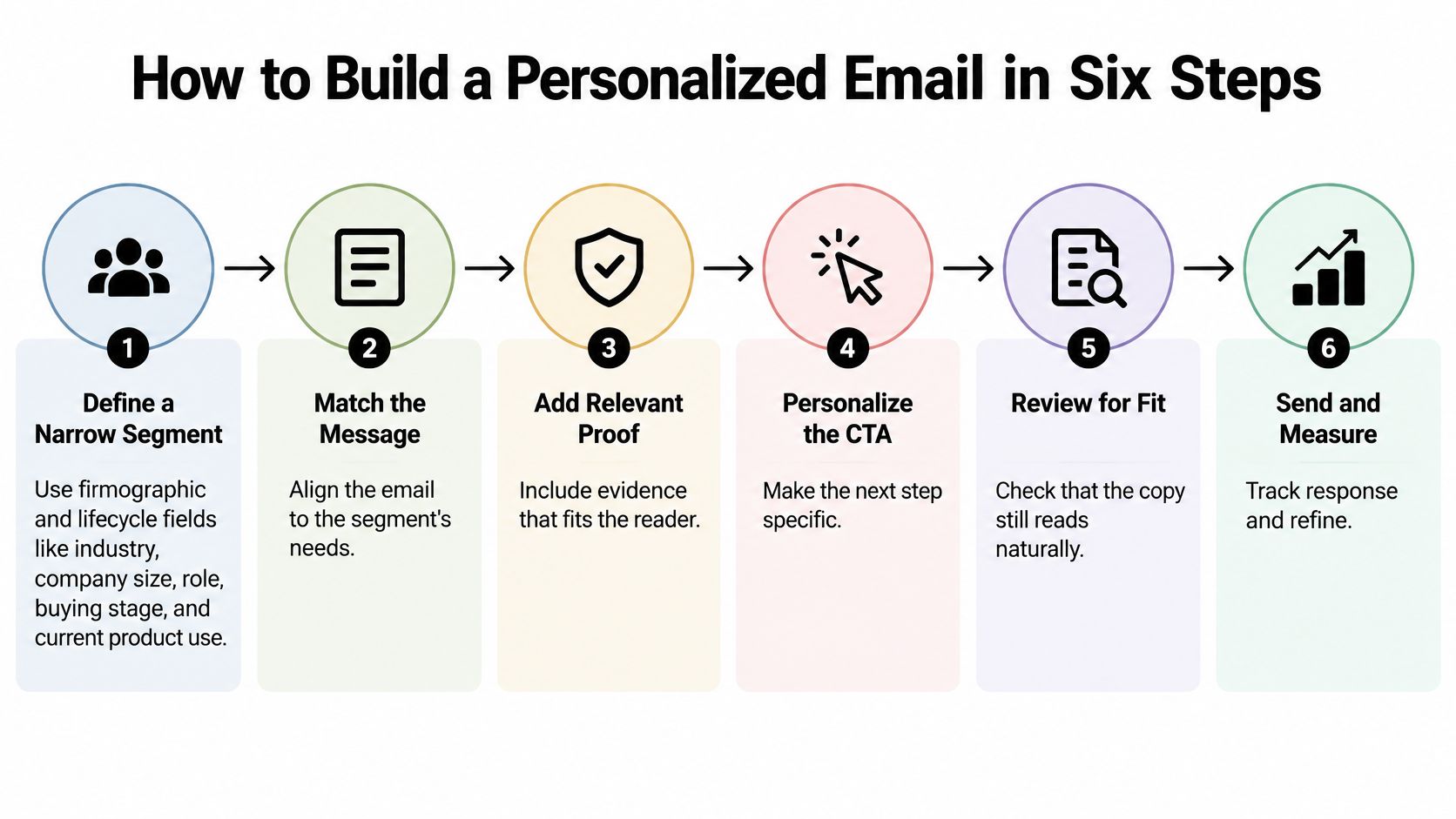
- Define a narrow segment. Use industry, company size, role, buying stage, and current product use. A “SaaS, 50 to 200 employees, sales operations, evaluating a new CRM” slice can share one problem. “All revenue leaders” cannot. Email list segmentation is the step often skipped, then they blame the copy.
- Pick one verifiable signal and recheck it. A public hiring push is a good candidate. Open the job board the morning you write. A role posted six weeks ago and since filled will make the email look careless.
- Map that signal to three things only. One problem hypothesis, one proof point from a similar account, and one low-friction call to action. If the hiring push is three new sales development roles, the hypothesis might be that ramp time, not headcount, is the constraint. The proof point is a peer who cut ramp with a specific change. The ask is a yes or no, not a demo deck.
- Draft at least two variants. Change only the hypothesis or the proof point. Hold the audience, the sender, the offer, and the send window constant. If you also swap the subject line and the ask, you will not know which change moved replies.
- Run a pre-send check. Every claim should trace to a source you can name. The role should still be correct. The note should read as a reason to write, not as a log of what you observed. “Saw your post” with no post behind it fails this check immediately.
- Send a randomized split and record outcomes per variant. We check ICP fit before sending any message, and we send fewer but well-researched, personalized emails rather than generic blasts. A smaller set you can defend will beat a high-volume blast you cannot.
What a healthy result looks like
Small segments produce noisy numbers, so wait for a sample you can read before you crown a winner. The replies you want mention the problem you named. A reply that only echoes the prospect’s name tells you the token worked and the argument did not.
Change one variable, or you cannot attribute the result. Three changes in one send is a new email, not a test.
Writing Subject Lines and Openers That Use the Signal
The merge field is the weakest part of a subject line, and it is often the only part senders test. Field experiments on subject-line personalization found that inserting only a first name produced no reliable lift, and in one experiment a 3.2% reduction in opens; title plus surname produced an 11.8% statistically significant increase. That gap is a useful ranking rule. A verified title plus surname tells the reader you know who they are and what they own. A first name proves only that your merge field worked.
Rank signals by two costs: how long they take to verify and how much trust they burn if you get them wrong. A public hiring push, a system migration, or a funding round is cheap to check and low risk to reference as business context. A personal detail from a social profile is expensive to verify and high risk if wrong. Narrow, verified relevance beats more data in every message.
Lead the opener with the business context of the signal, then the gap that usually follows it. “The note on consolidating two warehouses this quarter stood out. Teams in that spot often lose reporting continuity while the cutover runs.” That is a hypothesis they can confirm or correct. These three lines are illustrations, not lines to paste:
- VP of Sales, after a hiring push: “Three new SDR roles went up this month. The hard part is usually the first 60 days of pipeline, not the offers.”
- Operations lead, after a system migration: “The CRM cutover you posted about tends to break the handoff between inbound and the team that owns the account.”
- Finance director, after a funding round: “Post-round reporting usually gets rebuilt in a hurry, and the first version rarely matches how the board asks questions.”
Skip “Hope you are well” and “I noticed you are on LinkedIn.” Both tell the reader you have been watching them, and neither names a problem. Subject lines should name the problem in plain words and stay short. “Warehouse reporting during the cutover” beats “Quick question, Priya.” For a regulated buyer, a roundup of email subject lines for insurance sales outreach shows how problem-led lines read in one vertical, and the same discipline shows up in cold email copywriting for other B2B motions.
Write two subject lines that differ only in the hook. Keep the body identical. Judge the pair on replies, not on opens, and do not promote a winner until the sample is large enough to read.
Scaling Templates With Dynamic Fields Without Broken Copy
The rule that keeps scaled copy from looking broken is simple. Suppress the record. Do not insert a fallback. “Hi there,” a blank company name, or “your company” tells the reader the list was assembled carelessly. A missing field is a data problem, and a fallback greeting advertises it.
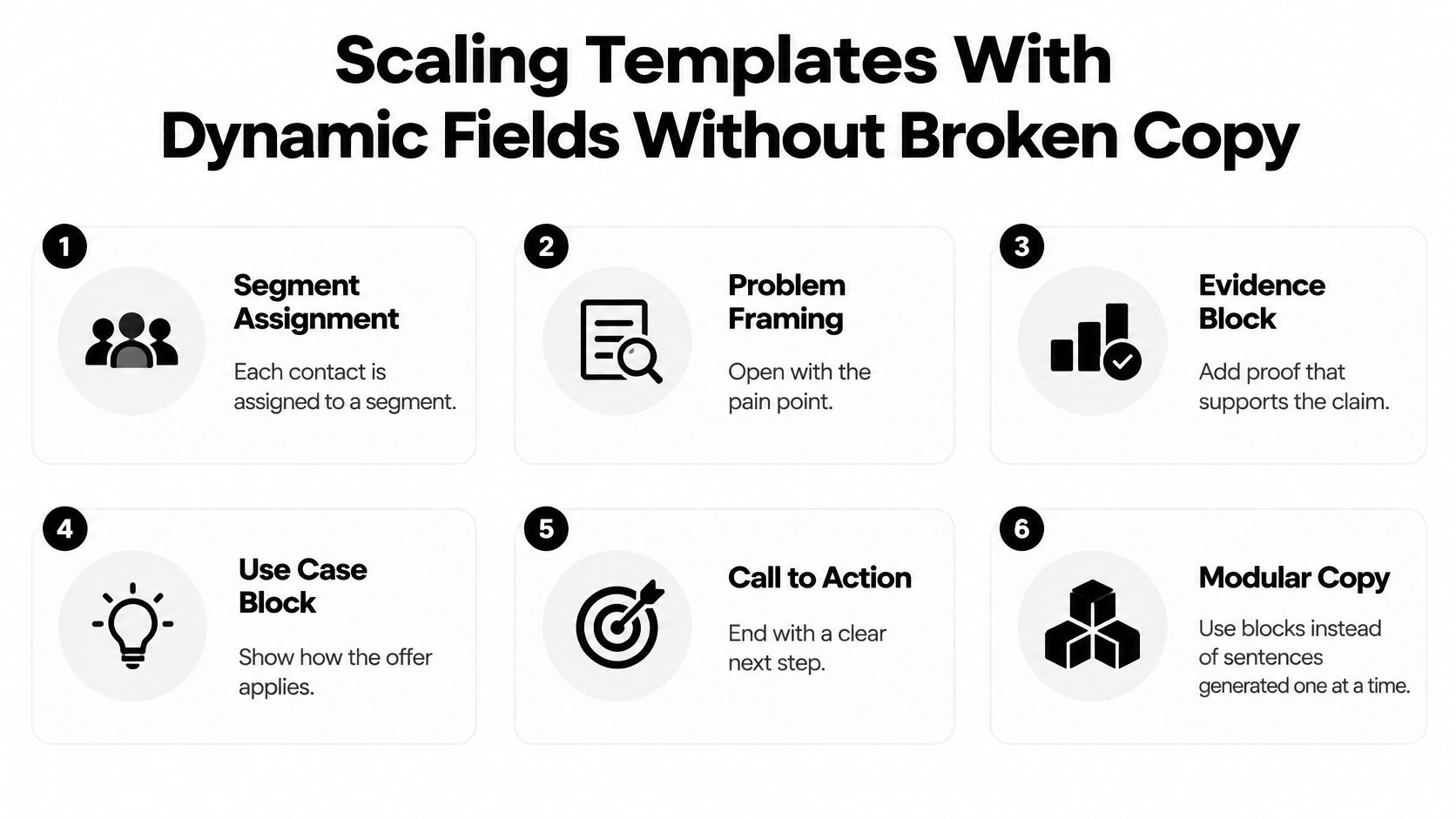
Assign each contact to one segment, then render modular blocks for problem framing, evidence, use case, and call to action. Do not generate every sentence on its own. A language model that writes the whole note will invent a claim you cannot source. Natural language generation is useful inside a block you already approved, not as a substitute for the block.
MarTech’s roundup of personalization benchmarks reports segmented campaigns at 14.31% higher open rates and 100.95% higher click-through rates than non-segmented campaigns, with dynamic-content emails at 17% higher average click rates and 40% higher average order-conversion rates. Those figures are directional. They mix audiences and definitions, and opens are increasingly noisy, so they do not establish commercial intent. Track qualified responses, and watch bounce rate, complaint rate, unsubscribe rate, and inbox placement by segment.
| Field | Check before sending | If missing or conflicting |
|---|---|---|
| Recipient first and last name | Matches the email domain and CRM record | Suppress the record, no fallback greeting |
| Job title | Confirmed within the last six months | Switch to a role-neutral opener |
| Company name and size | Matches the firmographic source | Drop the company reference or suppress |
| Industry segment | Maps to exactly one defined segment | Route to the general segment |
| Geography and consent status | Lawful basis or opt-in recorded for EU contacts | Suppress from the send |
| Trigger signal date | Occurred within the last 30 days | Drop the signal and keep the role-based message |
Date-stamp every trigger. Anything older than about 30 days comes out of the copy, and the role-based message still sends. A stale “congrats on the new role” line does more harm than a plain note about the job.
The overfitting trap
A segment of eight contacts cannot tell you whether a block works. Merge tiny slices until the group is large enough to read, and keep a holdout so you can see incremental replies rather than clicks alone. A manufacturing segment should receive a manufacturer case study. A logistics segment should receive a different one. Swapping that evidence block is the personalization. Swapping adjectives is not.
Before a template goes live, read one rendered record per segment out loud. If a sentence only makes sense when every field is perfect, it is not ready.
Sequencing Touches Across Email and LinkedIn
Each later touch should add one new angle and reuse the same signal. The sequence then reads as a conversation. A repeated pitch with the name changed does not.
Email carries the hypothesis and, later, the proof. A LinkedIn connection note has to stay short and carry no ask, because the person has not accepted a conversation yet. A LinkedIn message can hold one more specific point once they have. In the copy and sequences stage, days 7 to 14, we write personalized multi-touch sequences across email and LinkedIn around the client’s ICP pain points, buying signals, and objections. LinkedIn sequences in that work are personalized, not mass blasts. The trade-off between the two channels is laid out in cold email versus LinkedIn outreach.
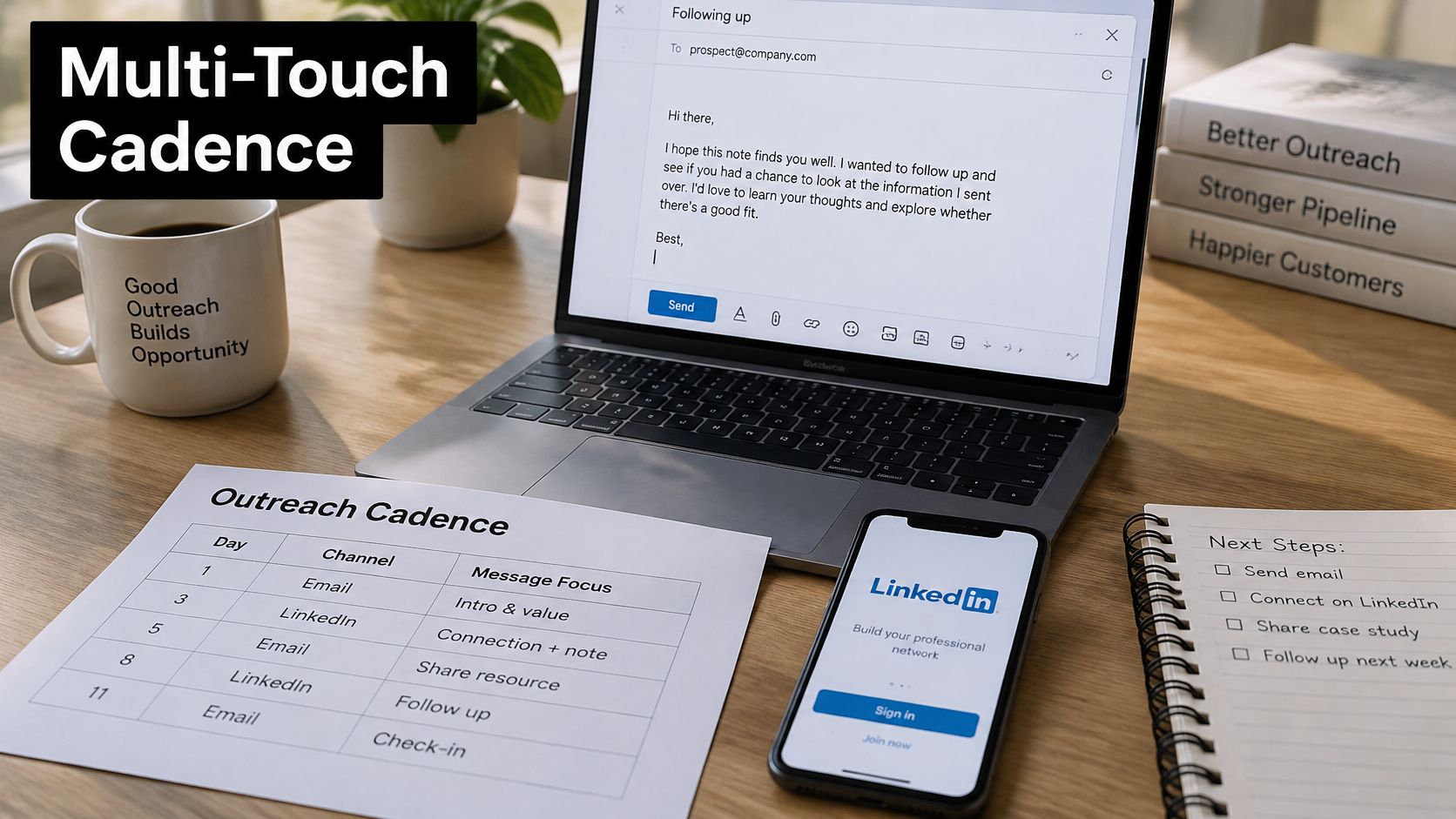
| Day | Channel | Angle added | Ask |
|---|---|---|---|
| Day 1 | Signal plus one problem hypothesis | Short question on whether the problem is live | |
| Day 3 | LinkedIn connection note | Same signal in one line | No ask |
| Day 6 | Proof point from a similar account | Offer a 15-minute call | |
| Day 9 | LinkedIn message | Different angle within the same segment | Ask whether a short summary is useful |
| Day 14 | Clean exit with opt-out path | Close the thread or ask for a referral |
Vary the proof point, not the person. Day 6 might cite how a similar sales team handled ramp after a hiring push. Day 9 might shift to the reporting gap that same segment usually hits, still inside the original signal. Day 14 offers a clean exit, a referral or a close of the thread, so the last note does not beg.
Cap the sequence at four or five touches over about two weeks. Longer runs raise complaint risk without adding a new argument. Stop the moment a prospect replies, opts out, or bounces. Before each touch, confirm three things. The signal is still current, the new angle differs from the last one, and the ask matches the trust the earlier touches have earned. A calendar link on day 1 asks for more than you have built.
Run a Controlled Test Before You Scale
A sharp personalized line is useless if the domain reputation drops and the mail never lands. Iterable’s deliverability guidance reports that Gmail and Yahoo require bulk senders to authenticate with SPF, DKIM, and DMARC, provide one-click unsubscribe, and keep spam complaint rates below 0.3%. Microsoft required authentication for high-volume senders to Outlook.com recipients beginning May 5, 2025. Our cold email runs on dedicated sending domains, separate from the client’s primary domain, each with its own authentication and a warmup period, so a test never touches the company domain.

Judge the test by segment, not as one blended average. Opens should not pick the winner.
| Metric | Threshold or benchmark | Why it matters |
|---|---|---|
| Spam complaint rate | Below 0.3% | Bulk sender threshold at Gmail and Yahoo |
| Bounce rate | Below 2% (common guideline) | Signals list quality problems |
| Unsubscribe rate | Tracked per segment and trend | A rising trend points to a relevance problem |
| Positive reply rate | Set your own baseline per segment; no universal benchmark | Shows whether the message earns a response |
| Qualified-meeting rate | Tracked per segment and variant | The metric that decides whether to scale |
Typical cold email reply rates are 3-8%+, depending on vertical, so a baseline has to be set for your segment rather than borrowed from another market.
How much personalization is enough
Add a variable only when it is verified, relevant to the role, and needed for that segment. Stop once extra data produces a claim you cannot source, or a variant you cannot separate in a test. Narrow beats deep.
Change one variable. Split recipients at random. Keep a holdout group that receives the current message. A four-week test with two variants is a sensible start. Wait until each variant has a sample large enough to read, and only then promote a winner. Promoting on day three rewards noise.
For the next seven days:
- Pick one segment you can describe in a sentence.
- Write two variants that differ in a single hook.
- Validate every field and suppress anything you cannot confirm.
- Set alerts for complaints and unsubscribes before the first send.
- Review qualified meetings, not clicks, when the window closes.
A walkthrough of reading those campaign numbers, rather than celebrating a spike in opens, is worth fifteen minutes before you scale.
Fypion Marketing builds B2B cold email around one verified signal, a checked ICP, and multi-touch sequences on separate sending domains, then optimizes for qualified meetings rather than open-rate tricks. You pay for booked, qualified meetings that meet criteria you agree up front, with no retainer required to start. If you want that kind of personalization run for your pipeline, visit Fypion Marketing.