
How to Write an Outreach Email That Gets Replies
You’ve got a prospect list open, a draft in your inbox, and a familiar problem: the email sounds reasonable, but you can’t see why a busy buyer would answer it. Adding another compliment or a sharper subject line won’t fix a message that asks for time before establishing relevance.
Learning how to write an outreach email starts with a different question: can the recipient tell whether this is useful without speaking to you? Give them enough context to recognize the problem, evaluate your credibility, and choose a small next step. Then make sure your sending practices support the trust your words are trying to earn.
The Six Parts of an Outreach Email, Written in Order
A strong cold email has six parts, each with one job. Use the lengths below as editing targets, not performance guarantees, and keep the initial message below the practical ceiling used in the follow-up schedule.
The six parts of a cold outreach email
| Part | Job | Typical length | Example |
|---|---|---|---|
| Subject line | Names the topic plainly and truthfully | A short phrase | Onboarding gaps across your clinic sites |
| Opening line | Shows a verifiable business observation | A sentence or two | Your careers page lists new clinic locations |
| Relevance | Names a problem the role owns | A sentence or two | Expansion can make training ownership harder to track |
| Outcome and proof | Connects a result to evidence you can substantiate | A sentence or two | [Client] achieved [documented outcome] using [method] |
| Call to action | Makes one low-friction ask | One sentence | Would an onboarding ownership checklist help? |
| Sign-off and opt-out | Establishes identity and provides an exit | A compact footer | Name, title, company, postal address, unsubscribe line |
Write the business logic before polishing the wording
-
Pick a narrow segment. Start with a sentence such as: operations leaders at expanding clinic groups need consistent training ownership across locations. That’s your targeting hypothesis, not necessarily a line to paste into the email. The common slip is choosing everyone with an operations title, even when their responsibilities differ.
-
Find an opening observation you can verify. Check the company’s careers page, announcements, or product documentation. Write Your careers page lists openings for regional training managers, rather than generic praise about what the company is building. Don’t turn a job advertisement into an unsupported claim about internal problems.
-
Name the problem the recipient owns. Connect the observation to a plausible operational consequence: That expansion can make it harder to see who owns training at each location. Keep the uncertainty honest. You’re proposing relevance, not diagnosing a business you haven’t examined.
-
Give an outcome and supporting proof. Use an approved customer case, a published comparison, or a concrete artifact the recipient can inspect. If you lack a documented client result, offer a useful diagnostic instead of manufacturing credibility. A recognizable client name without a relevant outcome isn’t much proof.
-
Close with one decision. Would the ownership checklist be useful? gives the reader a clear choice. Asking for a lengthy discovery call before explaining the benefit transfers too much work to someone who hasn’t agreed to engage.
Finish the subject and footer together
-
Draft the subject early, then finish it last. A working subject helps you stay on topic, but the finished version must match the body. Clinic onboarding ownership is clearer than a vague promise to transform operations. Never imply an existing conversation with a fabricated reply or forwarding prefix.
-
Add your name, role, company, postal address, and working opt-out instruction. This footer supports the message rather than creating another pitch. For wording that ends cleanly without introducing competing requests, use this guide to how to close out an email.
Pure Write’s guide to how to write professional emails is a useful companion when the business logic is sound but the draft still feels stiff. Use that kind of editing guidance to improve clarity, not to decorate a weak offer.
Reading test: Read the email aloud, verify every factual claim, and check the word count. Delete any sentence that doesn’t help the recipient understand relevance, credibility, or the next step.
Personalization That Signals Real Relevance
A message can start with the recipient’s first name and a friendly greeting yet still feel completely interchangeable. The buyer notices whether you understand their work, not whether your software filled in a field correctly.
Compare these hypothetical openings:
Weak: Your office is in Austin, which looks like a great place to work.
Stronger: Your implementation announcement describes a regional CRM rollout. Is training ownership part of your remit?
The stronger version connects a public business initiative to a responsibility. It doesn’t pretend that the sender knows the rollout is failing.
In a 2023 Marketing Letters study, inserting only the recipient’s first name produced an opening rate 3.2% lower than the control group, a difference that wasn’t statistically significant, while using title and surname produced an 11.8% higher opening rate, which was statistically significant. That finding supports testing specific personalization choices, not declaring every personalized subject effective.

Look for professional context with a consequence
Use a short research pass to find a signal you can connect to your offer:
- Job postings: Look for responsibilities, systems, and hiring priorities. A newly advertised implementation role can support a question about rollout ownership.
- Company announcements: Expansion, funding, and product launches offer context. Don’t assume funding means discretionary budget for your product.
- Professional contributions: A published report, conference talk, or work-related post can reveal how the recipient frames a problem.
Record the source beside the contact in your CRM. That makes the opening easier to verify and prevents an old announcement from becoming a supposedly recent trigger.
A practical guide to how to personalize email can help turn those signals into relevant copy. If an assisted draft sounds unnatural, the guidance on authentic emails with Lumi Humanizer offers another editing resource, but wording tools can’t validate your facts.
Personalize the reason to open or reply, not only the greeting. Keep a neutral version available for comparison rather than assuming additional personal details always improve the message.
Ready-to-Use Outreach Email Templates
Use these drafts as structures, not as evidence. Every bracketed claim needs a verified replacement, and every offered resource must exist before you send the email.
Trigger-based opener
Subject: [Topic] after your [trigger]
Hi [first name],
I’m [sender] at [company]. Your [announcement or careers page] describes [verified expansion].
That can make new-hire training ownership harder to track across locations.
[Client name] achieved [documented onboarding outcome] using [specific method]. We’ve summarized the approach in a checklist.
Would a short version help?
[Name], [title], [company]
[Valid physical postal address]
Commercial outreach. Reply unsubscribe to stop future emails.
Benchmark offer for independent evaluation
Subject: Onboarding benchmark for [segment]
Hi [first name],
I’m [sender] at [company]. We compared onboarding times across [documented sample], and the median was [sourced figure].
The breakdown explains [scope and measurement method], so you can judge whether the comparison fits your team.
Would you like the summary?
[Name], [title], [company]
[Valid physical postal address]
Commercial outreach. Reply unsubscribe to stop future emails.
Follow-up with a reporting angle
Subject: Reporting bottleneck
Hi [first name],
Does reporting slow your monthly close?
Your [public source] describes [verified regional structure]. If regional submissions are part of the process, it may be useful to separate data-entry delays from analysis delays.
Our [existing diagnostic] maps those handoffs. Would you like a copy?
[Name], [title], [company]
[Valid physical postal address]
Commercial outreach. Reply unsubscribe to stop future emails.
How the parts fit together
| Part | Annotated example |
|---|---|
| Subject | Training ownership, identifies the topic |
| Opening | Your careers page lists regional training roles, establishes the trigger |
| Relevance | Is training ownership shared across locations?, checks the hypothesis |
| Outcome and proof | Our checklist maps owners and handoffs, offers something inspectable |
| CTA | Would a copy help?, asks for a small decision |
| Footer | Identity, address, and opt-out, makes the sender accountable |
Before using a customer result, check the measurement period, outcome definition, and permission to name the customer. Before using a benchmark, confirm the sample and comparison are relevant. If you can’t substantiate a figure, remove it rather than disguising it as an estimate.
For alternative structures, compare a cold email template against the offer you have. Don’t choose a template that requires proof or resources your team can’t supply.
Compliance and Deliverability Before You Send
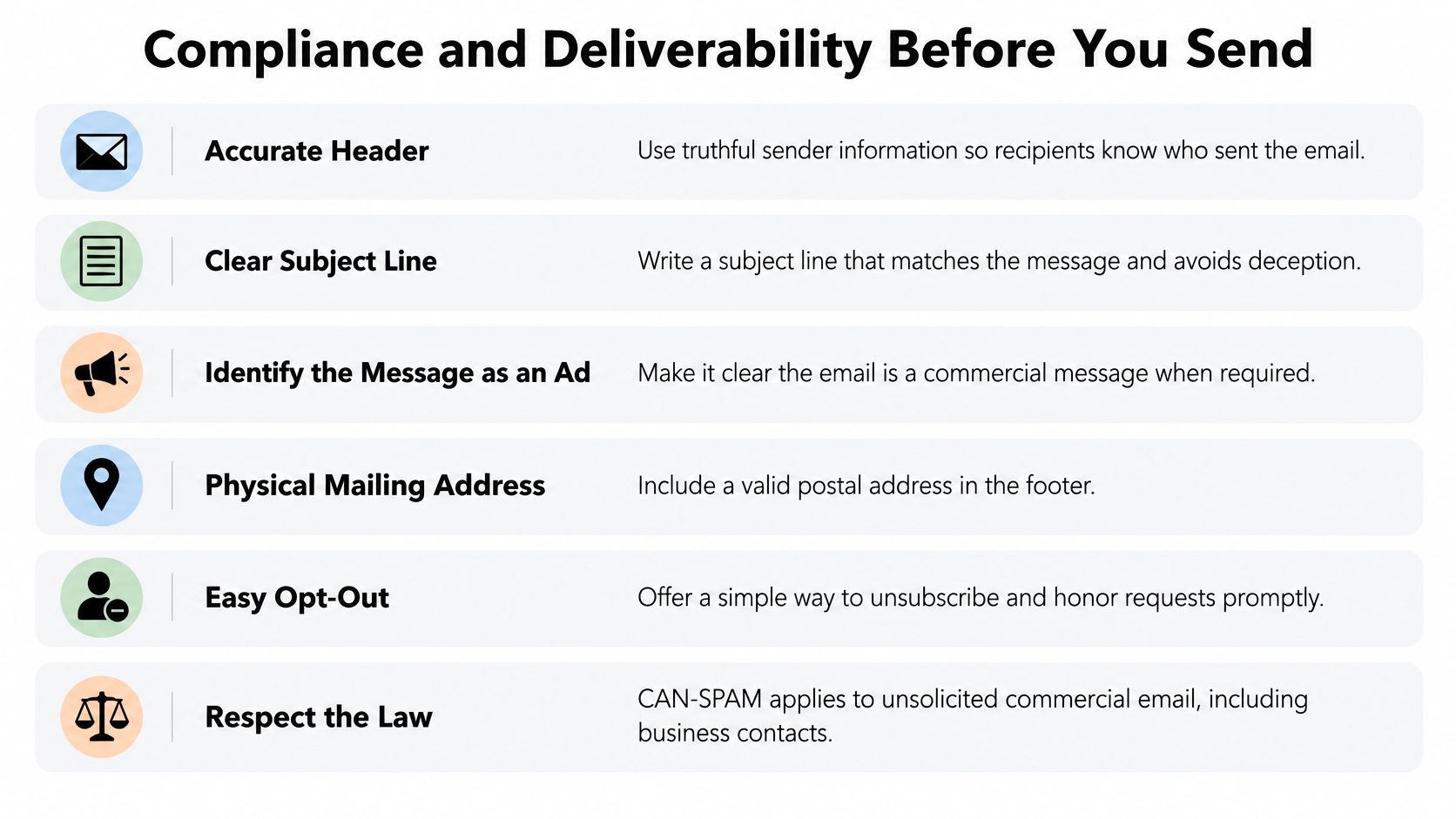
B2B email isn’t automatically exempt from commercial-email rules. The FTC’s CAN-SPAM rule covers unsolicited commercial messaging and prohibits misleading sender information and deceptive subject lines. A professional job title doesn’t make an otherwise commercial message noncommercial.
The FTC’s business compliance guide requires accurate headers, nondeceptive subjects, clear advertising identification, a valid physical postal address, and a clear opt-out mechanism; requests must be honored within 10 business days, and the mechanism must work for at least 30 days after sending.
Use those requirements while drafting, not after approving the copy. A subject that implies an existing relationship can’t be repaired by an accurate footer.
Check the sending environment
Authenticate the sending domain with SPF, DKIM, and DMARC, and confirm DNS configuration with whoever manages your infrastructure. Broadcom’s sender-guidance summary describes Gmail and Yahoo requirements, including authentication, unsubscribe functionality, and keeping spam complaints below 0.3%. Requirements differ by sender category, so check which obligations apply rather than treating a basic setup as complete compliance.
Use dedicated sending infrastructure to separate cold outreach from your primary inbox. At Fypion Marketing, we use dedicated infrastructure with full authentication, and the client’s primary domain and inbox are never touched. Separation is a risk-management measure, not permission to send irrelevant messages or a guarantee against reputation problems.
Ramp sending gradually after authentication and delivery checks. Don’t use artificial engagement as a substitute for relevant recipients and legitimate correspondence.
Run the final pre-send check
- Recipient fit: Confirm the person still holds the role and owns the problem.
- Suppression: Remove invalid addresses, previous opt-outs, and contacts your team has excluded.
- Identity: Check the From name, reply address, company details, and postal address.
- Truthfulness: Match the subject to the actual offer and substantiate the body’s claims.
- Exit path: Test the unsubscribe process and confirm requests reach the suppression list.
- Jurisdiction: Arrange separate legal review for EU or UK contacts rather than assuming U.S. rules are sufficient.
Use the CAN-SPAM compliance checklist as an operational check, not a substitute for advice about your circumstances. Process opt-outs promptly instead of treating the legal deadline as a target.
Follow-Ups and Testing Without Guesswork
Follow-up schedule for a cold email sequence
This is a suggested operating schedule, not a proven optimum. Stop scheduled outreach when someone replies, opts out, or proves irrelevant.
| Day | Touch | What It Adds | Example Line |
|---|---|---|---|
| Day 0 | Initial email under 150 words | One observation, one outcome, one ask | Is onboarding ownership a current priority? |
| Day 3 | Follow-up with new information | A relevant benchmark or short case | This checklist separates local and central training responsibilities |
| Day 7 | Different angle on the same role | Another relevant operational consequence | Does reporting slow your monthly close? |
| Day 14 | Closing the loop | Permission to stop or redirect | Should I close this out or contact a colleague? |
| Day 21 | Stop unless they reply | No new email | No message sent |
The schedule only works if each touch has a reason to exist. Sending a reminder without new information asks the buyer to reconsider an unchanged proposition. A different angle should still connect to the original business issue, not introduce an unrelated product.
Set the stopping rule before launching. Silence isn’t permission to keep adding messages.
Test a hypothesis, not an entire rewrite
A 2025 empirical study of 5,187 cold emails associated messages under 150 words, early sender identification, and personalization using name, company, and location with higher response rates. Those associations are study-specific, not forecasts for your campaign.
Translate the finding into a controlled experiment. Keep a holdout version unchanged and alter the opening, offer, CTA, or segment, rather than changing everything together. Where possible, run comparable groups during the same period so timing doesn’t become an obvious alternative explanation.
Write the hypothesis before sending: An ownership diagnostic will attract more qualified interest than a general product overview among regional operations leaders. That gives you something more useful to evaluate than whether the new copy feels better.
Separate interest from activity
Classify responses consistently:
- Positive: Requests the resource, asks a relevant question, or accepts a next step.
- Neutral: Acknowledges the message without showing buying interest.
- Objection: Identifies a fit, timing, budget, or incumbent-provider issue.
- Unsubscribe: Requests no further outreach and triggers suppression.
- Invalid: Reveals an incorrect contact or unusable address.
Track automated replies separately from human responses. Judge the test by qualified replies and booked meetings, not opens alone, because privacy and tracking behavior can distort opening activity.
Use a follow-up email guide to improve individual messages, but preserve the experiment’s boundaries. Rewriting live variants after every isolated response makes the result harder to interpret.
Send Your First Batch of Ten Emails This Week
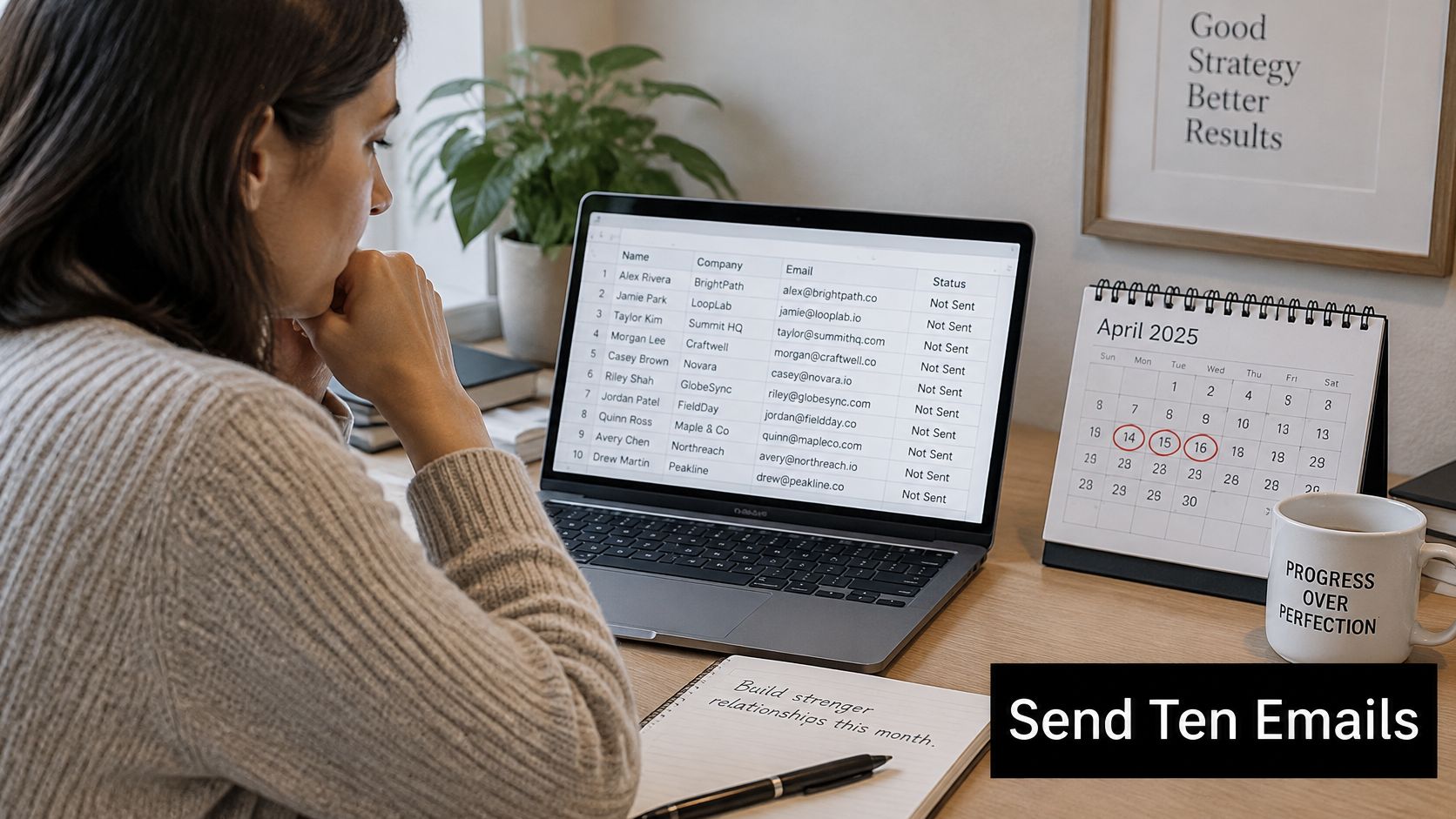
A ten-email batch to one narrow segment is a workflow test, and this week is soon enough to run one. Its job is to show whether your list, copy, and review habits hold together before you send at volume. Sending ramps up gradually, and early meetings often arrive after the pilot closes, so judge this batch on mechanics rather than treating the response as a verdict on your market. Before anything goes out, write the definition of a qualified meeting in one sentence that names the account fit, the relevant responsibility, and the business need.
Keep the contact list and review dates together so replies don’t get separated from their context.
Choose an offer the recipient can evaluate independently. Gartner found that 61% of B2B buyers prefer a rep-free buying experience, so a relevant diagnostic or a concise comparison often earns a reply where a calendar ask would fall flat. Name the business trigger and its plausible consequence without inventing a financial cost.
Keep the pilot interpretable
- Before launch: Commit to one segment and one offer, and record the qualification criteria.
- At the sequence review: Check delivery, response categories, and whether recipients understood the offer.
- At the later operational checkpoint: Review bounces, complaints, unsubscribes, and qualified replies together.
Ten replies is enough to debug a process. If nobody replies, resist naming a culprit: check delivery and contact accuracy first, then form one hypothesis about the subject line, relevance, proof, or ask before you touch the list.
The walkthrough below demonstrates the drafting pass a cold email needs before it goes out. Use it to check your subject line, opener, offer, and ask in order.
If tooling becomes the constraint, Docket’s research on Outreach alternatives can support a platform comparison. Choose tools that make replies easy to classify and review; sending volume is the easier part to buy.
Fypion Marketing handles ICP definition, list building and verification, domain and inbox setup, sequence copywriting, A/B testing, reply handling, and weekly optimization and reporting. Every engagement starts by defining a qualified meeting, and the cold email service is paid only for meetings you confirm were a good fit. Visit Fypion Marketing to discuss your target segment and build an outreach process around that definition.