
Meeting Request Subject Line: Templates That Get Replies

Your campaign dashboard looks respectable, but your calendar doesn’t. Prospects are opening your emails, yet the replies are mostly polite dismissals, and your sales team is still waiting for useful conversations.
A meeting request subject line should help the right buyer recognize a relevant conversation, not persuade someone to click. That distinction changes which templates you choose, what you personalize, and when you declare a test successful.
Why the Subject Line Decides Whether a Meeting Happens
Say a sales director sends a batch of emails with the subject quick question. The open count looks encouraging, but barely anyone agrees to talk. The subject created curiosity without explaining why the recipient should care, leaving the body to establish all the relevance.
The practical chain is straightforward: the subject earns attention, the opening sentences establish a reason to respond, and the reply creates an opportunity to qualify and schedule. A weak link anywhere can leave you with activity instead of appointments.
Scheduling itself involves friction. Calendly’s meeting-invitation guidance reports that scheduling a meeting required an average of 7.3 emails in its 2024 study, a reminder to consider the whole conversation rather than the initial send alone.
Practical rule: Write a subject your prospect can understand before they know anything about your offer.
Relevance starts with choosing the right recipient. A founder seeking funding might use Gritt.io to discover angel investors for early-stage startups, then reference a verified investment focus rather than sending every investor the same introduction.
Broad benchmarks won’t tell you whether that targeting worked. Mailchimp’s email benchmarks report an overall average open rate of approximately 34.23%, compared with 40.55% for government and 27.34% for vitamin supplements, across its eligible tracked campaigns.
Those are campaign benchmarks, not cold-outreach meeting targets. Audience expectations differ, and an open doesn’t demonstrate buying intent.
A useful subject signals relevance, previews the message, and makes the proposed discussion understandable. Track positive replies and qualified meetings per delivered email to judge whether it contributes to a commercially useful conversation.
Meeting Request Subject Line Templates Compared
| Template | Example subject | Use when | Watch out for |
|---|---|---|---|
| Quick control | quick question | You need a baseline for a test | Generic wording gives little reason to care |
| Personalized name | {{firstName}}, quick chat? | The contact is verified and the body mentions their role | Irrelevant body copy makes the name look decorative |
| Account signal | {{companyName}} onboarding friction | You can verify a relevant hiring or launch trigger | The opening must substantiate the signal without inventing friction |
| Plain topic | Discussing onboarding delays at [Company] | Formal senior audiences and multilingual lists | Lower curiosity, so compare it with your control |
| Problem-led | Reducing [specific cost] | The prospect recognizes the problem but isn’t evaluating options | Unspecified costs sound like generic copy |
| Initiative idea | Idea for {{companyName}}‘s [initiative] | You can identify a specific initiative | Unsupported praise isn’t evidence |
| Direct ask | 15-minute meeting? | A relevant trigger or shared context is established | It asks for calendar commitment before demonstrating value |
Treat these as patterns to adapt, not proven winners for every list.
Quick control earns its place because it’s easy to reproduce, not because it’s persuasive. Use it to establish whether a more relevant alternative improves outcomes. Don’t keep it merely because it opens well.
Personalized name can make an informal introduction feel natural. It backfires when the message underneath could have gone to anyone with the same job title.
Account signal requires more discipline. A hiring announcement proves hiring, not onboarding problems. If you can’t verify friction, soften the subject to {{companyName}} onboarding rather than presenting an assumption as a fact.
Choose the commitment level deliberately
Plain topic makes the discussion explicit. Problem-led wording focuses on an outcome without immediately asking for time. Both give recipients something substantive to evaluate.
Initiative idea works when the email contains an actual idea for the named initiative. A congratulatory opener followed by an unrelated pitch doesn’t meet that standard.
Direct ask belongs where the recipient already understands why a conversation might matter. A short meeting is still a commitment.
A Belkins subject-line analysis cites an analysis of 304,000 emails in which interest-based calls to action generated 68% positive replies, compared with 41% for explicit meeting requests. That’s evidence about the ask, not proof that any particular subject wins, but it supports earning interest before requesting time.
Stimulead’s evidence on what makes subject lines work can help you develop test hypotheses. Pair the selected pattern with a coherent cold email template, so the subject, evidence, and request describe the same conversation.
When Senior and Multilingual Audiences Change the Rules
Consider a hypothetical company selling a complex platform to senior decision-makers who prefer formal correspondence. The contact list is difficult to build, and every introduction matters. A casual quick sync subject may sound familiar to the sender while telling the buyer almost nothing.
Seniority alone doesn’t dictate tone. Still, when you lack evidence that informality fits, plain business language is the safer starting point. Discussing onboarding delays at [Company] identifies a topic and an action without pretending you already have a relationship.
Accessibility adds a separate constraint. The Email Markup Consortium’s 2025 accessibility report analyzed 443,585 emails and found that 99.89% contained serious or critical accessibility issues. That finding concerns email accessibility broadly, not subject lines specifically, but it makes accessibility hard to dismiss as an edge case.
Remove interpretation work
A person using a screen reader may encounter the subject and preview text before deciding whether to open. Don’t make that decision depend on visual novelty, unexplained shorthand, or an emoji.
- Replace vague shorthand: Change quick sync into a named discussion, such as Discussing onboarding delays at [Company].
- Explain unfamiliar terms: Use the business process rather than an internal acronym.
- Review translations naturally: Ask a native reviewer whether the subject sounds like a credible business email, not merely whether it’s grammatically correct.
A messaging framework should capture these audience constraints before anyone writes variants. Include preferred terminology, formality, and words that lose their meaning in translation.
Clarity helps recipients decide whether the conversation belongs with them. Confusion isn’t useful qualification.
Accessible wording doesn’t guarantee inbox placement. It does remove avoidable obstacles after delivery, before a recipient has even reached your sales argument.
How to Write a Personalized Subject Line Step by Step
Personalization is an evidence task before it’s a writing task. A correct first name won’t rescue an irrelevant premise.
Autobound’s guide to subject-line variation recommends using a verified account signal, keeping the wording concise, and substantiating that signal immediately in the body. Use that approach to produce a message you can defend, not just a plausible-looking merge field.
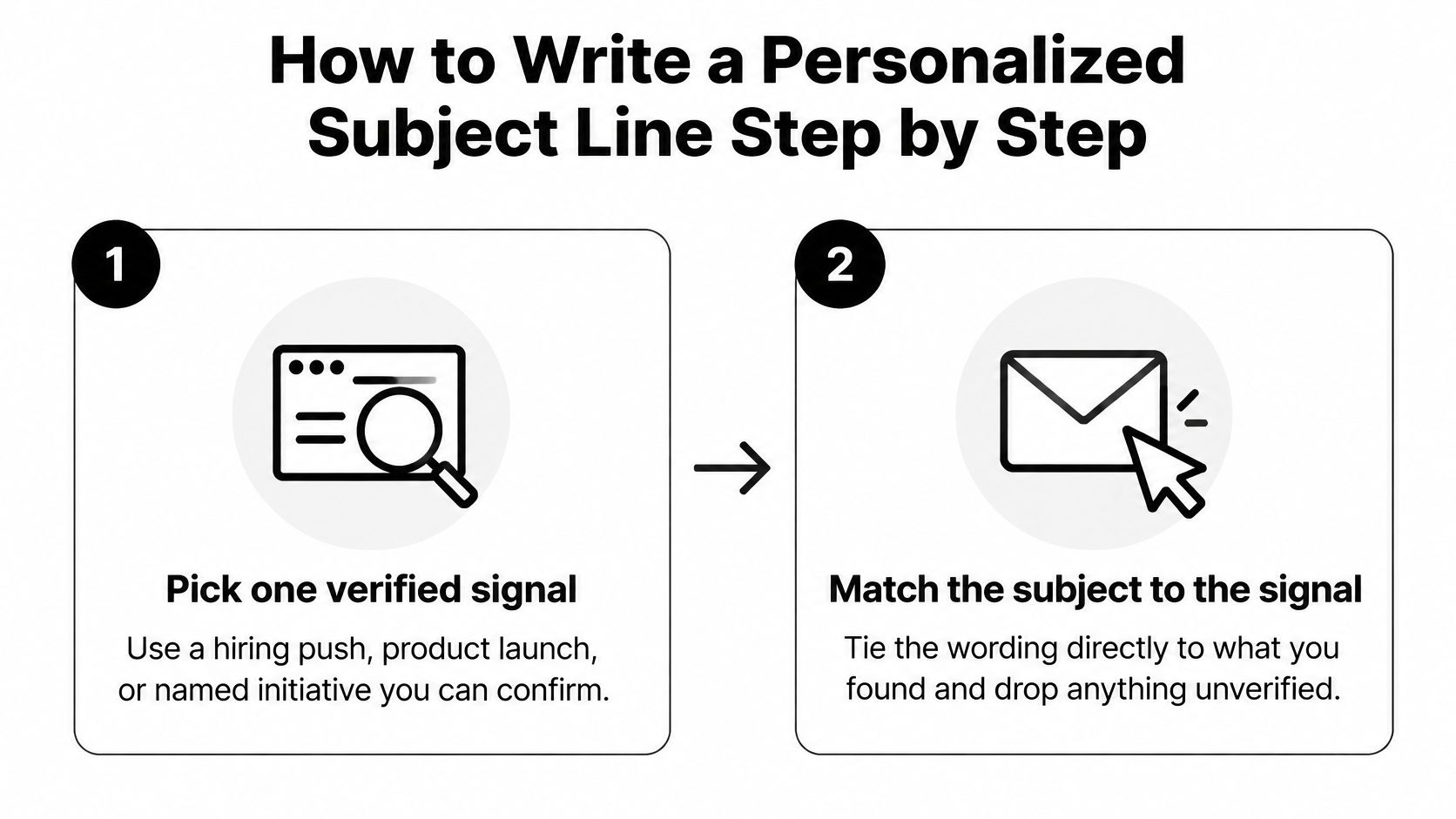
Start with the connection between the account evidence and the wording.
-
Pick a verified signal. Find a hiring push, product launch, or named initiative on the company’s website. Save the page and check that the information is still relevant; discard anything you can’t substantiate.
-
Match the pattern to awareness. An announced expansion might justify an initiative-led subject, while a confirmed operational concern supports problem-led wording. Don’t assume a company is shopping for a solution just because it’s growing.
-
Compress without stripping meaning. Put the distinctive topic early and remove filler such as reaching out about. Preview the result in Gmail or Outlook on mobile rather than treating word count as a guarantee of visibility.
-
Check the strength of the claim. Remove unsupported savings promises, invented urgency, and language that turns a possible concern into a diagnosed problem. Your subject shouldn’t require an apology once the email is opened.
-
Prove the connection immediately. Use the opening sentences to identify the public signal and explain the relevant business question. Don’t bury the evidence beneath a company introduction.
-
Offer an outcome before a calendar slot. A comparison, relevant observation, or useful example gives the recipient something concrete to accept. Only offer material you can provide.
-
Read the sender name, subject, and preview together. Use a recognizable human identity and consistent language. An informal subject beside a corporate sender label and a heavily promotional preview can look mismatched.
For signal collection at scale, WebscrapingHQ explains how to generate leads with web scraping. Treat collected information as a verification queue, not automatic permission to make claims about an account. Organize contacts with email list segmentation so each message uses the appropriate premise.
A regional launch example
Suppose a SaaS company publicly announces a regional launch. A suitable subject is EMEA launch onboarding.
The opening could say: Your regional launch announcement caught my attention. Will new customers use the existing onboarding process or a regional version?
The request can offer a comparison of centralized and regional onboarding setups. A named account executive sends it, and the preview introduces the launch question rather than repeating a meeting request.
Notice what’s absent: no invented onboarding failure, no guaranteed revenue increase, and no assumption that expansion automatically creates a buying opportunity. The personalization establishes a credible reason to ask.
How to A/B Test Subject Lines Without Fooling Yourself
An Instantly SaaS campaign case study describes 2,800 emails testing five subject variants, starting from a 32% open rate, 4.2% reply rate, and 0.29% booked-meeting conversion; the reported winner paired {{firstName}}, quick chat? with a value-first call to action. Because the winning combination included the CTA, don’t attribute the entire result to subject wording.
Use a recipient-level test to isolate your own result. Keep a shared report that connects campaign activity to qualified outcomes.

- Predeclare the primary metric. Choose positive replies or qualified meetings before sending.
- Segment by role, industry, company size, and region, then randomize comparable recipients between variants.
- Hold other variables constant. Keep sender, body, offer, sending schedule, and follow-up sequence consistent.
- Allow normal weekday variation and response delays. Set the observation window before launch.
- Size the test deliberately. Use a power calculator with the segment’s historical positive-reply rate, your minimum worthwhile improvement, and chosen confidence and power settings. Don’t stop early because opens look promising.
Choose a metric that answers the business question
| Metric | What it tells you | Role in the decision | Main limitation |
|---|---|---|---|
| Delivered open rate | Recorded early attention | Diagnostic only | Privacy protections and scanners can distort it |
| Unique positive reply rate | Whether recipients express interest | Primary metric for most tests | Polite declines can be misclassified |
| Qualified meeting rate | Whether booked conversations meet agreed criteria | Primary metric for pay-per-meeting programs | Requires explicit qualification rules |
| Held meeting rate | Whether booked meetings happened | Checks attendance quality | Requires a longer observation window |
| Incremental meeting yield | Qualified meetings per delivered email | Supports rollout decisions | Needs adequate volume and comparison with control |
Qualified meetings divided by delivered emails gives meeting yield. The incremental improvement is the difference between the variant’s yield and the control’s, not the variant’s yield alone.
For a visual companion to the testing process, use the following video.
Sender identity deserves particular care. A field experiment published in Social Science Computer Review involving 2,021 emails to professors at 24 US institutions found the greatest opening likelihood with a professional sender address combined with an unclear subject. That academic context doesn’t justify vague B2B copy; it shows why changing sender identity can confound a subject-line comparison.
Keep an email template testing log. Reject tests with multiple uncontrolled changes, tiny uneven groups, or a winner selected solely from opens.
Follow-Up Subject Lines Across the Thread
A follow-up needs a reason to exist beyond the sender wanting an answer. Before changing the subject, decide whether you’re continuing the original discussion, adding useful information, or ending outreach.
Keep the existing thread when continuity helps. Start a fresh message only when the new angle deserves its own introduction.
Choose the follow-up’s job
-
Carry the topic forward. Use Onboarding delays at [Company], one more thought when you have an additional observation about the original issue. The body should deliver that observation immediately, not say you’re moving the email to the top of the inbox.
-
Add a new angle. A second look at [specific cost] can introduce a different operational implication or a useful comparison. Change the substance, not just the wording around the same meeting request.
-
Close the loop without pressure. Should I close this out? can give an undecided recipient a simple way to respond. Test it against a topic-led close; recipients don’t owe you an explanation for remaining silent.
Never manufacture Re: or Fwd: prefixes to imply an exchange that didn’t happen. Genuine replies can retain their normal thread prefixes, but a new cold message shouldn’t impersonate an existing conversation.
Sequence check: If you remove the previous emails, the follow-up should still contain a useful reason for the recipient to respond.
Use a follow-up email structure that matches the subject’s promise. A new observation needs evidence; a closing message needs a clear, low-pressure ending.
Track positive replies and qualified meetings by sequence step, not just across the entire campaign. That shows whether a later touch contributes worthwhile conversations or merely collects annoyed responses.
Stop after a clear refusal or an opt-out. For silent prospects, follow the endpoint you established before launch rather than continually adding near-identical requests.
Decide When to Roll Out a Winning Subject Line
A winning variant should improve the type of conversation your sales team wants. Don’t promote it just because the dashboard assigns it a winner badge.
Use this checklist after the observation window closes.
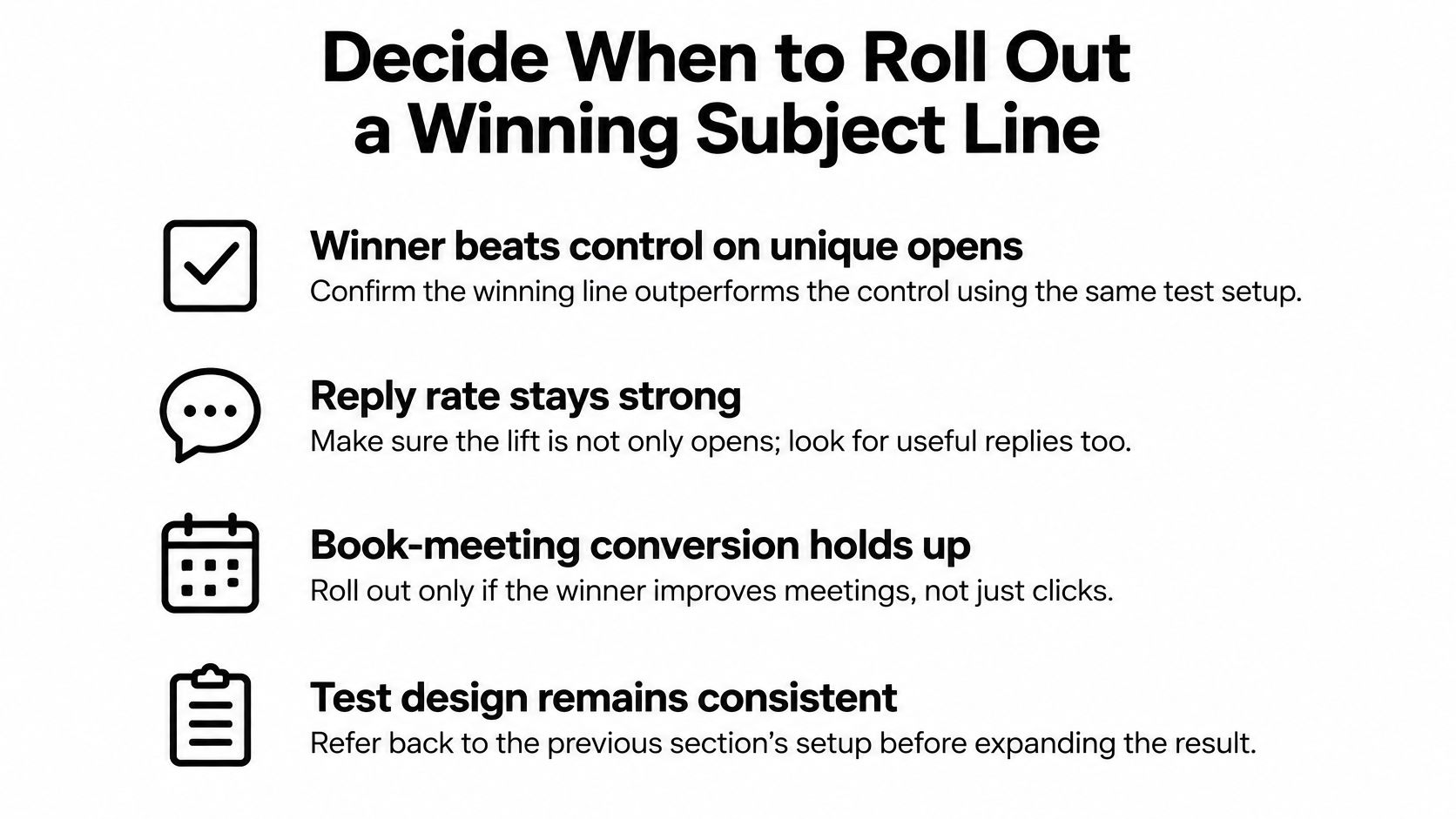
- Useful replies improve. The variant beats the control on your predeclared outcome, with enough evidence to support a decision.
- Qualification holds. Extra interest doesn’t count as progress when the resulting meetings fall outside your agreed buyer criteria.
- Attendance doesn’t deteriorate. Allow booked conversations time to happen before judging meeting quality.
- Record the segment, test dates, wording, sample size, and outcomes. Preserve the actual copy, not just a label such as personalized variant.
- Choose a focused next test. Change the signal or wording length while preserving a reliable comparison.
Suppose variant B attracts more opens but produces fewer qualified meetings per delivered email. Keep the control. The result tells you something about curiosity, not about better sales opportunities.
This week, select a high-fit segment and write a challenger that differs from the control in a single deliberate element. Launch it under the test rules, log the outcome, and retain the control as the benchmark for your next decision.
If you’d rather outsource campaign execution, Fypion Marketing offers B2B cold email outreach on a pay-per-qualified-meeting basis, with qualification criteria agreed before campaigns begin. Visit the agency to discuss your target accounts, messaging, and how subject-line testing would connect to meetings your sales team can use.