
Shared IP vs Dedicated IP for Cold Email

The most common advice on shared IP vs dedicated IP is also the least useful: “Dedicated is always better.” For cold email, owning an IP address doesn’t guarantee inbox placement. The key decision is whether your sending volume is steady enough, and your team disciplined enough, to build and protect a reputation on that address.
| Setup | Best fit | Main advantage | Main risk |
|---|---|---|---|
| Shared IP | Lower-volume or irregular sending | Inherits the pool’s established reputation | Other senders’ behavior can affect delivery |
| Dedicated IP | Consistent volume with active oversight | Isolates IP reputation and gives you more control | You own the warm-up and reputation risk |
One benchmark makes the “dedicated is always better” claim hard to defend: the 2023 Twilio SendGrid report found higher median delivered rates for shared IPs, but higher median open rates for dedicated IPs. Those figures are observational, not a controlled test, so they don’t prove that IP type caused the differences. They do show why you should choose infrastructure based on your sending pattern, not on the assumption that dedicated automatically means better.
Why Dedicated IP Is Not Automatically Safer
A dedicated IP gives you control over its reputation, but control only helps when your sending operation is disciplined. Mailbox providers also assess domain reputation, authentication, complaint rates, message content, and recipient engagement. Your IP is one part of the delivery picture, and a clean address cannot compensate for poor list quality or weak engagement.
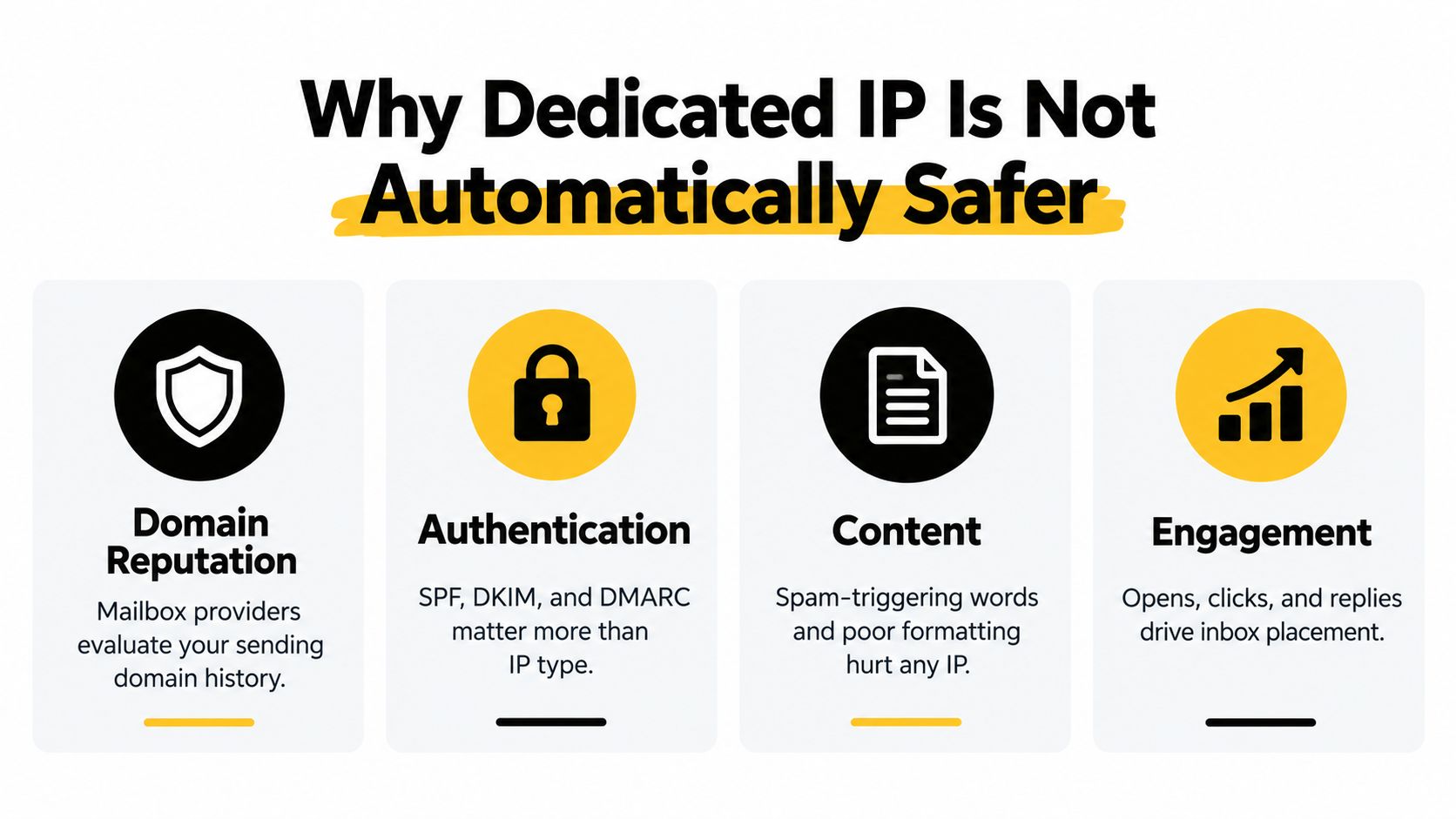
The risk depends on who controls the sending behavior. On a shared IP, another sender’s spam complaints, blocklisting, or weak engagement can affect your delivery. On a dedicated IP, those senders no longer share your address’s reputation, but your own complaint spikes, list problems, and erratic volume shape it directly. A new address also has no established history, so you must build a consistent, trustworthy pattern before relying on it.
Use a volume-plus-variance check before choosing. Track how much you send in a typical week, how sharply volume rises during launches or sales cycles, and how often those peaks occur. Then ask whether your team can keep a predictable cadence, monitor reputation, and manage authentication and list quality. Irregular bursts point toward a reputable shared pool; steady volume and active oversight make a dedicated IP a sounder choice.
Operator’s rule: Don’t buy an IP for control you won’t actively use. If volume and monitoring are inconsistent, a dedicated address adds responsibility without guaranteeing better delivery.
If inbox placement is weak, diagnose the campaign before changing IP type. Check list quality, authentication, content, and engagement, then use this guide to avoid the spam folder as a practical starting point.
What Shared and Dedicated IPs Are
Mailbox providers build an IP reputation record from the sending behavior associated with an address. A shared IP serves multiple senders, typically through an email service provider’s pool. Everyone using that address contributes to its reputation. An established pool can provide a history, while another sender’s poor practices can affect delivery for the rest.
A dedicated IP belongs to one sender or one organization’s sending program. Its reputation reflects that sender’s activity, giving the team direct control over the address and responsibility for building its record.

Neither IP setup replaces sound sending practices. Mailbox providers assess the sending domain and message content as well as the IP. SPF, DKIM, and DMARC alignment, clean recipient data, and relevant messages all contribute to the picture. If those foundations are broken, changing IPs will not resolve the cause. Fypion’s overview of email authentication protocols explains the domain-level checks to review.
What the benchmark does and doesn’t tell you
In its 2023 benchmark, Twilio SendGrid reported median delivered rates of 96.01% for dedicated IPs and 98.79% for shared IPs, and median block rates of 0.87% and 0.64%, respectively. The report also showed a higher median open rate for dedicated IPs, 39.99% versus 19.75% for shared IPs. These results are observations, not a controlled comparison. Audience quality, sender mix, volume, and campaign type may account for some or all of the differences. Use Twilio SendGrid’s benchmark report as context, not proof that either setup will perform better for your program.
Cold-email IP choices also sit within broader address management. If your organization assigns IPs across servers and services, this guide to IP address planning covers that wider infrastructure work.
Comparing the Two Sides on Deliverability, Cost, and Scale
For a B2B cold-email operator, the choice isn’t a contest between a “premium” and “basic” option. It’s a trade between control and operating burden. A shared pool can give a lower-volume sender access to an existing reputation, while a dedicated IP lets a sender isolate and manage its own IP-level history.
| Criterion | Shared IP | Dedicated IP |
|---|---|---|
| Reputation control | Shared with other senders in the pool | Isolated to your sending activity |
| Starting position | May have an established pool history | Starts without an established history |
| Risk | Other participants’ behavior can affect delivery | Your own behavior concentrates on your IP |
| Operating work | Provider manages the pool | Your team must warm and monitor it |
| Scaling | Convenient for varied or lower-volume sending | Better suited to consistent, managed traffic |
The important difference is not whether you can add more sending capacity. It’s whether you can maintain a reliable pattern while you scale. Dedicated infrastructure lets you watch and adjust campaign traffic independently. But it punishes abrupt changes and long pauses more directly because your IP history depends on your program’s behavior. A pool may absorb some of that inconsistency, though it introduces exposure to other senders.
Don’t treat cost as an isolated monthly line item. A dedicated IP also requires time for warm-up, authentication checks, monitoring, and troubleshooting. A shared pool reduces that operational load, but you have less control over the behavior of other users. If the provider doesn’t manage its pool carefully, your delivery can still suffer.
For teams comparing managed sending support, email deliverability services can help clarify which work is handled by the provider and which remains your responsibility. Ask directly how the pool is monitored, how traffic is separated, and what happens if an IP’s reputation deteriorates.
A dedicated IP gives you control of the reputation variable. A shared IP gives you access to a pool’s history. Pick the trade-off your team can manage.
Warm-Up, Reputation Building, and Ramp Strategy
A dedicated IP needs a credible sending history before you rely on it for meaningful cold outreach. Microsoft notes that a previously unused IP has no established reputation and is more likely to encounter delivery problems while building trustworthy history. That’s why a sudden switch from no traffic to a large campaign is a bad launch plan, even if your copy and targeting are strong.

Build a pattern you can keep
Start with a controlled, relevant segment and increase volume gradually as delivery signals remain healthy. Keep authentication in place, suppress invalid recipients, and watch complaint and bounce behavior as you ramp. A warm-up schedule isn’t a license to send to weak lists; it’s a way to introduce sound traffic at a pace that mailbox providers can evaluate.
A reputable shared pool has a different starting point. You can use its existing reputation rather than building a separate IP history from scratch, which can be useful when your campaign volume is irregular. That doesn’t mean the pool will protect a sender from bad targeting or poor engagement. It means your sending pattern doesn’t have to carry the entire weight of establishing a standalone IP reputation.
The common mistake is to evaluate only average monthly volume. Two teams with similar totals can have very different risk profiles if one sends steadily and the other alternates between bursts and pauses. Variance matters: consider how often your program stops, how sharply volume changes, and whether you can keep the same cadence through holidays, list refreshes, and shifts in the sales cycle.
Use the dashboard as a decision tool, not decoration. If reputation signals deteriorate during a ramp, pause the increase and investigate. For guidance on the domain signals connected to this process, review Fypion’s article on email domain reputation.
The sequence below is useful background on how email sending and reputation management fit together. Treat it as context, not as a substitute for monitoring your own results.
Monitoring Tools and Diagnostic Signals
A low reply rate doesn’t prove that your IP is the problem. Before you switch infrastructure, inspect the signals that can distinguish reputation trouble from weak targeting, poor list quality, or authentication failures.
Start with Google Postmaster Tools. Google recommends using Postmaster Tools to review shared-IP reputation and blocklist status, and advises separating materially different mail streams across IPs when you use multiple addresses. For Microsoft recipients, check the available sender reputation and complaint information through Microsoft’s reporting tools. Use blocklist checks as another diagnostic input, not as a verdict: an appearance on a list needs context and a response plan.
Read changes, not just snapshots
A sudden complaint-rate spike can point to a bad list segment, an unexpected audience mismatch, or a campaign that doesn’t meet recipient expectations. A rise in unknown-user responses suggests you should inspect address validation and list sourcing. If opens or replies drop while complaints stay stable, review subject lines, content, targeting, and placement before concluding that the IP has lost reputation.
Seed-account testing can help you compare placement across Gmail, Outlook, and Yahoo. It won’t perfectly represent every recipient’s inbox, but it can show whether a campaign is landing consistently across test accounts and help you spot a change after a deployment or volume adjustment.
Check in this order: Authentication and domain alignment, recipient quality, complaint and bounce signals, content and targeting, then IP reputation.
The quality of your contact source matters as much as the sending setup. If you’re evaluating how prospect data is collected and governed, Data Hunters Agency’s explanation of first-party data provides useful context for building a more dependable data strategy.
When replies fall, work through the evidence rather than blaming the IP by default. Fypion’s email deliverability audit is a reference for structuring that review.
Matching IP Setup to B2B Cold-Email Scenarios
Choose an IP setup around volume consistency and variance, not a recycled monthly cutoff. A team that sends the same amount week after week has different needs from one whose traffic swings with launches, list refreshes, or client campaigns.
Early-stage SaaS with irregular outreach: Use a reputable shared pool. Bursts around launches, hiring, or sales pushes make it harder to maintain a dedicated IP’s sending history. Keep authentication, list quality, targeting, and cadence in order. Reconsider dedicated infrastructure when your weekly volume stays predictable through campaign changes.
Scaling outbound team with steady daily traffic: Choose a dedicated IP if daily volume is consistent and one person owns reputation monitoring. IP-level separation gives the team more control over its campaign traffic. If volume regularly drops or spikes, or the team cannot manage list quality and reputation signals, stay with a managed shared pool.
Agency or multi-brand operator: Separate mail streams when brands or purposes need distinct reputation management. A dedicated IP fits only if the agency can maintain consistent traffic and oversee each stream. Google recommends separating materially different mail streams across IPs when multiple addresses are used. Check that guidance against how your program sends.
Use a volume-plus-variance check before choosing: track how much you send in a normal week, how sharply that changes during launches or list refreshes, and whether quiet periods are predictable. For Fypion Marketing, the deciding detail is whether your sending pattern stays steady through holidays and list refreshes. If it does not, a managed pool is the more dependable fit.
Migration Checklist When Switching IP Setup
Treat a change in IP setup as a deliverability migration, not a switch you make on launch day. Before moving, record how your current campaigns perform and confirm that the foundations are in place.
-
Audit authentication. Check SPF, DKIM, and DMARC alignment for the sending domain. Fix authentication gaps before changing the IP, so you don’t confound a domain problem with an infrastructure change.
-
Set a baseline. Review recent delivery, complaints, bounces, replies, and placement signals by campaign and recipient segment. Keep transactional and cold-marketing mail streams separate when they have materially different purposes.
-
Clean the audience. Remove invalid and clearly inappropriate recipients. Don’t use a new address as a test bed for questionable data.
-
Plan the ramp. If you’re introducing a dedicated IP, begin with a controlled segment and increase gradually only while reputation and recipient signals remain healthy. Avoid a sudden jump to full campaign volume.
-
Monitor and adjust. Check reputation indicators and blocklist status regularly after the move. Compare results with your baseline, investigate changes by segment, and pause increases if complaints or unknown-user signals rise.
The most damaging mistakes are predictable: sending cold traffic at scale from an unwarmed IP, mixing transactional and cold-marketing traffic on the same address without considering their different patterns, and obsessing over IP choice while overlooking authentication alignment. Keep a written rollback plan, too. If the new setup performs worse, your team should know how to reduce traffic, isolate the affected stream, and investigate before making another change.
The Right Setup for Your Cold-Email Operation
Choose a shared IP if your volume is low or uneven, your team is small, or authentication and list hygiene still need work. Choose a dedicated IP if you send consistently, have the people and process to warm and monitor it, and need control over your IP-level reputation.
Don’t graduate to dedicated because a vendor says you’ve crossed a monthly cutoff. Revisit the decision after a sustained period of consistent sending, a stable complaint rate under 0.1%, and clean authentication. An analysis of 15,174 IPs reported a lower spam rate for dedicated-IP senders than shared-IP senders, 11.99% versus 13.22%, but also a lower Primary inbox rate of 19.24% for dedicated senders. Those results challenge the idea that a dedicated IP guarantees better placement; the comparison reinforces that IP type is only one part of deliverability.
Your IP type is a tool, not a deliverability strategy.
Fypion Marketing manages B2B cold-email campaigns, including sending infrastructure, authenticated domains, personalized outreach, and ongoing performance monitoring. If you want a team to assess whether shared or dedicated infrastructure fits your sending pattern, visit Fypion Marketing to arrange a free consultation.