
SIC Code to NAICS Conversion: How to Map It Correctly
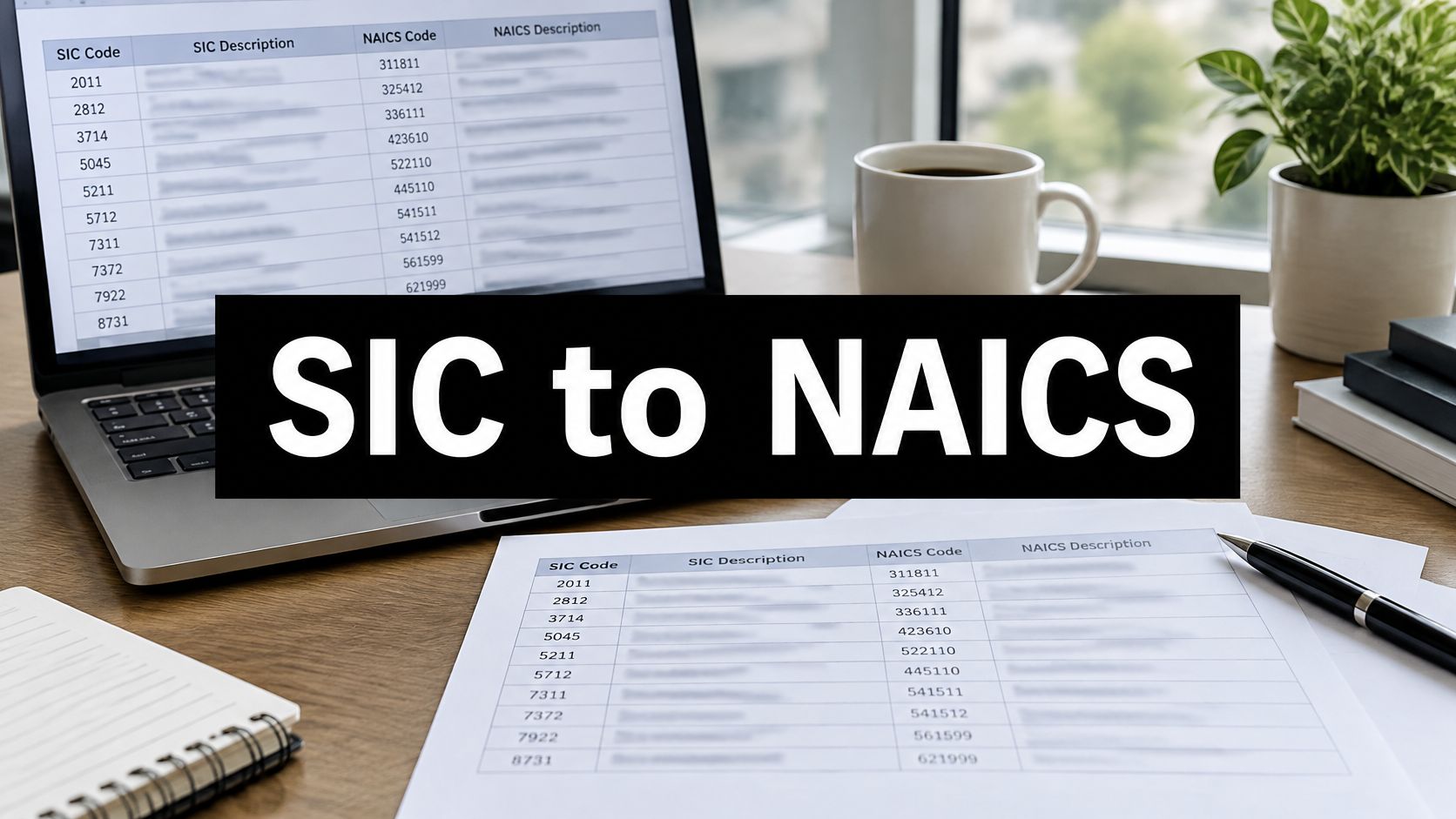
Most conversion advice tells you to type a SIC code into a lookup tool, copy the first NAICS result, and move on. That advice is fast, and it’s often wrong. A SIC code to NAICS conversion rarely produces one safe answer because the two systems divide industries differently.
Treat every conversion as a ranked set of candidates instead. Keep the original SIC code, list every plausible NAICS destination, then pick a primary code by checking what the business does to earn revenue. That extra step is what separates a usable list from one full of irrelevant companies and missing ideal accounts.
Sample SIC to NAICS Mappings at a Glance
The rows below are candidate sets, not verdicts, and the question in the last column is what usually picks the right match.
| SIC code | NAICS candidates | Question that picks the match |
|---|---|---|
| 7372 Prepackaged Software | 511210 Software Publishers | Does the business sell licensed software it publishes? |
| 7371 Computer Programming Services | 541511 Custom Computer Programming Services; 541512 Computer Systems Design Services | Does it mainly write custom code, or design whole systems? |
| 7379 Computer Related Services, NEC | 518210 Computing Infrastructure Providers, Data Processing, Web Hosting; 541519 Other Computer Related Services | Do you host or process client data? |
| 5812 Eating Places | 722511 Full-Service Restaurants; 722513 Limited-Service Restaurants | Do servers take orders at the table? |
| 8011 Offices and Clinics of Doctors of Medicine | 621111 Offices of Physicians; 621112 Offices of Physicians, Mental Health Specialists | Is the practice focused on mental health? |
| 6531 Real Estate Agents and Managers | 531210 Offices of Real Estate Agents and Brokers; 531311 Residential Property Managers; 531312 Nonresidential Property Managers | Does it broker sales or manage property for owners? |
Reading the splits that cause trouble
SIC 7379 is the clearest split. A company that runs servers and processes client data belongs in a hosting and data processing category. A company that advises clients on computer problems without hosting their data belongs elsewhere, even though both companies shared one SIC code.
SIC 6531 splits by function rather than by industry label. Brokering a sale, managing apartment buildings, and managing office properties are three different production activities. If you keep only the first candidate, you’ll mix brokers into a property management list and miss managers entirely.
The same caution applies outside services. If you’re working through construction codes, for example, reading how FederalPipeline handles classifying all other specialty trade contractors is a useful reminder that a catch-all category still needs a check against the actual work performed.
Starting point rule: Use a row as your candidate list, then verify it against the current Census concordance before you segment, report, or target anyone.
If one row clearly fits a business, you’ve got a defensible starting point for work like industry benchmarking. If none of the candidates fits well, don’t force the closest one. Move to the workflow and decide from the business’s primary activity instead.
Why One SIC Code Maps to Several NAICS Codes
One SIC code usually produces a ranked set of NAICS candidates. You choose among them by the activity that generates most of the revenue and by the purpose of the classification. No code is perfectly exact.
The U.S. Environmental Protection Agency conversion guidance states that direct conversion is not feasible for all codes and that businesses may require independent research or analysis to identify the appropriate classification.
The cause is structural. SIC generally used four-digit categories grouped into broad divisions. NAICS uses six digits and groups establishments by production process, so some SIC categories split apart and parts of others merge.
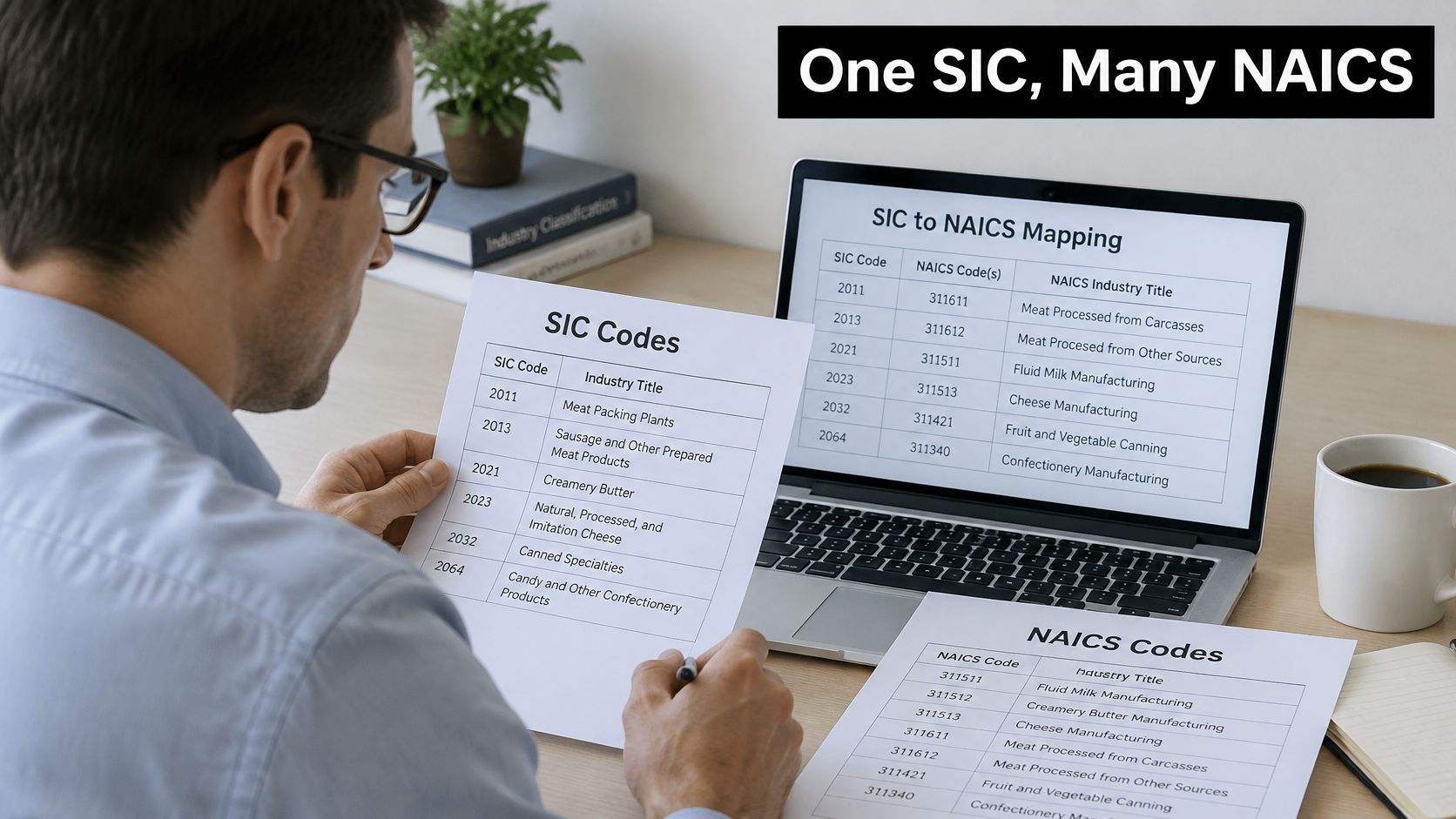
A catch-all code makes the problem obvious
A catch-all such as SIC 7389, Business Services, Not Elsewhere Classified, can cover activities that map to very different NAICS industries. The four digits name a leftover bin, not one production process. The code alone never settles the classification, because it never stored which activity pays the bills.
Say a company’s website describes a business-services platform. If it earns most revenue selling licensed software, a software-publishing candidate ranks first. If it runs the service for customers on its own systems, an information-services candidate ranks first instead. The marketing description is identical. The production activity is not.
Two establishments can share that SIC label the way two packages share one warehouse bin: same shelf, different contents. Rank every NAICS candidate by how closely it matches the revenue-generating activity. Keep the lower-ranked codes on the record so a later purpose can promote one of them.
Three questions that resolve most cases
- What generates most revenue: Identify the primary revenue-generating activity, not the newest product or the loudest headline on the homepage.
- What happens: Look at inputs, outputs, and who uses the result, since NAICS follows the production process.
- What’s the classification for: Government contracting, licensing, statistical reporting, and market targeting can justify different choices, a distinction that matters when you’re weighing market versus industry definitions.
Keep the original SIC code, store every candidate in rank order, and assign one primary code only after those three checks. When two candidates tie on revenue, break the tie by purpose and write the decision down. An undocumented tie becomes an argument the next time someone rebuilds the list.
Official Census Crosswalks to Download First
Start with official files, not a vendor spreadsheet you can’t trace. The Census Bureau NAICS pages explain that the United States formally adopted NAICS in 1997, replacing SIC, and that nearly half of the SIC industries in use in 1992 could be derived from 1997 NAICS industries while many others could only be approximated.
That one fact sets your expectations. You’re working with a correspondence between two systems, not an exact translation.
| File | What it holds | Use it for |
|---|---|---|
| 1987 SIC to 1997 NAICS concordance | Partial relationships between SIC and NAICS categories | Retrieving every NAICS candidate for a SIC code |
| 1997 Economic Census bridge tables | National counts of establishments, sales, employment and payroll at each SIC-NAICS intersection | Sizing a conversion’s effect, not reweighting a specific region |
| Census industry and occupation code lists and crosswalks | Later NAICS vintage code lists and concordances | Mapping to a newer NAICS vintage |
Download them in this order
- Identify the NAICS vintage: Decide which NAICS year your analysis or campaign will use before you download anything.
- Get the matching concordance: Download the concordance that connects your SIC source to that vintage.
- Add bridge tables only if needed: Use them for national context on how industries redistributed, not to reweight one state, city, or niche.
- Save with version and date: Name each file with its vintage and download date so nobody overwrites it without notice.
Keep a small log sheet listing each file, its vintage, and where you used it. Months later, that log answers why a code changed.
Bridge tables tempt people into false precision. National proportions describe the country, not your territory or account list, so don’t apply them to a specific region or business type and call the result converted data.
How to Convert a Code List Step by Step
A defensible conversion isn’t a one-cell lookup. The Bureau of Labor Statistics NAICS overview supports a workflow where you retain every possible NAICS candidate rather than forcing the first match, then validate against the establishment’s primary production activity.
The visual summary below condenses the sequence before the detailed steps.
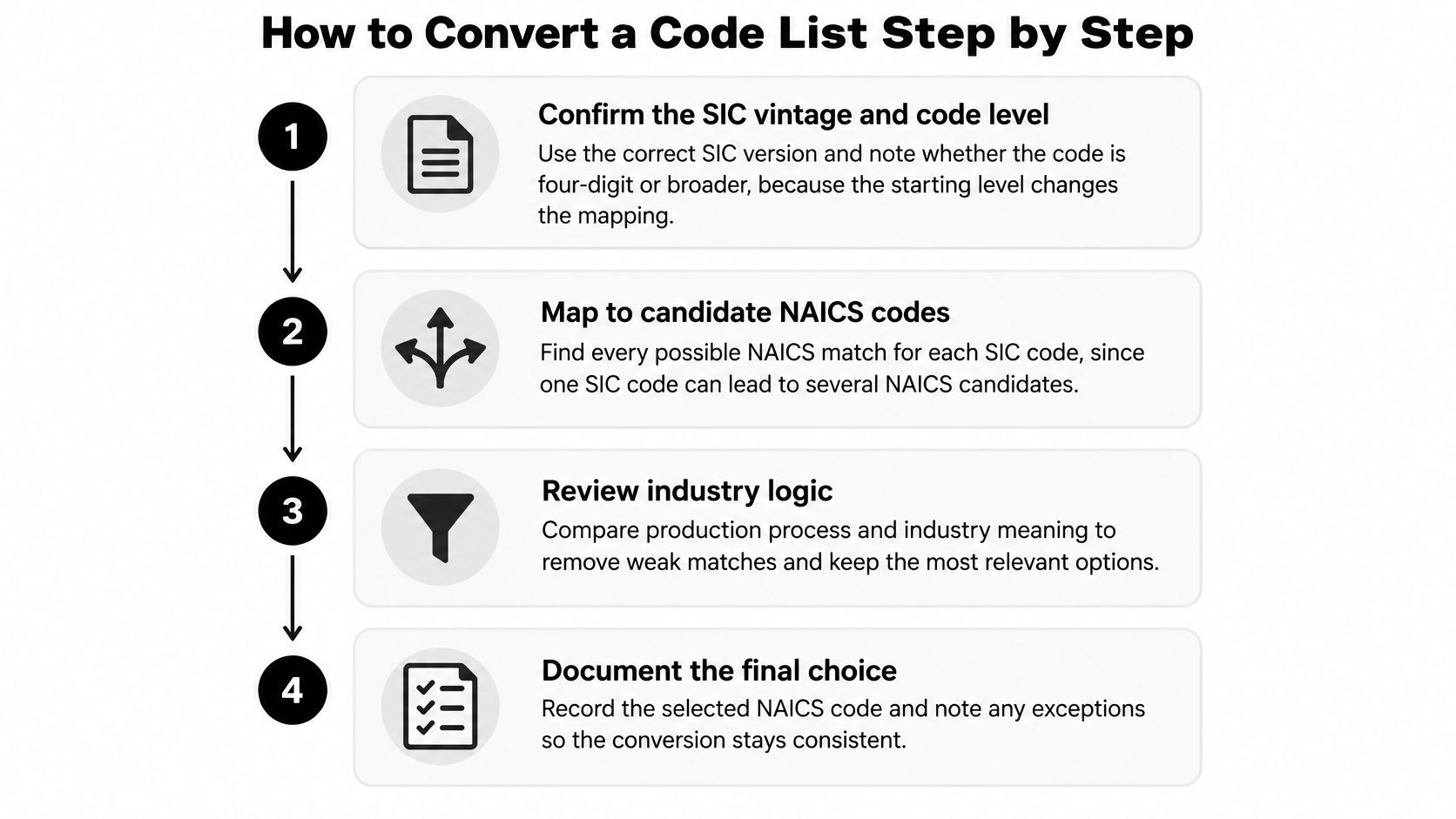
The seven steps
- Confirm the SIC vintage and code level: A four-digit SIC code and a broader three-digit code behave differently. If you don’t know the starting level, you can’t judge how precise the output can be.
- Normalize codes as text: Remove spaces and format the column as text so leading zeros survive. In a spreadsheet, 0111 can become 111 and match nothing, or worse, match the wrong thing.
- Retrieve every candidate: Pull the matching Census concordance and keep all NAICS destinations. Taking only the first match is the most common slip in the whole process.
- Inspect the primary activity: Check the company’s website, product catalog, filings, or business description for what generates revenue. Don’t classify from a product name or tagline alone.
- Validate against the NAICS definition: Read the manual definition for your chosen candidate and confirm it describes the actual production activity, inputs, and outputs.
- Record vintage, rule, and confidence: Note the source vintage, your decision rule, and a confidence level of high, medium, or low for each row.
- Split the output in two: Produce a broad candidate set for list building and a reviewed primary code for segmentation, which keeps work like email list segmentation from inheriting unreviewed guesses.
Rules for borderline and unmatched records
When your source only supports a broader three-digit relationship, don’t present a six-digit NAICS result as exact. Report it at the level the evidence supports and flag the row for review.
If a SIC code returns no candidate, mark it unmatched rather than guessing. Check whether the source recorded a broader code, a typo, or a vendor extension before you decide how to treat it.
This short walkthrough shows the lookup side of the process in practice.
A completed row should show the original SIC, all candidates, chosen code, confidence, source, and date. Freeze the NAICS vintage for the whole project too, because definitions and boundaries change and a list that drifts mid-campaign can’t be compared against itself.
Scaling the Conversion With Excel, SQL and APIs
Pick the simplest method that keeps every candidate visible. The tool matters less than whether it hides second and third matches.
| Method | Best for | Handles multiple candidates | Main risk |
|---|---|---|---|
| Excel XLOOKUP with FILTER or TEXTJOIN | One-off cleanup of a few thousand rows | Yes, when candidates return as separate rows or one cell | Silent first-match errors if the formula is copied without checking |
| Excel Power Query merge | Repeatable refresh on tens of thousands of rows | Yes, one row per candidate | Refresh breaks if the crosswalk file moves or changes layout |
| SQL join on a crosswalk table | Warehouse data with frequent refreshes | Yes, if the table keeps every SIC-NAICS pair | Duplicate rows after the join inflate counts |
| Script or internal lookup API | Enrichment pipelines and CRM syncs | Yes, when the lookup returns a candidate list | Cached results go stale after a vintage change |
Excel builds that don’t hide matches
Keep the SIC column as text from the start. Use XLOOKUP only when you know a code has one destination. For everything else, use FILTER to spill all candidates, or wrap the result in TEXTJOIN so every candidate lands in one visible cell.
For repeatable work, Power Query is stronger. Merge your list against the crosswalk, expand to one row per candidate, and refresh when the file updates. Pin the crosswalk file in a fixed location, because a moved file breaks the refresh without warning anyone.
SQL and pipeline builds
Store the crosswalk as its own table with SIC code, NAICS code, and vintage columns, one row per pair. Join with a LEFT JOIN so unmatched records stay visible instead of vanishing. Avoid DISTINCT or grouping tricks that keep one candidate and discard the rest.
Watch your counts after the join. One company with three candidates becomes three rows, so count distinct companies separately from candidate rows or your market size inflates.
For pipelines and CRM syncs, a short script or internal lookup service can load the crosswalk and return the full candidate list. Key the cache to the vintage, so a version change forces fresh results instead of recycling stale codes. That discipline pays off when you’re building account universes like the ones in these ideal customer profile examples, where one wrong industry boundary skews the whole target list.
If a method can’t show you every candidate for a code, it isn’t a conversion method. It’s a first-match generator.
Quality Checks and a Pilot Before You Target
A converted list isn’t ready because the formulas ran. It’s ready when sampled records survive a check against what those companies do.
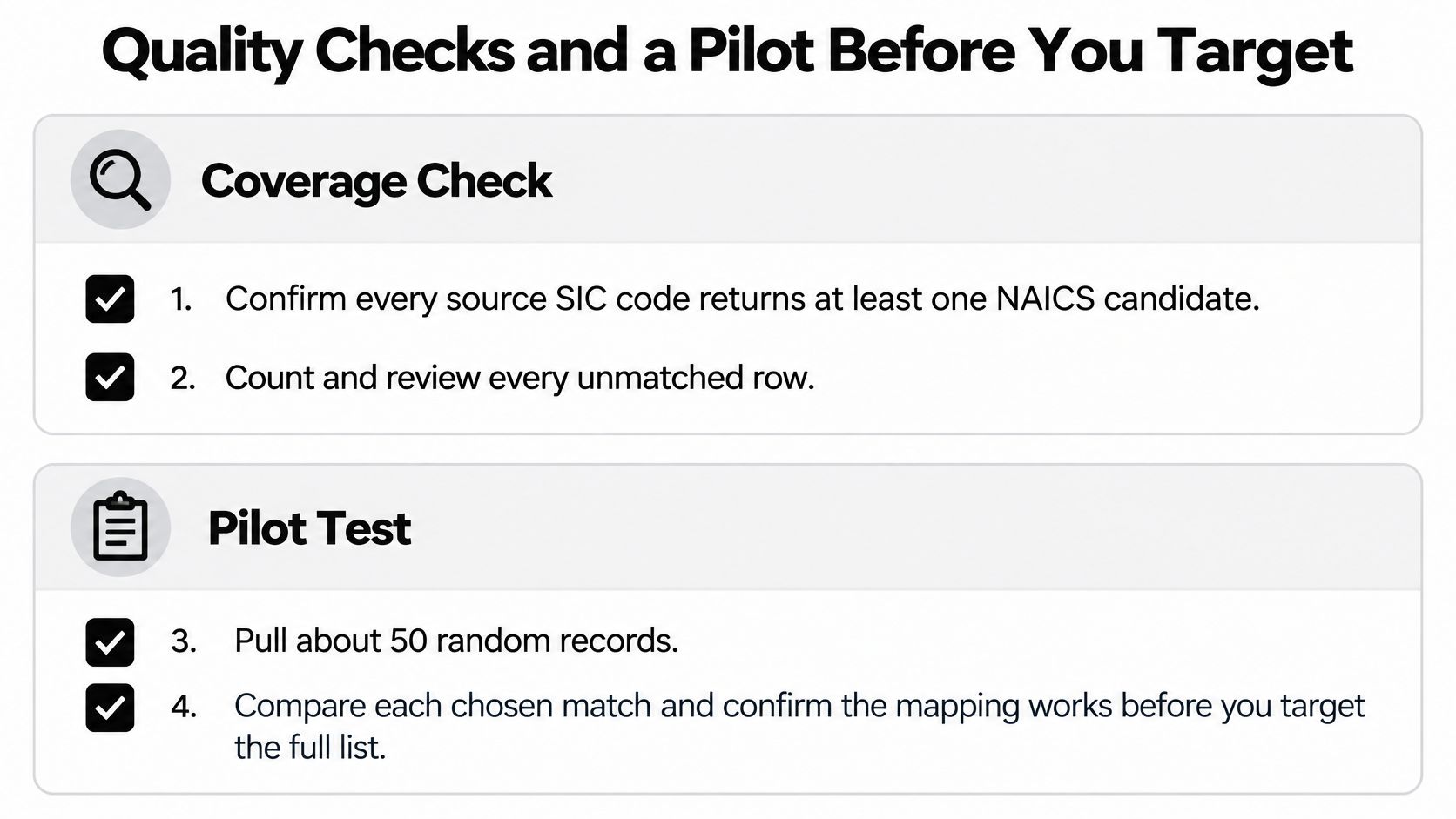
Check coverage first
Confirm every source SIC code returns at least one NAICS candidate. Then count and review every unmatched row individually, because unmatched records often cluster in one segment and remove it from your market.
Flag every multi-candidate row while you’re there. Report how many resolve to a single primary code and how many stay ambiguous, so anyone using the list knows where judgment was applied and where it wasn’t.
Run a 50-record pilot
Pull about 50 random records and compare each chosen primary code against the company’s website, filings, or product catalog. Calculate the share that match, and look hard at the misses. Do they share one SIC code, one candidate pair, or one lazy decision rule?
- High match share: Freeze the NAICS vintage, lock primary codes for segmentation, and keep candidate sets for broader list building.
- Low match share: Return to the decision rule and rebuild the affected SIC codes before anything is sent, reported, or loaded into a campaign.
- Clustered misses: Rewrite the rule for that SIC code only, then resample it instead of redoing the entire file.
This is also where disciplined list work shows. Our list building includes company targeting criteria, decision-maker identification, email verification across 3 sources, and a LinkedIn cross-reference, and that same verify-before-you-send habit belongs in code conversion. It’s the practical side of CRM data quality, since a wrong industry code poisons every segment, report, and sequence built on top of it.
Keep vintages and uses separate
Don’t mix NAICS codes from different vintages in one column. The Bureau of Labor Statistics guidance on the NAICS transition cautions that NAICS-based industry data are not comparable with SIC-based data because industries were added, combined, or redefined, expanding from 10 broad SIC divisions to 20 NAICS sectors. The New York Department of Labor likewise states that SIC- and NAICS-classified employment data are not comparable except at the total nonfarm level.
So can you compare old SIC-based market data with current NAICS data after converting? Generally no, not without a documented bridge, stable definitions, and a recorded conversion year. Anyone who promises a clean trend line across that break is selling you precision the source data doesn’t contain.
Apply the right standard to each use instead.
- Current classification: Use the reviewed primary code, checked against today’s activity.
- Historical reporting: Require a documented bridge and stable definitions, and state the limits alongside the numbers.
- Prospect segmentation: The candidate set is fine for building a universe, but verify the list before targeting, the same way a full outreach workflow covers ICP definition, list building and verification, domain and inbox setup, sequence copywriting, A/B testing, reply handling, and weekly optimization and reporting rather than jumping straight to sending.
Recheck on a schedule
Revisit the list quarterly and flag accounts whose primary activity may have changed. A company that sold services last year may sell software now, and its correct code moves with its revenue, not with your spreadsheet.
The gate: No pilot, no campaign. A converted list is only as good as its verification.
That discipline sounds slow until you price the alternative. One bad industry boundary can fill a pipeline with companies that were never prospects, while the accounts you wanted sit in a candidate row nobody reviewed. The pilot catches both errors while they’re still cheap to fix.
If your converted SIC list needs to become a verified, campaign-ready prospect list, we can build it around your ICP, verify contacts before outreach, and run the cold email sequence end to end. Visit Fypion Marketing to see how the process works and start with a list you can defend row by row.