
Your Guide to Real-Time Personalization for B2B Leads
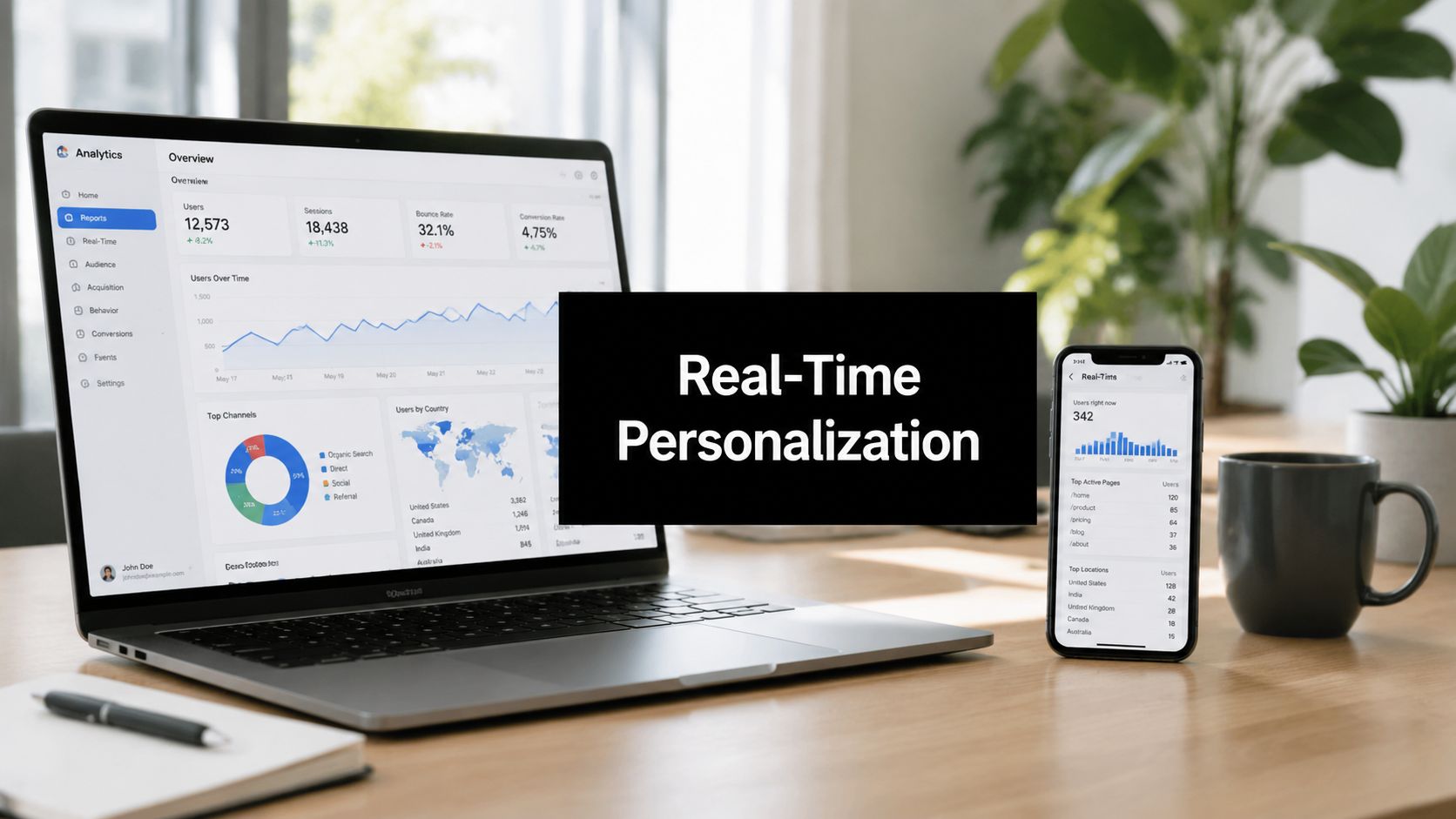
71% of customers expect personalized interactions, and top brands can generate 40% more revenue from personalization initiatives, according to Contentful’s overview of real-time personalization. For B2B leaders, that should end the debate. Personalization isn’t a nice extra for polished websites. It’s a commercial capability.
Most outreach still behaves like a mail merge with better branding. A buyer visits your site, reads the pricing page, checks an integration page, and gets the same follow-up sequence as someone who bounced after ten seconds. That isn’t just inefficient. It wastes intent while it’s still warm.
Real-time personalization fixes that. It lets marketing and sales respond to what a prospect is doing now, inside the current session, instead of relying only on what they did last quarter or what list they came from. For B2B SaaS and tech teams trying to book more qualified meetings, that shift matters because timing shapes relevance, and relevance shapes response.
The End of One-Size-Fits-All Outreach
Generic outreach fails for a simple reason. It treats every prospect as if they arrived with the same problem, the same urgency, and the same buying context. That was always weak. Now it’s expensive.
The modern buyer expects a message that fits the moment. If someone from a target account lands on your security page after reading your pricing, they’re not asking for a generic nurture email. They’re signaling concern, interest, and likely internal evaluation. If your system ignores that and sends a broad thought-leadership sequence, you’ve created friction where a helpful conversation could have started.
That expectation gap is why personalization has moved from campaign tactic to operating model. Good teams don’t just segment by industry and call it strategy. They use in-session behavior to decide what content, offer, or outreach should happen next.
There’s also a human layer that many teams miss. Buyers don’t respond to personalization because software inserted a company name into a sentence. They respond because the interaction feels understood. That idea is close to the insights from HumanizeAIText, which frame “human touch” as meaning, empathy, and relevance, not just polished wording.
Why static targeting breaks down
Static targeting still has value. You should know your ideal customer profile, and if you need a tighter framework, this breakdown of ICP use in sales is a useful reference. But ICP alone only tells you who matters. It doesn’t tell you when to act or what they care about in this exact moment.
A list says “right company.”Real-time behavior says “right conversation.”
Practical rule: If your outreach can’t change when buyer intent changes, it isn’t personalized in any meaningful sense.
In B2B pipeline generation, that’s the shift that matters most. Real-time personalization isn’t about making your website look smart. It’s about helping revenue teams meet prospects with the right message while interest is still active.
What Real-Time Personalization Means for B2B
In B2C, people usually picture product recommendations. In B2B, the better analogy is a strong account executive versus a telemarketer with a script.
The telemarketer reads the same opener no matter what you said yesterday. The account executive notices what you asked, what page you revisited, which feature caught your attention, and what that likely means for your buying process. Real-time personalization brings that second behavior into your digital channels.
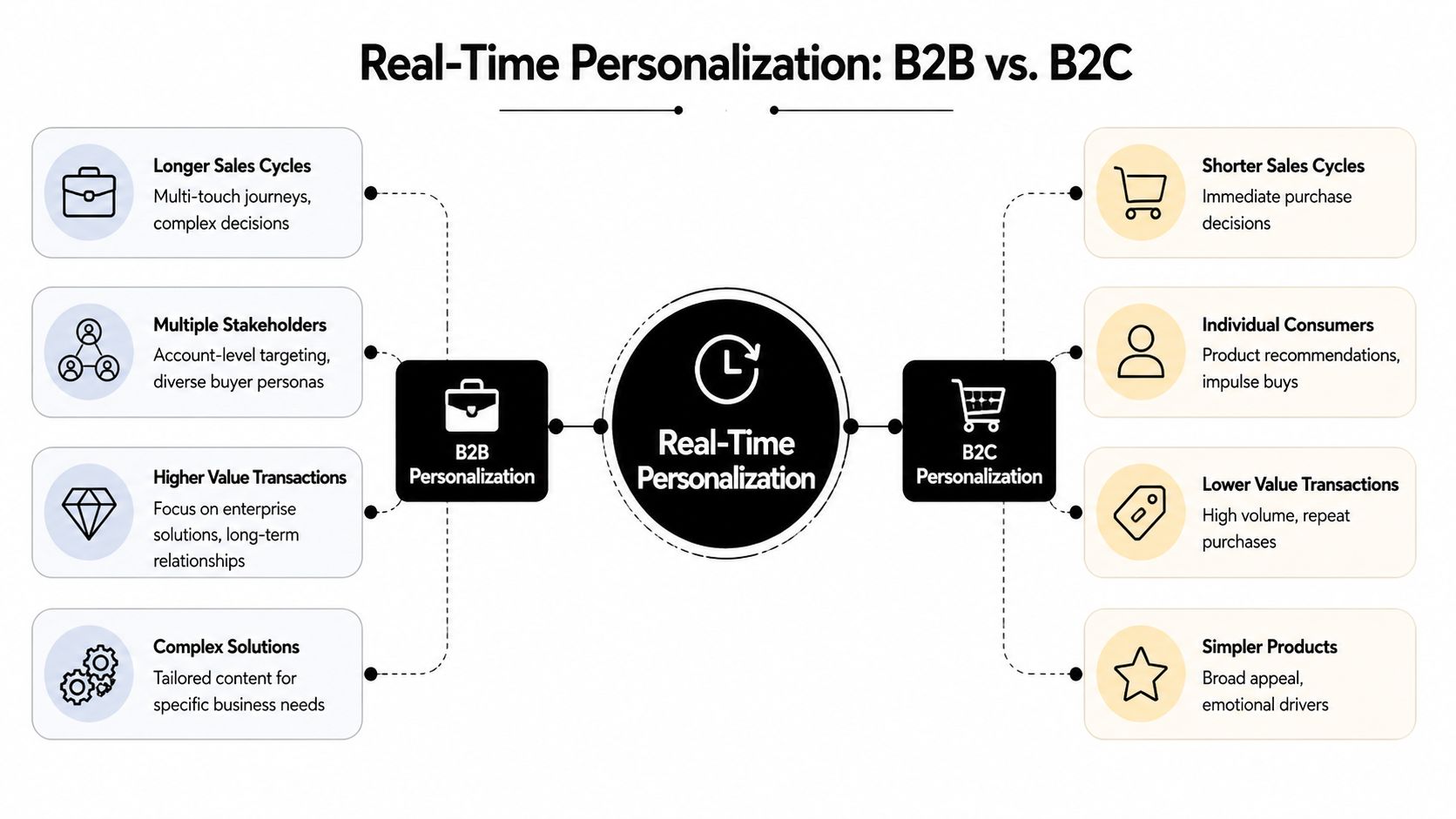
B2B personalization isn’t mainly about recommending another item. It’s about adapting the journey around buying signals. A visitor from a named account might see different proof points than a startup founder from a non-target segment. A prospect who reads a compliance page may need security content and a technical meeting option, not a generic demo pitch.
The three parts that make it real time
Real-time personalization in B2B depends on three things working together.
-
Behavioral signals: Clicks, page views, search activity, repeat visits, content downloads, and product interactions tell you what the buyer is exploring right now.
-
Business context: Firmographic data, account tier, industry, company size, and known opportunity stage give those actions meaning.
-
Immediate action: The system changes something during the session, or triggers a follow-up fast enough to match active intent.
That’s the difference from old segmentation. Static segmentation says, “This contact belongs to manufacturing.” Real-time personalization says, “This manufacturing prospect from a target account is reviewing integrations and pricing in the same visit, so show the ERP use case and route the next touch toward implementation questions.”
According to Braze’s discussion of real-time personalization, 83% of American consumers value personalized shopping experiences with customized offers and recommendations. In B2B, buyers don’t stop wanting relevance just because the purchase involves procurement, security review, or committee approval. They often want it more.
Where B2B teams usually get confused
Many teams think personalization starts when they rewrite outbound copy. That’s too late. The first layer is signal detection. If you can’t identify what a prospect is doing in session, your “personalization” is just cleaner segmentation.
A practical example helps. Suppose your team wants to write LinkedIn content with AI to support outbound and thought leadership. That content performs better when it reflects real buyer questions surfacing across channels. The same principle applies to cold email. The strongest copy usually mirrors live intent, not assumptions made months earlier.
For teams refining outbound, this guide on cold email personalization pairs well with a real-time approach because it focuses on making relevance concrete, not cosmetic.
The benchmark isn’t whether your message is personalized. It’s whether the buyer would say, “Yes, that’s exactly what I was looking into.”
The Business Case for B2B SaaS and Cold Outreach
A lot of executives still hear “real-time personalization” and file it under website optimization. That’s too narrow. In B2B SaaS, the bigger prize is pipeline efficiency. Better timing produces better meetings.
When a prospect from a target account returns to your site and shows high intent, the value isn’t the page view itself. The value is that marketing and sales can stop guessing. The system has evidence that interest is active, and that evidence can shape what happens next.
Here’s a visual summary of how leadership teams often think about the upside:
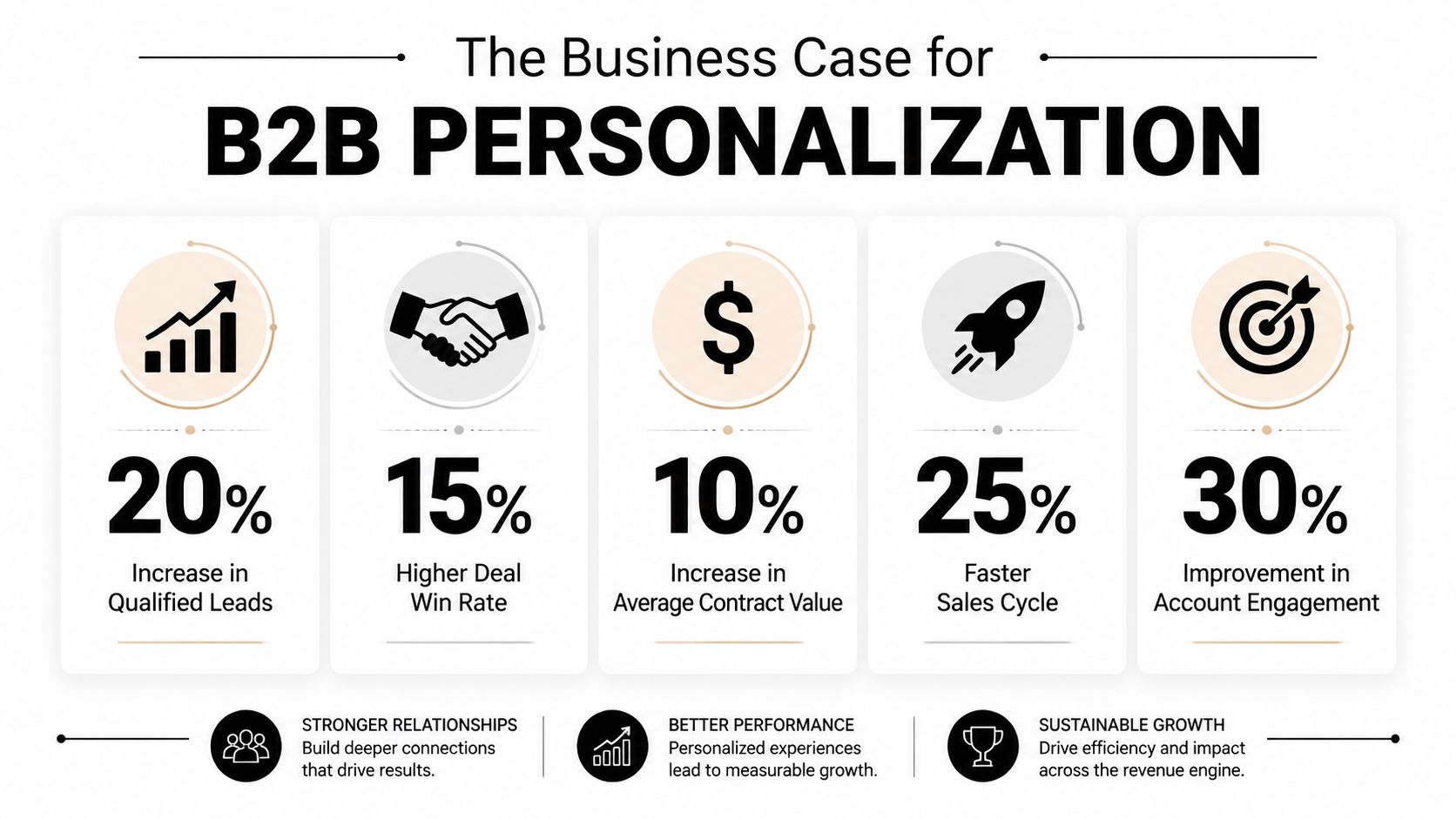
The business case starts with one hard truth. 71% of customers expect personalized interactions, and top brands generate 40% more revenue from personalization initiatives, as noted earlier from Contentful’s research. That doesn’t mean every B2B company should buy an oversized platform tomorrow. It does mean generic journeys now create an opportunity cost.
What changes in a cold outreach motion
Cold outreach usually breaks in one of three places:
| Problem | What it looks like | What real-time personalization changes |
|---|---|---|
| Bad timing | Reps follow up based on sequence schedule, not buyer activity | Outreach aligns to live engagement |
| Weak context | Every prospect gets the same value prop | Messaging reflects page-level or topic-level interest |
| Low qualification | Meetings book, but fit is poor | Behavior helps separate curiosity from buying intent |
For example, a prospect from a strategic account revisits your pricing page after a period of silence. A generic team waits for the next automated email. A mature team uses that event to trigger a more useful response: a rep reaches out with a note tied to pricing, implementation scope, or procurement questions. That kind of follow-up feels less like chasing and more like helping.
Why revenue teams should care
A good meeting isn’t just a calendar event. It’s a conversation with context, momentum, and a plausible next step.
Real-time personalization helps improve meeting quality because it narrows the gap between what the buyer is thinking and what your team says back. In practice, that often means:
-
Better qualification: Visits to pricing, integrations, security, or migration pages usually signal a different level of seriousness than a top-of-funnel blog read.
-
Shorter handoff friction: Sales gets signal-rich context instead of a name passed over the fence.
-
Cleaner prioritization: Reps know which accounts deserve immediate attention and which should stay in nurture.
Midway through your planning, it can help to brief stakeholders with a simple explainer:
The strongest internal pitch
If you need to justify investment, don’t frame this as “better digital experience.” Frame it as a way to increase the odds that outreach happens when intent is highest.
The best time to ask for a meeting isn’t after the sequence says so. It’s after the buyer’s behavior says they’re ready for a more specific conversation.
That argument lands with sales leaders because it connects directly to booked meetings, pipeline progression, and rep efficiency. It lands with marketing leaders because it turns anonymous traffic and known-account visits into action, not just reporting.
The Architecture and Data You Need to Succeed
Organizations often overcomplicate the stack in the wrong direction. They imagine real-time personalization as an AI-heavy black box. The practical version is easier to understand. It’s a four-part system: collect signals, unify context, make a decision, deliver the experience.
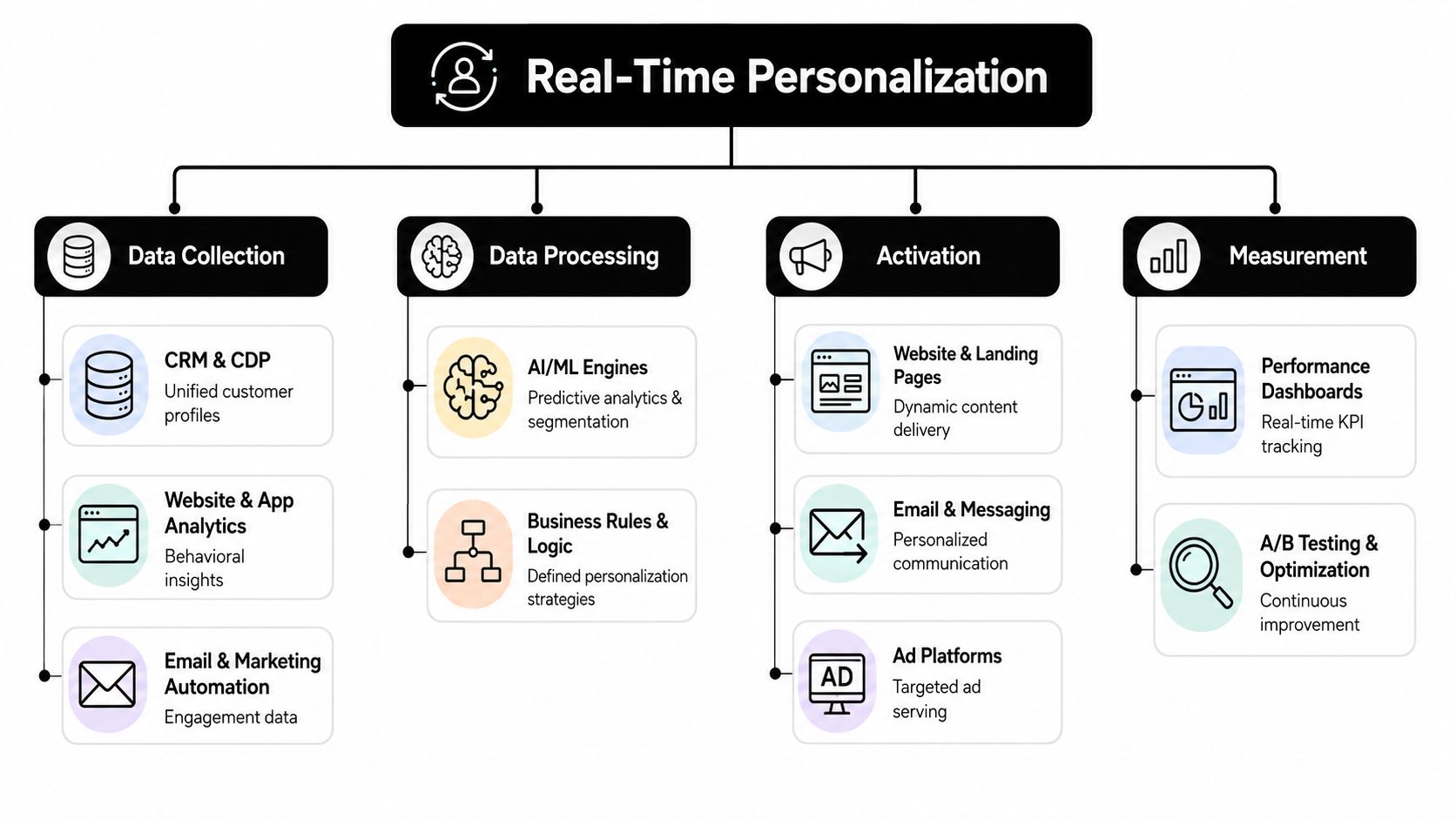
According to Tinybird’s architectural explanation, real-time personalization is a streaming system. It captures user events, enriches them with historical context, runs real-time analytics, and returns a decision through a low-latency API. The key implication is operational, not academic. If your system depends on nightly syncs, the personalization will miss the moment.
Pillar one and two
The first two pillars are about seeing clearly.
Data collection
You need event data from the places buyers interact. That usually includes your website, product, email platform, CRM, and often paid traffic or intent tools. Segment, Snowplow, HubSpot, Salesforce, and product analytics tools often play a role here.
What matters isn’t the brand list. It’s whether you capture actions that reveal intent, such as:
-
High-intent page views: Pricing, integrations, security, migration, and case-study pages.
-
Engagement actions: Form starts, demo clicks, repeat sessions, return visits from the same account.
-
Search behavior: Terms used on-site often reveal pain points more clearly than form fields do.
Data unification
Raw events are noisy. You need a single customer or account view that ties behavior to known business context. That’s where a CDP, warehouse, CRM, or some combination comes in.
If your team still treats CRM and web behavior as separate worlds, this primer on CRM integration is worth reviewing. Without that connection, your reps see names while your site sees sessions, and neither side sees the actual opportunity.
Pillar three and four
Once data is collected and unified, the system needs to decide and act.
The decision engine
This is the brain. It can be rules-based, model-driven, or a mix of both.
A simple rule might be: if a visitor from a target account views pricing and integrations in one session, show enterprise proof points and alert the account owner. That’s often enough to create lift before you ever touch machine learning.
A more advanced engine might score behavior patterns and choose between multiple content variants, meeting offers, or channel actions. The mistake is assuming sophistication equals value. In most B2B motions, clear rules beat opaque models early on.
Operational note: Start with rules your sales team can understand. If nobody trusts the logic, nobody will use the output.
Activation channels
Activation is where the decision shows up. That can mean a personalized homepage hero, a swapped case study block, a triggered sales task, or an email customized for the session that just happened.
Common activation surfaces include:
| Channel | Realistic B2B use |
|---|---|
| Website CMS | Industry-specific headlines, account-based proof, dynamic CTAs |
| Email platform | Follow-up tied to content viewed or feature interest |
| Sales engagement tool | Task creation for reps when high-intent accounts return |
| In-product messaging | Expansion or onboarding guidance based on usage behavior |
What good architecture avoids
Bad implementations usually fail for one of four reasons.
-
They batch what should stream. Yesterday’s data is helpful for planning, not for in-session response.
-
They personalize too many surfaces at once. Complexity explodes before learning begins.
-
They skip governance. No one defines who owns logic, content changes, or QA.
-
They hide the system from sales. If reps can’t see why an action triggered, adoption drops fast.
The best architecture feels less like magic and more like a relay team. Analytics captures the baton, data systems enrich it, decisioning chooses the route, and activation delivers the handoff before the buyer moves on.
Your Implementation Roadmap From Zero to One
Most personalization projects stall because teams try to launch the final version first. They buy a platform, map every channel, debate taxonomy for weeks, and end up with nothing live. A better approach is staged execution with one narrow use case that matters to pipeline.
According to Insider’s overview of real-time personalization software, strong implementations rely on a unified customer profile that updates in milliseconds and reacts to high-intent signals like live browsing behavior, search queries, clicks, page views, and cart changes while the user is still engaged. In B2B, that principle translates well. Start with signals that indicate active evaluation, then make one useful response happen consistently.
Crawl with one high-value moment
The first rollout should be simple enough to ship and important enough to matter.
A strong starting point is a website experience for target accounts. If a visitor from a named account or priority segment lands on your site, change one visible element based on known context. That might be:
-
Industry proof: Show a manufacturing case study to manufacturing visitors.
-
Role alignment: Surface security and compliance messaging to technical evaluators.
-
Account-level relevance: Swap a generic CTA for a meeting option designed for enterprise buying needs.
This phase works best when the logic is obvious. Don’t ask the system to predict lifetime value or infer committee dynamics. Ask it to recognize a few valuable signals and respond cleanly.
Walk by connecting website behavior to outreach
Once the first use case works, connect channels. At this point, B2B teams start seeing pipeline impact.
A common second phase is behavior-triggered follow-up. Someone visits your pricing page, returns to an integration page, or re-engages after an outbound touch. That sequence of activity can trigger a better response than the standard nurture path.
Examples include:
-
Rep notification: Sales gets an alert with the account name, pages viewed, and suggested talking point.
-
Email branching: Marketing sends a follow-up tied to the topic the buyer explored.
-
CTA adjustment: The site changes from “Book a demo” to “Talk through implementation” for visitors showing bottom-funnel behavior.
For many teams, this is also the point where workflow discipline matters more than tooling. If alerts flood reps with low-signal noise, trust disappears. If activation rules are too broad, every buyer gets “personalized” content that isn’t personal.
That’s why process design matters as much as technology. If you’re formalizing handoffs and triggers, this guide to sales process automation helps frame where automation supports reps and where it tends to create clutter.
Run with layered logic and testing
Only after the first two phases work should you add complexity.
At this stage, teams often expand into a decision matrix that combines account tier, session behavior, content interest, and prior engagement. You might personalize:
| Signal combination | Likely action |
|---|---|
| Target account plus pricing visit | Offer direct meeting path and enterprise proof |
| Repeat visit plus integration research | Show technical documentation and specialist CTA |
| Content download plus return session | Trigger rep outreach with topic-specific angle |
This is also where machine learning can help, but it shouldn’t lead the strategy. In B2B, buyers often need explainable relevance more than algorithmic novelty. If your team can’t answer why a specific message was shown, debugging and stakeholder alignment become difficult.
Ship the smallest version that can book a better meeting. Then expand from evidence, not enthusiasm.
What not to do in the first year
A few mistakes show up repeatedly:
-
Don’t personalize every page. Start where buying intent is strongest.
-
Don’t rely only on anonymous behavior. Useful signals become much stronger when paired with account context.
-
Don’t optimize for clicks alone. A flashy variant that drives interaction but lowers meeting quality is a regression.
-
Don’t separate marketing and sales ownership. Personalization that never reaches rep behavior leaves value on the table.
The road from zero to one is less about advanced technology than disciplined sequencing. One signal. One decision. One action. Then repeat.
How to Measure Success and Prove ROI
If your dashboard centers on clicks, you’re measuring activity, not business value. Real-time personalization should be judged by what it does to pipeline.
That means you need a control group, a clear success definition, and metrics that map to revenue stages. Without that, every positive result is just correlation dressed up as strategy.
What to track instead of vanity metrics
The most useful measurement model starts with meetings, not page engagement.
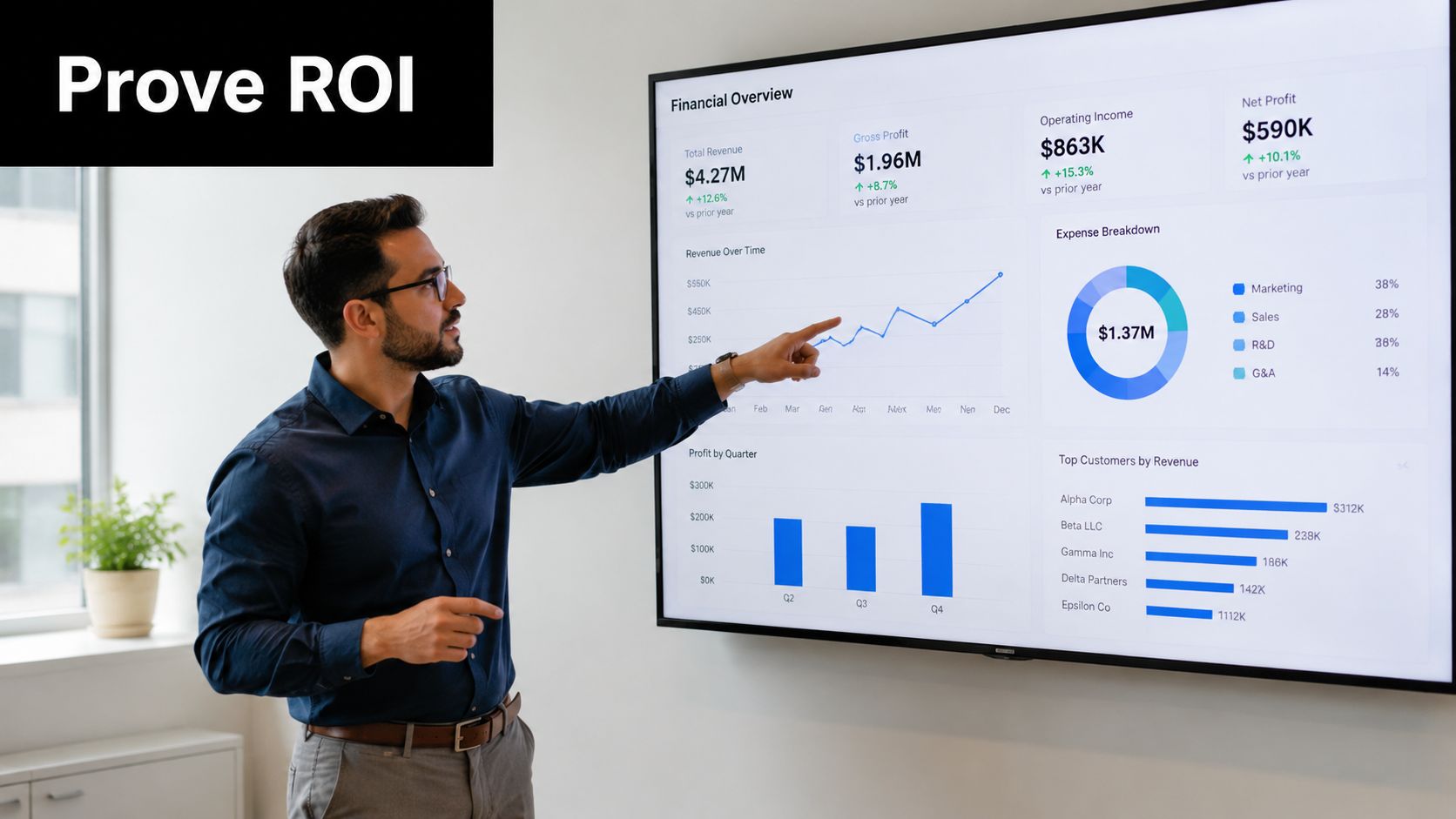
Use a scorecard like this:
-
Qualified meeting rate: Are more of the right prospects booking calls after personalized experiences?
-
Meeting quality: Do reps report that conversations start with better context and clearer intent?
-
Pipeline progression: Do personalized leads move to next stage more smoothly than the control group?
-
Sales cycle compression: Do high-intent, personalized journeys reduce back-and-forth before serious evaluation?
For teams tightening reporting discipline, these lead generation KPIs provide a useful structure for separating signal from noise.
The simplest way to prove causation
You don’t need a complex data science program to prove value. You do need clean comparisons.
Run controlled tests where one audience gets the standard experience and another gets the personalized version. Keep the audience definition, traffic source, and sales follow-up process as consistent as possible. Then compare downstream outcomes, not just top-of-funnel engagement.
A practical reporting table often looks like this:
| Measurement area | Question to answer |
|---|---|
| Conversion to meeting | Did personalization increase booked meetings from high-fit accounts? |
| Sales acceptance | Did SDRs or AEs accept more leads as worth pursuing? |
| Opportunity creation | Did more meetings become real pipeline? |
| Revenue influence | Did those opportunities advance faster or close more cleanly? |
If you can’t explain the ROI in terms a CFO cares about, the program will be treated like a creative experiment.
That’s why every personalization test should end with a business question. Did this help us book more qualified meetings? If the answer is unclear, the test isn’t finished.
Navigating Privacy Compliance and Building Trust
The fastest way to make personalization ineffective is to make it feel invasive. Buyers don’t mind relevance. They mind surprise.
That’s why privacy compliance shouldn’t sit at the edge of the strategy as a legal review step. It belongs in the design itself. The most effective programs use data the buyer reasonably expects you to use, apply it in ways that help them, and avoid signals that feel disproportionate to the interaction.
Helpful versus creepy
The difference usually comes down to context and transparency.
Helpful personalization says, “You viewed integration details, so here’s the relevant implementation guide.” Creepy personalization says, “We noticed behavior you didn’t know we tracked, so now we’re reflecting it back in a way that feels surveillance-heavy.”
Use a simple internal test:
-
Expected data use: Would the buyer assume this interaction could shape the next message?
-
Clear value exchange: Does the personalization save time, reduce friction, or answer a likely question?
-
Respectful restraint: Are you using only the data needed for the next useful action?
Why first-party data is the safer foundation
First-party data is usually the strongest base for both compliance and performance because it comes from direct interactions with your brand. Website visits, content engagement, product usage, and declared preferences are easier to govern and easier to justify.
That also improves trust internally. Legal teams prefer cleaner provenance. Sales teams trust signals more when they understand where they came from. Buyers are more likely to respond when the relevance feels earned.
Build governance before scale
Personalization breaks trust when teams improvise. Governance doesn’t need to be bureaucratic, but it does need to exist.
A workable model includes:
| Governance area | What to define |
|---|---|
| Data sources | Which systems and signals are approved for personalization |
| Use cases | Which moments are allowed, and which are off-limits |
| Ownership | Who approves logic, content, and QA |
| Review cycle | How often rules are audited for relevance and compliance |
The long-term advantage is simple. Buyers respond better when they feel understood, not watched. Real-time personalization works best when it behaves like a competent guide, not an overeager observer.
If your team wants more qualified meetings without gambling on retainers or vague deliverables, Fypion Marketing is worth a look. They focus on performance-driven B2B lead generation and cold outreach, with a pay-for-qualified-meetings model that aligns execution with actual sales outcomes.